
Your Browsing History


Robert M.
Joined on 04/28/05
0
0
product reviews
- 8
Finally! An SSD that works!
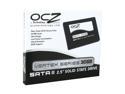
OCZ Vertex Series 2.5" 30GB SATA II MLC Internal Solid State Drive (SSD) OCZSSD2-1VTX30GXXX
Pros: Its fast, VERY fast, and doesn't have the stuttering problem that the JMicron based controllers have. Windows boots EXTREMELY quickly with this, programs launch immediately upon opening them. Its finally living up to what SSDs have promised.
Cons: - It doesn't quite meet the performance bar set by the Intel SSDs, but its also a fraction of the price so its hard to compare the two directly. - You need to upgrade the firmware if you get one with the 1199 firmware loaded on it, and that upgrade will destroy any data already on the drive. (Also, there's no Linux / MAC firmware tool, so you'll need a PC with XP or Vista)
Overall Review: As soon as you get this drive, check the firmware revision on it (it will list it in the name of the drive in the BIOS). If its 1199, it has a bug in it that will cause the drive to start showing errors in Windows once it gets near full. Google "OCZ Vertex Firmware" and you'll find detailed instructions on upgrading to the newer 1275 firmware. Its not terribly difficult, but you will lose any data you've already put on it. The good news is that the firmware also fixes a bug that wasn't allowing the drive to write data as quickly as it should have, so now the drive is even faster than before.
3/30/2009See more detail
My ears are bleeding
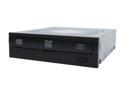
LITE-ON 20X DVD±R DVD Burner 20X DVD+R 8X DVD+RW 8X DVD+R DL 20X DVD-R 6X DVD-RW 16X DVD-ROM 48X CD-R 32X CD-RW 48X CD-ROM Black IDE Model DH-20A4P-04
Pros: Good speeds. Didn't produce any bad discs.
Cons: The first time I put a disc in the drive and it spun up to full speed, I thought maybe it was opening a vortex into a parallel universe. This thing isn't just loud, its L-O-U-D. Like, I think they must have spent time in the engineering lab going "Its loud, but we must find a way to make it louder!" I have no idea why its so much louder than other drives I've used, but it really is something to behold.
Overall Review: If you want a low-cost good speed drive, this is it. If noise is important to you, stay away.
3/27/2008See more detail
Big and Beautiful
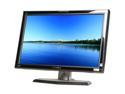
Hanns·G HG-281DPB Black 28" 3ms Widescreen LCD HDMI Monitor 500 cd/m2 800:1 Built-in Speakers
Pros: -Great picture right out of the box. -Size -No ghosting of any kind -Size -Pretty decent stand -Ummm... Did I mention the size? This thing is huge
Cons: The on screen controls could be a bit better for making adjustments. The speakers aren't any good, but that's to be expected.
Overall Review: Setting this LCD down next to my old 22" screen made my former monitor seem absolutely tiny in comparison. I was going from an E-IPS panel so I was concerned moving to a TN panel would make me miss the color crispness of the IPS, but I was wrong. This monitor produces a wonderful image quality with vibrant colors.
8/29/2009See more detail
Excellent budget option
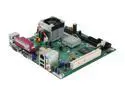
Intel BLKD201GLY2A Intel Celeron 220 SiS 662 uATX Motherboard / CPU Combo
Pros: CHEAP Works like you'd expect it to.
Cons: Not the fastest CPU/board out there. Can experience some slowdowns when doing CPU intensive work.
Overall Review: I used this combo to put together a basic computer for my mother who really just wants to surf the web, do word processing, etc.. For that purpose it works great, and was very affordable.
8/11/2008See more detail
Solid Wireless-N Router
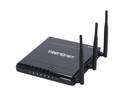
TRENDnet TEW-633GR Wireless Router IEEE 802.3 (10Base-T) IEEE 802.3u (100Base-TX) IEEE 802.3ab (1000Base-T) IEEE 802.11b IEEE 802.11g IEEE 802.11n (draft 2.0)
Pros: Rock solid performance. Hasn't required a reset yet. Good range and throughput. Gigabit wired switch!
Cons: No DD-WRT support, but the stock firmware works quite well.
Overall Review: I was a little hesitant about buying a router that didn't support DD-WRT, but Wireless-N support is still a bit spotty with that so I took a chance with this Trendnet router. No regrets at all. I'm getting a much stronger signal throughout my house than I did with my old .11g router.
8/11/2008See more detail
Nice feature set, a couple design issues
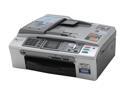
Brother MFC series MFC-465cn Up to 30 ppm Black Print Speed Ethernet (RJ-45) / USB InkJet MFC / All-In-One Color Printer
Pros: Nice output quality. Network setup is easy, and the features work great. Simple network scanning and faxing. Cheap 3rd party ink available.
Cons: No manual feed tray means if you want to print an envelope (or something else requiring a special paper size), you have to remove all of the paper from the paper tray, resize the guides, print your envelope, change the guides back, put the paper back in. Not exactly convenient, and easily could have been solved by having a manual feed.
Overall Review: For the price I paid, its definitely a nice deal.
8/11/2008See more detail