
Your Browsing History


Anthony D.
Joined on 04/28/05
0
0
product reviews
- 7
Nice Card!
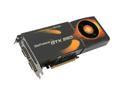
EVGA GeForce GTX 260 896MB GDDR3 PCI Express 2.0 x16 SLI Support Graphics Card 896-P3-1260-AR
Pros: Easy to install on Vista 64. Default drivers installed nicely and the NVIDIA auto driver detect picked up the card without a hitch. --Playing LOTRO and FALL OUT 3 on the highest settings for the 1st time...what a difference!
Cons: Like the other comments, the think is rather long. Almost double the length of my other video cards and it takes up 2 slots - the actual PCI slot for the card and the slot next to it for the fan/cooling chamber.
Overall Review: This is a nice card, runs well and is priced really well.
11/20/2008See more detail
Unable to remove software
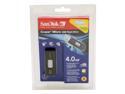
SanDisk Cruzer Micro U3 4GB Flash Drive (USB2.0 Portable) SDCZ6-4096-A10
Pros: Large and Fast. Good for general Windows purposes.
Cons: No way to remove the built in software...fdisk and repartioning does nothing. You are stuck with the horrible interface.
Overall Review: If you have options pass on this one.
6/29/2007See more detail
Where have you been all my life?
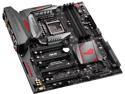
ASUS ROG MAXIMUS VIII EXTREME LGA 1151 Intel Z170 Intel USB 3.1 USB 3.0 U.2 Extended ATX Intel Gaming Motherboard
Pros: I had been a long time EVGA user (motherboards, graphic cards) but with my new rig I wanted to find a company that could provide high quality boards that matched my technical level and was geared more toward the gaming market. ASUS delivered! I bought the Maximus 8 Extreme right after the release and waited to burn in my system before posting a review. For the last few months of regular use (4 hours/weekday, 12+ hours/weekends) and a couple of BIOS updates, I feel that this board lives up to the name - it really is MAXIMUS. Here are some of the things I like (in no particular order): - Board installation was a snap (in the Corsair 900D). This case is huge and the board looks right at home. - The overall layout of the board worked well for cable management purposes. - BIOS configuration was easy on initial setup and has several options available for updates. - This board is really geared for OC and it is set up in such as way as to allow novices to get a feel for what can be done with a few default settings. It allows gives the more experienced OC'er a lot of room to work with.
Cons: While the board has a lot going for it, you need to have an end-state in mind before picking one up. Read the owner's manual and the technical specifications. With that in mind, a couple of things to be aware of that in no way should take away from all the goodness of the M8E. - CPU Water-cooling is a great idea. Watch out for the sizing of your mounting brackets as it can be a little tight around the socket. - The OC Panel 2 seems like a nice add-on, but the installing it in the computer seemed like an after thought. In some cases, you might need to create a custom mount. Mine is sitting in the box and has not been plugged in.
Overall Review: - The expansion card slots need some level of integration with the larger graphics cards on the market. For example, the ASUS STRIX GeForce GTX 980TI is a big board and made by the same company. It was a real challenge to get this mounted in the case. On top of that, there is no support for the card which cause the dreaded "card sag." I would expect that manufacturers would realize that could create a problem with the card slots and create a way to mount these larger cards across the width of the board in order to stabilize the card. Again, the board works well and is a very good platform to build out high end systems.
1/7/2016See more detail
Good CPU
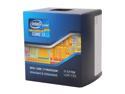
Intel Core i7-3770K - Core i7 3rd Gen Ivy Bridge Quad-Core 3.5GHz (3.9GHz Turbo) LGA 1155 77W Intel HD Graphics 4000 Desktop Processor - BX80637I73770K
Pros: - Easy to install - Works as intended
Cons: - Stock fan does not have enough horsepower to keep this thing cool. Opt for some water-cooling or fans with a bigger radiator.
2/2/2013See more detail
Always Perfect
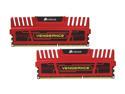
CORSAIR Vengeance 16GB (2 x 8GB) DDR3 1600 (PC3 12800) Desktop Memory Model CMZ16GX3M2A1600C10R
Pros: - Working as Intended - Easy to install - Red
Cons: None
2/2/2013See more detail
Needs some work
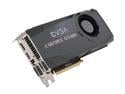
EVGA GeForce GTX 680 2GB GDDR5 PCI Express 3.0 x16 SLI Support Graphics Card 02G-P4-2680-KR
Pros: - Easy to install, Good design. Solid Board. - LED CPU Temperature Display is a nice feature. - 3 Separate BIOS configurations really help with my OC'ing. - Easy to reach CMOS reset
Cons: - Out of the box, the Marvell SATA controllers don't work (even after bios updates). SSD drive detection is wonky - took me several passes at trying different settings in the bios until it finally recognized both of my Intel SSDs.
Overall Review: Seems like a pretty good board, but the SATA issues need to be resolved.
2/2/2013See more detail