
Your Browsing History


Mark K.
Joined on 04/12/05
0
0
product reviews
- 15
Works like a champ
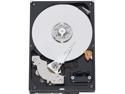
Western Digital Blue WD5000AAJS 500GB 7200 RPM 8MB Cache SATA 3.0Gb/s 3.5" Hard Drive Bare Drive
Pros: Good speed and size for the price.
Cons: None so far. I really haven't had a single hang-up.
Overall Review: For a drive that you want to install hand it 'just works', this does. I plugged it in, copied my data, and have been running it as my media store (video and downloads) ever since. No problems.
12/27/2007See more detail
It's an okay case for the money.
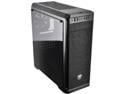
Cougar MX330 Mid Tower Case with Full Acrylic Transparent Window and USB 3.0
Pros: Had enough space for a good sized video card. Room for several different internal drives. I like the placement of the USB ports, and having the power button at the top of the case.
Cons: Has a vibration that comes and goes. I've opened it up several times to try to trace where it's coming from. I thought it was the hard drive mounts, adjusted that, now it's vibrating somewhere else. Only 2 3.5" drive bays. Taking the front off is difficult since there is no easy way to unplug the front panel connections, so if you're working on something, the front hangs in your way.
Overall Review: It's a good price, and it does the job. Nice to have the acrylic side at this price.
6/12/2020See more detail
Cools and keeps quiet.
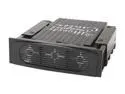
Alpha and Omega UHDC-BK UHDC HARD DRIVE COOLER (Black) W/DUAL 40 x 40 x 20MM FANS
Pros: Keeps my drive the coolest thing in the case right now. I use this drive for media recording (up to 2 recordings at a time) while streaming music and video out on my network, so it gets plenty of access, yet stays cooler than any other device in the case. Not very noisy, not very noticable in my entertainment cabinet.
Cons: A tight fit... took some playing. Just take your time and you'll be fine.
Overall Review: This is my first HD cooler and I'm happy.
3/20/2009See more detail
Works out of the box!
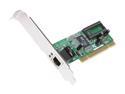
ENCORE ENLGA-1320 Ethernet Card 10/100/1000Mbps PCI 1 x RJ45
Pros: Dropped this into a linux (Ubuntu) box and XP Home box. Both were auto detected and worked. One thing, the XP box needed to connect online to get the drivers. Or I could have used the disk, but I used my wireless connection to let it download the latest. FAST FAST FAST (Make sure your switch/router handles GB) PRICE = Very Little :)
Cons: Had to be online to load drivers on XP Home or insert the disk... but that's no biggie.
Overall Review: Low profile card, but no low profile bracket. Just an FYI for folks.
1/28/2009See more detail
Works great in Ubuntu Linux
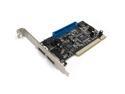
Rosewill RC-212 VIA PCI SATA 1.5G / IDE ATA 133 Controller Card / Supports Raid 0, 1, 0+1, JBOD, non-RAID mode
Pros: Works without need of setup on Linux. My system was already installed with linux, and I just plugged in the card and drive, and it auto-detected.
Cons: It has 4 SATA ports, but you can only use 2 at a time. If you use an external port you must disable (WITH JUMPERS/PINS!!!) an internal one. (More details in the manual.) Not a big issue if you don't need all 4 ports, but I missed it in the specs.
Overall Review: Not all flavors of linux may be able to auto-detect and run this without some tweaking, but most of the newer ones should. The card works, I only have 1 drive so I'm happy. I disabled the other internal so I have an external available for the future. I put tape over the external port that is disabled.
12/27/2007See more detail
Tight... in both good and bad ways.
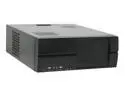
Athenatech A3712BB.450 Black SECC Steel ATX Mid Tower Computer Case 450W Power Supply
Pros: This case has a small footprint, decent wattage power supply, and sturdy design. I will be using it for a set-top box. The fans run very quietly. (I have them all hooked up.)
Cons: Tight fitting. I don't mind the hardware they provide to mount the drives... but would love to float a drive over the motherboard. (That's the only place left to put one.)
Overall Review: Spent 30 minutes worrying the PS was dead, but then I took off the front cover section (which needs to be done to put drives in) and found the toggle switch for the PS sitting in the off position. After that, she powered right up.
9/17/2007See more detail