
Your Browsing History


Eric C.
Joined on 05/04/08
0
0
product reviews
- 5
good board, and thunderbolt
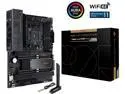
ASUS PROART X570-CREATOR WIFI AM4 AMD X570 ATX AMD Motherboard
Pros: -No chipset fan -Thunderbolt 4 built in -no RGB -10 gig lan
Cons: -asus 'forgot' to put out the memory qvl until after the boards were in the wild. Finding compatible RAM was a headache. -the PBO features don't seem to work quite right yet. -they do run hot but (see review)
Overall Review: Overall, a very nice board. It has all the IO anyone could want. I'm not exactly the target audience as I use it exclusively for gaming, but since work from home became mandatory, I was tired of plugging and unplugging two computers all the time. Work laptop has thunderbolt, so it was important to get thunderbolt on the desktop. There aren't many choices on the AMD side and I didn't want an add in card. Everyone should be aware am4 is on the way out so upgrade paths for the cpu will be limited. I just wanted to throw AMD a bone after years of intel. I felt they had done a good job over the past few years. I was running a 9700k, which under full load would consume 260W max. This turned my small home office into an oven. While the 5800x I put into this motherboard runs hot on the chip, it only consumes 160watts maximum, so not nearly as bad. Higher temp in a smaller space, but at least I have to dissipate less wasted energy. I tried to use PBO to undervolt it, but when I did, the power consumption and Temps went up MORE. I'm thinking there are still some bugs to work out in the bios. That being said, I've had no issues with stability that weren't from RAM issues. It has a nice set of future proof (if anything can be) with thunderbolt 4, 10gig Lan, wifi 6e and Bluetooth 5.2. A side note, asus put some new m.2 storage retaining pins that are tool-less. I'd never seen them before, and they are a bit odd to use the first time. I felt like I was going to break something. Go look at a shot YouTube video to confirm you're using them right. They are nice....but strange. I put the nvme drive in the top slot and it benchmarks at full speed, none of that x570 slow storage stuff I read about if it has to go through the x570 pcie lanes rather than the cpu.
9/28/2021See more detail
Excellent
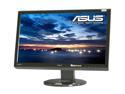
ASUS VG236HE Black 23" 1920x1080 2ms Height, Swivel & Tilt Adjustable Full HD HDMI Widescreen LCD 120Hz 3D Monitor 400 cd/m2 100,000:1
Pros: -Very Bright -Good black levels and Contrast -Reasonable colors -Uniformity I bought this one just because it has pretty good black levels, as opposed to my other monitor, a PA238Q, which has pretty pathetic black levels. The screen is pretty uniform, and doesn't suffer from backlight bleed as bad as the IPS does (IPS glow). 120Hz is nice, and the colors are alright. No dead pixels.
Cons: -Color accuracy -No USB ports -Stand I've listed color accuracy twice, because while the colors are pretty good, I can still notice a difference between the PA238Q, which has excellent colors. Adjustments make it close, but the difference is still there. There are no USB ports on the side of the monitor. They are nice to have, and for the price, I wish they had been included. The stand for it isn't exactly flimsy, but it's not the most sturdy thing ever designed. Only one wingnut holds the monitor to the stand.
Overall Review: I've not tried the 3D. That may come in the future, but not now. For a gaming monitor, it is pretty nice, and since the screen is mostly uniform and doesn't suffer from backlight bleed (except along the bottom), it is easy to watch things on. The screen is glossy, which actually helps it, in my opinion.
12/3/2011See more detail
Very Nice But...
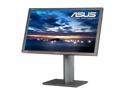
ASUS PA Series PA238Q Black 23" 6ms HDMI Height,Swivel,Pivot & Tilt adjustment LED Backlight Widescreen LCD Monitor 250 cd/m2 ASCR 50000000:1
Pros: Excellent features, good adjustability, nice display quality. It is quite bright when you crank up the brightness, and it has a pretty easy to use interface to change your settings.
Cons: Backlight Bleed. Not stating anything Earth Shattering there, judging by other reviews. The monitor does seem to have a blue bias to it though. If you look at an angle, it tends to get a bit blue on the corners.
Overall Review: All in all, I like it, but that's not going to prevent me from taking it back if the backlight bleed gets worse.
11/3/2011See more detail
Works Well
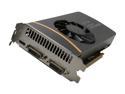
EVGA 01G-P3-1468-KR GeForce GTX 560 (Fermi) FTW+ 1GB 256-bit GDDR5 PCI Express 2.0 x16 HDCP Ready SLI Support Video Card
Pros: It's quieter than my 8800GT. It'll run all my current games on maximum graphics (Crysis 2), which is good my my dated system. Easy to install, and is shorter than some other cards out there (by 0.25 inches).
Cons: The dual 12+ volt rails is a bit of a pain. While I've got them, I can't install much of anything else unless I get a different PSU.
Overall Review: It did end up blocking one of my PCI 1x slots on the MOBO. Not a huge issue since I don't ever use them, but you might want to examine your available lengths and distances between slots on the MOBO.
8/27/2011See more detail
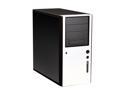
Antec Solo Black/Silver Steel ATX Mid Tower Computer Case
Pros: The case is very modular, allowing enough slots for just about any amount of components. The removable trays are very useful. Can fit Nvidia 8800 gs with some space to spare
Cons: none in particular
Overall Review: It is a massive case from my limited exposure to computer building. Granted, it's not a full tower, but it holds quite a bit.
5/9/2008See more detail