




 here!
here!
I’m your shopping assistant for PC builds, upgrades, and everything tech.
Got questions? Ask away!
Start a conversation
here!
I’m your shopping assistant for PC builds, upgrades, and everything tech.
Got questions? Ask away!
Start a conversation

Joined on 07/04/05
Fast, cool, has WDGreenpower drive
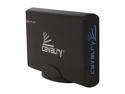
Pros: It is fast. I used HDtach 3.0.4.0, and the Average access time is 15ms, not bad for a drive that spins at 5400RPM (5.5ms latency,, so 9.5ms seek time). 30MB/s average read speed, 32max, so it does saturate the USB2 interface across the board. Temperature; It is flat against the carpet under my desk (on its stomach) and it is just warm to the touch.
Cons: Not a spinpoint F1 drive or WD black, this drive has 4 platters in it running @ 5400RPM, great for storage or the average system drive, not for a system drive if you want a good performance boost from your previous drive... USB cable is very short (3ft)
Overall Review: External case feels sturdy, blue backlit logo in front of enclosure blinks OFF when drive is active, so if idle, light is on constantly, and it is impossible as near as I can tell to get the drive to be anywhere near fully active because of probably latency delays and the bandwidth bottleneck of the USB2 interface.
Cheap, but not very fast, 1 bad sector
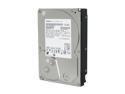
Pros: The spindle speed is near 6000RPM, but still, the average access time is close to 20ms, which is horribly slow. When I am doing multiple I/O tasks on it at once, like checking a few partially downloaded bittorrent fies, and copying some files at the same time, it is dog slow. I'd go for a 2TB Caviar Black that has an average access time of 11.8ms instead if you want speed. It's 2 TB of storage, got it for $70 with $10 rebating, making it $60. It's quiet. It doesn't use many watts, therefore not much heat.
Cons: Whenever it is idle, it is constantly doing some sort of repetitive seeking for some reason, even if their is no connection between the external enclosure and the computer (no USB or ESATA connected). It might be my external enclosure, but I wonder if it would do the same thing in a computer tower. I don't know why it does it, it stops when the drive is being accessed so it isn't a performance issue, but a wear and tear and power consumption issue. I can't imagine it's doing self tests constantly when idle but that's all I can think of. More importantly, after a few months of use, it developed one bad sector, and that one bad sector made the drive unusable because the drive doesn't have any kind of LTR(limite time recover), so it was constantly picking at it's wound, making it unusable. Chkdsk wouldn't fix it. My solution was to find out the sector range that was suspicious and then run HDD Regenerator or Sprinrite 6.0 to finally mark that sector as bad. The drive hadn't bee
Overall Review: Nice cheap drive (when I bought it, darn Thailand floods) Not fast, but quiet and cool. If you have any sense, wait for the 4TB Caviar Black to come out and then buy the capacity within that drive product that you want.
Sexy laptop, very upgradeable, ergonomic

Pros: It’s quite the laptop with the G50VT-X6, which is a version with the red trim. You can upgrade the fan from the Delta 0.4 Amp fan to the Forcecon DFS541305MH0T “F8U5” 17 fin 0.5 amp fan, which is what the G50VX uses, for more air flow. The cooling system is very well designed. The air is sucked isn’t sucked in from a spot beneath the fan like many an HP DV7 Other laptops, But Instead, air is sucked through a multitude of vents along the bottom of the unit, allowing all components to get cool air flow because of the negative air pressure caused by the fan. Also this makes it very difficult to hinder the intake airflow for the fan, yielding in less likelihood of overheating when on your lap or bed / couch. This laptop does not burn one’s legs, or any other tissue in the lap region. Then you can upgrade to an X9100 Extreme CPU for about $100 from a popular auction site. Get an SSD and put in a mechanical drive as well. It may support another hard drive where the optical drive goes. It’s still a responsive laptop for today (2014) and looks really good. It is too bad Asus has stopped making batteries for this laptop (A32-M50 (6 cell) A33-M50 (9 cell).. I stock piled 3 of them and put them in my fridge. Battery life can easily be 2.5-3 hours with a 9 cell. Beware of the aftermarket batteries, not all of them can handle a large power drain (full CPU/GPU usage). The LEDs along the touchpad and lid hardly take any power. You can unplug all LEDs in the lid by unplugging the little circuit board in the lid by removing the screen bezel (4 philips screws) but that is a hassle. Reliability is great, with the exception of having to replace the screen backlight CCFL, and the OLED screen going bad.
Cons: Aftermarket batteries cannot handle this laptop. Unreliable when power consumption increases. Can be loud. Speakers not that loud. Some system noise through headphones jack. OLED screen has died on mine after 4 years or so. Does not light up at all.
Great fan, heavy duty, used in automobile engine bay
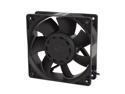
Pros: Moves ALOT of air. Assertively loud. Very reliable through a wide temperature range, in the wet and cold of winter and the hot and dry of summer. It is used under the hood of my car to cool my compressor! I can almost hear it over the engine idling. Been using it for about 2 years now, no signs of wearing out. Heavy duty. Gets stuff done.
Cons: None, ziltch. Lots of air moved at 4800+RPM = loud, no way around that. Doesn't move 350CFM at 80dB.
Overall Review: other thoughts; I use this fan, a TFB1212GHE fan, now discontinued on newegg. I use it under the hood of my car to help keep my 12V air compressor cooled down when I use it a long time. The compressor is used to keep the tank filled for my train horns. The power gets power whenever the compressor gets power. I would say the fan gets a couple hours of use per year. So far it works like new even though it is in a high humidity, high heat (in the summer) environment.
Very nice video, superb audio, real focus, flash and zoom! Firmware update desired
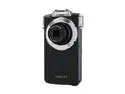
Pros: I bought this camcorder when it was about $110, maybe 6 months ago. It does very well on sunny days, very good video in full 1080p. Zooming is nice, and you can enable optical zoom while doing video too. Flash: Very nice! It can flash in low power mode, when the computer senses that not much flash is needed or more might make things washed out. Then it can also do full super bright flash. This is all automatic. Computer interface: Wish it was USB3, but then again even class 10 SD cards don't saturate USB2. I like the feature of the camcorder in that it is a USB card reader and you can access both the internal memory and the SD card on your computer. Audio quality and bitrate; Awesome. The stereo microphones work very well. About as good as you can get without going to HD audio. It is 48KHZ sampling rate, 16-bit, and variable audio bitrate between around 182Kb/s and 255Kb/s AAC audio, which if I compare that to MP3 it's basically CD quality stereo audio since AAC is a bit more efficient than MP3. Audio quality is not affected by choice of video quality. Video quality bitrate; 1080p; About 12Mb/s, doesn't change much when staring at a wall vs a bunch of action. Around 13.5Mb/s with action. 480p; About 3.1Mb/s In conclusion, it's a wonderful, light weight camera but desperately needs a firmware update. Great hardware but needs new software!! Not a big deal though. I honestly love it. If it ever breaks I'm buying a used one. I rate it 4.5 stars, which rounds to 5 stars
Cons: In low light conditions, video is slightly grainy, and pictures too. This is to be expected from a thin small pocket camcorder. The h.264 compression I'm sure does reduce quality a bit and so I wish there was a option to increase the bitrate. Also there is a 30 minute time limit on videos because it only supports FAT32 formatted SD cards, not NTFS. I wish it would automatically continue recording in a new file. This could be fixed with a firmware update. A gripe though, when zooming in/out while taking video, it goes very slowly and the software reduces the volume of the treble sound frequencies from the microphone in an effort to limit noise of the zoom motor in the video audio stream. However this also heavily affects the sound of the environment and I wish one could shut off this audio changer feature. Also I wish it had an option to zoom in/out optically at full speed while taking video. I have had the zoomer get stuck once, but by lightly tapping it on a table and helping rotate with a few fingers let it overcome the internal resistance and complete it's movement. This happened after the unit fell, and I know that some other reviews say that the zoomer can get stuck and it's junk, but you can fix it yourself by helping it turn (gently). The zoom motor isn't weak, it normally doesn't bog down when opening up or zooming in/out. Powering on the camcorder can be tricky. If you put in the battery and then immediately press and hold the power button, it won't turn on. You have to wait about 7 seconds between putting the battery in and starting to press the power button, then it will turn on. It is a weird glitch but once you know about it you just bypass it by waiting 7 seconds. If the battery is already in the camcorder for a while you can turn on and off the camcorder at will without delay. Autofocus; You cannot shut off or adjust autofocus manually. This is annoying if you are using the camcorder as a dash cam, as it likes to focus on the rain drops on the windshield rather than the road. There are easy ways to try to get it to not do that though. It is a little bit lazy with autofocus adjustments while filming, it often won't change the focus as it should when you are filming something far away versus close up. Or a room versus a close-up of an object in a room. It will usually correct the focus if you tell it to optically zoom, then you can zoom out again if you wish and the video is in focus. You can also try to make the focus change by pointing the camcorder at a bright light source at the distance of the object you want to film, it will probably adjust the focus then. As a last resort you could also stop filming and press the 'take picture' button to stage 1 of 2, where it will focus. (The camera button is 2 stage press down). A firmware update could refine all this.
Overall Review: Battery life: 1 hour at most. Doesn't seem to matter what quality you are filming at, or resulting bitrate. Perfectly reasonable since each battery pack is maybe 2.5 watt hours and the camcorder is doing lots of math for the encoding and running the screen and autofocus. The small battery helps keep the weight and the size of the camcorder down. Aftermarket batteries on are cheap, get the good ones, don't buy the cheap ones that claim 1200mAh or 1300mAh, that is a total lie when the OEM battery is 700mAh. It's hard to find a good aftermarket battery but they are very inexpensive, as well as the aftermarket chargers. So far the best aftermarket battery I've used are 'GT max' brand/labelled. Supposed new OEM batteries can be had for around $8 shipped whereas cheap aftermarket is around $2.80 shipped. I don't trust the aftermarket Wasabi brand of batteries for $7.50 each and a supposed 3 year warranty which I bet is a fake warranty. Body: Card/battery bay door can hang out easily rather than be latched in. Not a big deal though. how to adjust settings and do advanced things with the VPC-PD2 photo quality: left arrow video quality: right arrow flash settings: press flash button camera timer delay feature: hold the "SET" button for a second or two to access the menu. Camera main settings menu including image stabilization, language, optical zoom while filming and more, hold down the flash button for a second or two. To shut off the annoying voice notifications, when the camcorder is off, press and hold both the power button and up button. The camcorder will turn on and a menu will pop up where you can disable stupid noises. To adjust volume level while playing back a video, the photo button is volume down, video button is volume up To fast forward or rewind the viewing of a video you are watching, left arrow/right arrow. To pause a video, that is the up arrow. To stop, that is the bottom arrow To extract a frame (picture) out of a video you've taken, pause the video, then hold the camera button and it will save it. To delete stuff, while in review mode, press the trash button, which is also the flash settings and master camcorder menu button. To take pictures while filming, hold down the picture button. There is a shortcut to watch a slideshow of what is on the memory card but I forgot how. There is a shortcut to startup the camcorder in a special mode just for viewing the contents of the memory card, where the optics don't come out but I've never figured it out.
Awesome upgrade on EEEpc 1005ha
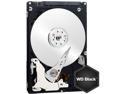
Pros: Fast linear speed, really good random i/o performance too Quiet accessing, not too much whirring noise. Power Efficient
Cons: Access times are not excellent. Around ~15.7ms average access time , minus 4.16ms rotational latency equates to ~11.5ms seek time. It is a good access time, but not excellent. The noise of the heads parking to reduce air drag during idle times are loud. Could be made quieter
Overall Review: I installed a Western Digital Scorpio Black 750GB 7200RPM laptop drive into my ASUS EEE 1005ha netbook and the speed increase is drastic. I can safely say that the i/o bottleneck is removed from the computer in day to day tasks (it doesn't take much with an Intel Atom). I used hddscan to query the hard drive temperature and it only runs a few degrees warmer than the 160GB 5400RPM 1-platter drive that came with the computer. The whole myth about 7200RPM laptop drives running hot in netbooks is totally false. I will never buy anoth 5400RPM laptop drive in my live, they are well worth it. The Scorpio Black is a great drive and the only real downside is that the access times are not amazing, but then again, the noise emitted when seeking might be higher if they had made it faster. But it is fine because the drive is the top dog with performance versus all other laptop drives right now (besides Seagate's hybrid drive).


