

Your Browsing History


phillip t.
Joined on 03/06/05
0
0
product reviews
- 21
Great Support

Turnda Leather Power Recliner with Shiatsu Massage
Pros: Turnda has wonderful customer service. My chair initially did not massage, but it reclined ok. I called their support number and they were incredibly helpful and knowledgeable. Once we got the chair fixed up it works like a charm and is SO effective. I look forward to the 1/2 hour I try to spend in it daily. When your done you really feel like you got worked over. I was lucky enough to get the open box version for much less which made it an even better deal. I'd pay full price for another one of these simply based upon the terrific service and support alone. A+++
Cons: As i stated, my chair arrived defective. However, the Turnda support people pick up the phone right away and i even spoke to a technician who helped me throughout the process. They referred me to the 'warranty company' initially who said they couldn't do anything. Turnda stepped in and sent me a new CPU which didn't fix it, so they sent me the entire shiatsu motor assembly and walked me through installing it which was a breeze. The whole process only took about a week from first call to fixed. They shipped fast and acted fast. Supreme kudos to Turnda on a fabulous chair and dynamite customer service. <3
Overall Review: Great great chair, superior support, not much else you can ask for. Very very satisfied.
3/8/2012See more detail
Great for gluttons of punishment
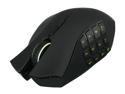
Razer Naga Epic Rechargable Wireless MMO PC Gaming Mouse
Pros: It has buttons, and lots of them so you can press them and do things. At least that's what you would think, and only when it's not being as glitchy as Max Headroom.
Cons: They are plentiful. In wireless mode, it lags horribly, sometimes shuts off altogether, the cursor will move randomly even with the slightest of movements. Get ready for an incredibly frustrating time trying to tweak settings in vain as you attempt to explore every avenue of getting this mouse to just 'work'. The latest drivers have some junky 'synapse' software which if you search online users galore will warn it's the mouse equivalent of bloatware that bogs your peripheral down, and you need to hunt the internet to find a previous version without it. Again, you'll spend more time trying to get it to work right then using it for your games as simply browsing the internet will be as much fun as visiting the dentist for a root canal.
Overall Review: On the off chance you actually contact Razer Support for some assistance, you'll get no more than 1 reply per day from their 'Tech Team' which constantly has to 'escalate' things to some higher tier, presumably because it takes database architect level knowledge to send out some software patches. Once you get these patches, and you know, attempt to install them you might end up with a completely bricked mouse and/or dock making it (I know, impossible right?) even more unusable then mentioned above. After a week long process of trying to get a replacement USB cable and some firmware in my final attempt to get this mouse I've owned for 3 months to just 'work'. I decided enough was enough and speared it on a kabob skewer placed strategically in view of all my other peripherals so they know what will happen should they decide to step out of line in a similar display of defiance.
9/25/2013See more detail
Adequate. Average.
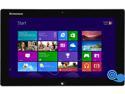
Lenovo IdeaTab Lynx K3011 (59343251) Intel Atom Z2760 11.6" 2GB 64GB SSD Tablet - Windows 8 - Gray
Pros: It was fairly cheap when I bought it from Lenovo directly, and they had a deal with the keyboard dock for additional $50 so I thought it would be a good grab since it has full Windows 8 (not RT), 64GB storage, and an Atom with HT. For around $350 total i thought this would be a nice tablet compared to some of the others out there for more.
Cons: It's cheaply made. I've experienced some graphical glitches on occasion both in Windows and on bootup. I'm not sure if this is a hardware problem or just Windows 8 being Windows 8. That OS in of itself is pretty bad but that's not the fault of the tablet. They keyboard dock has to be the cheapest part of the entire ensemble, it's so flimsy it bends underneath your key presses, the charging port becomes very finicky after some time and the cable has to be just-so in order for it to actually charge. It's impossible to plug in the charging cable to the dock while the tablet is docked itself, as the micro-USB port can't supply enough juice to charge it while you are using it. I resorted to charging the keyboard dock and the tablet separately since this was more effective. The touch pad is an utter joke. The left and right click buttons are integrated for some reason into the touch area so that every time you try and click on something the cursor moves since the pad is overly sensitive. This is the most frustrating thing about this unit but again, you are not required to buy the dock to use the tablet but I wanted to make prospective buyers aware of the issues inherent to it. At $50 more, it's ok but at the MSRP of $150 I'd have returned it. Anything more than $299 for the tablet is also too much.
Overall Review: If you get it on sale and don't expect much from a quality or fit and finish standpoint, then you'll probably be ok with it since it does do most anything a normal laptop can do thanks to full Windows 8. But this being my first Lenovo product, I would never spend more for anything else they make if this is what can be expected from their build quality. Just be aware, in this case you get what you pay for (and maybe slightly less in some cases).
10/20/2013See more detail
Bad experience
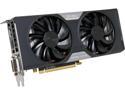
EVGA 02G-P4-2763-KR G-SYNC Support GeForce GTX 760 2GB 256-Bit GDDR5 PCI Express 3.0 SLI Support w/ EVGA ACX Cooler Video Card
Pros: Fast card, doesn't use very much power compared to the slower 6970 I was upgrading from. EVGA has been a solid company for me in the past.
Cons: Very, very unstable. Cleaned off my old ATI drivers and did a fresh install of Nvidia drivers, had major issues with rebooting at random and freezing with my PC that had never happened with the old 6970 card. Tried Beta drivers, still had problems. Then did a fresh install of Windows 7 from scratch with the latest drivers, still had issues with stability. My system was rock solid before this 'upgrade' (i5 2500k, 16GB G.Skill, Biostar Z68+, Corsair 650W, XFX 6970 2GB). Can't believe how much time I wasted trying to get a simple video card to work.
Overall Review: Maybe I got a bad card, but I'll gladly keep a slower card for stability rather than the faster glitchy unit I received. Moving back to the Red team, it's been awhile since I tried Nvidia but if this is what I can expect then it will be my last experience with Green for a long time.
10/6/2013See more detail
Cheap, small and slow
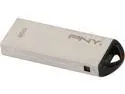
PNY 32GB USB 2.0 Flash Drive P-FDU32G/APPMTM-GES3
Pros: Small, cheap for the size, reputable brand
Cons: Pathetically slow. Advertises 480mbps transfer on USB 2.0 (which isn't even a stat on PNY's website - you have to check B-Buy.com to find that out) however doesn't even come close to that speed. Took almost 5 minutes to delete 1.5GB of data. Again to DELETE data, not even write! Never seen it write faster than 5mbps. Horribly slow.
Overall Review: I would not recommend this, go with a Patriot X-series for reliable transfer rates, I wish I had but this was on sale.
7/14/2013See more detail
If you want your data safe, avoid Centon
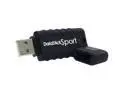
CENTON DataStick Sport 64GB USB2.0 Flash Drive (Black) DSW64GB-001
Pros: It was inexpensive, and 64GB
Cons: Where to begin? It is slow to transfer files, frequently needs to be 'scanned and fixed' by Windows, and worst of all failed with under a year of moderate service transferring files which now I have lost 50+GB of files out of nowhere including some videos for work which thankfully are backed up on the server. This is the 3RD device by Centon that has failed me in less than 2 years. Totally unreliable.
Overall Review: Never buy anything from Centon if you value your data. Ever.
7/7/2013See more detail