
Your Browsing History


Eugene C.
Joined on 12/27/02
0
0
product reviews
- 6
Low-end, low-cost
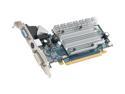
SAPPHIRE Radeon HD 3450 256MB GDDR2 PCI Express 2.0 x16 CrossFireX Support Graphics Card 100233L
Pros: This card is cheap, has all the features you'd expect from an HD3xxx series, and is passively cooled.
Cons: It actually runs pretty hot. The heatsink gets extremely hot even when not pushing the card very hard.
Overall Review: I won't go into the performance of the card because that's not what anyone would buy it for. It's best suited in HTPCs and other special apps that don't require much in terms of 3D acceleration.
2/2/2008See more detail
be careful
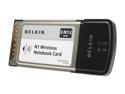
BELKIN F5D8011 N1 Wireless Notebook Card
Pros: Well packaged Slim antenna housing
Cons: Weaker signal vs. competition Two versions with same model #
Overall Review: There are two versions of this card. The F5D8011 v1000 is based on the Atheros XSPAN chipset. The newer v2000 card uses the Marvell TopDog chipset. The same applies to Belkin's N1 routers as well... Make sure you pair chipset with chipset, even cross-vendor.
5/11/2007See more detail
Better than the old S-FLEX
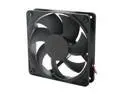
Scythe Kama Flow 2 SP1225FDB12H Case Fan
Pros: Very quiet compared to other fans. Fairly efficient, low starting voltage around 2.5V. Perfect for use with a fan controller. Rigid construction and no bearing noise.
Cons: None
Overall Review: Just a retort to the review saying these aren't as good as older Scythe offerings. These are actually much better than the S-FLEX fans they replace. The advertised specs are lower, but they are conservative. For example it's claimed these fans use .38A at 12V...that's simply not true. These fans use less than 2W at 12V, meaning .17A. I've compared these directly with the S-FLEX SFF21G, and S-FLEX has a slight motor noise whereas the Kama Flow 2 has none. Compared to a Gentle Typhoon, the Kama Flow 2 is much more pleasing to my ears at sub-1200RPM. The double ball bearing based GTs only come into their own at around 1400RPM or higher where they are untouchable. GTs are more efficient, but the Kama Flow 2s are efficient enough. Unless you plan on using your fans at max RPM 24/7, the Kama Flow 2s are the most rounded fans I've ever tested.
4/17/2012See more detail
Impressed.
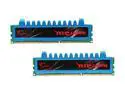
G.SKILL Ripjaws Series 8GB (2 x 4GB) DDR3 2000 (PC3 16000) Desktop Memory Model F3-16000CL9D-8GBRM
Pros: This kit is among the least expensive for its advertised speeds. Rated for 1.55V.
Cons: None.
Overall Review: These DIMMs are currently running on my new Sandy Bridge PC at DDR3-1866 speeds with tight 8-9-8-24-1T timings. Considering they are advertised at 9-11-9-28-2T, I am quite happy with the purchase. Also the heatsinks are merely decorative and look better (darker) in person. No clearance issues with my Noctua NH-D14.
1/22/2011See more detail
Heads up
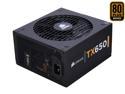
CORSAIR TX Series CMPSU-650TX 650 W ATX12V / EPS12V SLI Ready CrossFire Ready 80 PLUS BRONZE Certified Active PFC Compatible with Core i7 Power Supply & New 4th Gen CPU Certified Haswell Ready
Pros: Corsair PSUs are generally very good.
Cons: None
Overall Review: Any TX650 purchased now is completely different internally from one purchased over a year ago. They are now built by CWT like the TX750/850/950 and not Seasonic.
9/10/2010See more detail
Correction
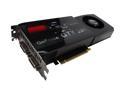
EVGA GeForce GTX 285 1GB GDDR3 PCI Express 2.0 x16 SLI Support Graphics Card 01G-P3-1281-AR
Pros: Fastest single GPU card available (non-OC'd). Quieter and cooler than AMD/ATI cards.
Cons: Very long PCB. NVIDIA's Vista 64-bit drivers generate many random BSODs. Requires a patch cable to route digital audio from your mainboard.
Overall Review: Wrote this review to say that you don't need to remove the middle drive bay on a P182 to fit this card. You only need to remove the slide-out tray that sits in the bay.
2/5/2009See more detail