




 here!
here!
I’m your shopping assistant for PC builds, upgrades, and everything tech.
Got questions? Ask away!
Start a conversation
here!
I’m your shopping assistant for PC builds, upgrades, and everything tech.
Got questions? Ask away!
Start a conversation

Joined on 09/14/03
Upgrade from i5-750
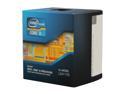
Pros: * Low Power usage * Runs cool * Perfect price point
Cons: * Didn't notice a large real world performance increase over previous i5s.
Overall Review: I purchased the i5-750 back in January of 2010 for $200. 2 and a half years later I purchased the i5-3450S for $200. Both CPUs sold for the same amount considering when they were brought to market and that's impressive. I've never benchmarked either CPU; instead I gauge performance in applications and gaming to see if I can recognize a noticeable difference. I didn't really notice much of a increase, but that's not a bad thing. The i5-3450S uses less power, runs cooler and the cores aren't as stressed as the old i5 (according to Windows Task Manager). I would equate it to buying a newer model of the same car you have now. There are small improvements, but it's not going to be a world of difference. The computer industry as a whole seems to be slowing down. My old i5 still has plenty of power to run every program/game on my computer perfectly. If you buy this CPU you won't need to upgrade for at least 3 years or so. Your GPU on the other hand...
Received as part of OCZ's RMA Program
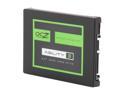
Pros: It worked
Cons: Inconsistent sequential read performance High Raw Read Error Rates* (See other thoughts)
Overall Review: I purchased a 64GB OCZ Petrol from Newegg. The 1st time I RMA'd it through Newegg. The 2nd time I RMA'd it through OCZ and they sent me a 60GB Agility 3 instead of another Petrol. This drive actually worked, but the sequential reads were all over the map. The HD Tach graph looked like an EKG with the lowest read at 150 MB/s and the highest around 425 MB/s. Both my Crucial and my Samsung SSDs were just under 400 MB/s from the beginning to the end of the drive. Also HD Sentinel reported over 180,000,000 (that's one hundred and eighty million) Raw Read Error Rates. Those numbers reset on restart, so the S.M.A.R.T. controller may be reporting something else but it's read as Raw Read Error Rates by HD Sentinel. You can buy better drives for the same amount as you would pay for an OCZ SSD. Food for thought.
How about some driver support
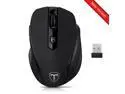
Pros: I'm using it to replace my old travel mouse I use with my laptop. I like it so far.
Cons: DPI switching is NOT meant for gaming. You have to cycle through all DPI rates to get back to the original setting. NO DRIVERS!
Overall Review: Without the drivers, you can't customize the side buttons.
Awesome power supply
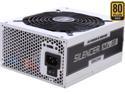
Pros: Runs an HDD, 2 SSDs, and i5 processor, 3 case fans, and TWO R9 290s with NO problem.
Cons: None
Overall Review: * Intel Core i5 3450S @ 2.80GHz * 16.0GB Dual-Channel DDR3 * ASUSTeK COMPUTER INC. SABERTOOTH Z77 * Dual ATI Radeon R9 290s * SAMSUNG SSD 830 Series * Western Digital Green * Crucial SSD M4 Series * Lite-On DVD Burner
Runs cooler (comparatively)
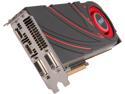
Pros: Runs at 80 C under full load. 800 + Kh/s.
Cons: None.
Overall Review: I have another R9 290 made by M$I and this card runs about 10 degrees cooler under a full load. I'd stick with A$U$ if you're building a Litecoin rig.
Got what I paid for
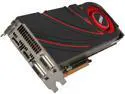
Pros: Performance is solid and runs stable. Afterburner software is great for tuning. 750 Kh/s.
Cons: Runs hotter (94C vs. 85C) than my other R9 290 which is made by A$U$. Doesn't mine as well as my other R90, either.
Overall Review: I got the card before the price hike, so I am happy with how much I paid vs. how well it performs. Don't know why this card runs hotter. Both my R90s are under maximum load when mining.
Chips and scratches
Imperfections on glass chess sets are more noticeable than other sets I've purchased. This one had scratches on a couple of the black squares and a couple of the pieces were chipped.


