
Your Browsing History


Stephen H.
Joined on 12/13/05
0
0
product reviews
- 1
Works under Linux Ubuntu 10.10 Kernel 2.6.39
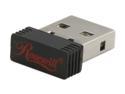
Rosewill RNX-MiniN1 (RWLD-110001) Wireless-N 2.0 Dongle (1T1R) IEEE 802.11b/g/n, USB2.0 Up to 150Mbps Data Rates, WEP 64/128, WPA/WPA2, and IEEE 802.1x
Pros: Steps to get the 8192cu driver to work under ubuntu 10.10 kernel 2.6.39 Make sure your ubuntu environment is setup to build things. I think the minimum would be the build-essential package. Run the following command to install that: sudo apt-get install build-essential Download driver from here: http://www.realtek.com/downloads/downloadsView.aspx?Langid=1&PNid=21&PFid=48&Level=5&Conn=4&DownTypeID=3&GetDown=false&Downloads=true#2742 Unzip the driver. There were two source files (driver/rtl8192_8188CU_linux_v3.0.1590.20110511/include/rtw_io.h, driver/rtl8192_8188CU_linux_v3.0.1590.20110511/include/osdep_service.h) including a header file named (linux/smp_lock.h) that was not needed for driver creation. Chanage to directory you extracted the driver zip. In my case that was ~/Downloads/rt2/RTL8192CU_8188CUS_8188CE-VAU_linux_v3.0.1590.20110511
Cons: Edit the file driver/rtl8192_8188CU_linux_v3.0.1590.20110511/include/rtw_io.h search for the line: #include <linux/smp_lock.h> and comment it out like this: //#include <linux/smp_lock.h> and save the file. Edit the file driver/rtl8192_8188CU_linux_v3.0.1590.20110511/include/osdep_service.h search for the line: #include <linux/smp_lock.h> and comment it out like this: // #include <linux/smp_lock.h> and save the file. Make sure the wireless usb adapter is not plugged in.
Overall Review: In ubuntu run the following command in order to become root: sudo su Make the file install.sh executable by running the following command: chmod +x install.sh Install the driver using the command: ./install.sh If all goes well you should see the following: The Setup Script is completed ! Run the following command to see that the driver is loaded: lsmod | grep 8192 and you should see something like: 8192cu 477140 0 Exit the shell and insert the usb adapter. Happy networking.
6/4/2011See more detail