
Your Browsing History


Martin K.
Joined on 12/21/04
0
0
product reviews
- 4
Good product in limited market
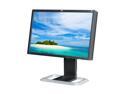
HP LP2475w Black 24" 6 ms Height,Swivel,Pivot & Tilt Adjustable Widescreen LCD Monitor 400 cd/m2 1000:1
Pros: The construction is stable and sturdy. Design is very modest, which is a plus to me. Picture is sharp, easy on the eye after calibration. Brightness is even. This monitor has an H-IPS screen. This means there is no problem of vertical viewing angle, which plagues the TN panel. Sharp horizontal viewing angles have silvery overcast. There is no back light leaking. The monitor is quiet, and it does not produce excessive heat with appropriate brightness setting. This monitor is fast enough for gaming. Just be sure you have a video card that will run your games at 1900x1200. Colors are very accurate after calibration. Photographers-enthusiasts will be pleased, when editing their pictures. This is a wide color gamut monitor. It is a plus if you take pictures in AdobeRGB and print them with your printer. Otherwise it is a con.
Cons: This is a wide color gamut monitor. It is a minus if you are using applications, which are not color aware. PC games will have oversaturated colors, as well as pictures in almost all web browsers.
Overall Review: Wide color gamut is still a pain. Let's hope future Windows will be fully color aware. Gaming industry should notice this technology as well. Otherwise this is a great value.
3/12/2009See more detail
Very fast
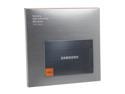
SAMSUNG 830 Series 2.5" 128GB SATA III MLC Internal Solid State Drive (SSD) MZ-7PC128B/WW
Pros: Very fast. It is thin, and easy to install.
Cons: It costs over $100.
Overall Review: Just by installing this drive instead of a spinning drive, Ubuntu 12.04 boot time was reduced from 40s to 10s.
9/2/2012See more detail
Excellent product for business
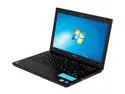
SONY VAIO 13.3" Intel Core i5-3210M 6GB Memory Windows 7 Home Premium 64-Bit SVS13112FXB
Pros: This notebook is light, and it runs cool and quiet. It has sturdy metal casing. The screen is very good. Actually, all hardware seems to be of good quality. You can conveniently access, and upgrade memory, HDD and battery. The notebook is Ubuntu compatible. It contains all the connectors that I need for work: VGA, ethernet, and USB 3.0.
Cons: The keyboard flexes a little, but it does not interfere with typing. Screen colors have a blue tint, but it is a common vice. The documentation is incomplete. I could not find how to enter BIOS (tap F2). The optical drive makes a loud noise when booting. However, if you don't need it, you can disable it in BIOS very easily. This notebook comes only with Windows.
Overall Review: I don't use Windows at work, but it was easy to install Ubuntu 12.04.1. First, I upgraded BIOS from within Windows. You can download the BIOS upgrade from Sony. Then I switched the included spinning HDD for a SAMSUNG 830 SSD. You can change the boot mode from UEFI to legacy in BIOS. After that, you simply run Ubuntu installer from a USB key. About 10 minutes later, you will end up with a Ubuntu machine ready for work. There are couple things that do not work in Ubuntu: touchpad palm rejection and the function button to disable the touchpad. I don't use touchpad, so I usually disable it using "touchpad-indicator". With the Samsung SSD, Ubuntu boots up in ~10 seconds measured from the power button tap, and it takes about 2-3 seconds to power it off. I highly recommend this notebook for professionals. It is not a toy, it has a real power, but it will not break your back.
9/2/2012See more detail
Powerful, works with Ubuntu
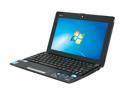
ASUS Eee PC 1015PEM-PU17-BK Black Intel Atom Dual Core N550(1.50 GHz) 10.1" WSVGA 1GB Memory 250GB HDD Netbook
Pros: I never owned a netbook before, but my first experience is very pleasant. I usually work with more powerful computers, so I was not expecting much. I was wrong. I like the keyboard - it does not really feel that small, and typing is comfortable. The screen looks good from relatively wide angles, and does not reflect surroundings like those useless Mac monitors. This computer is quiet, and does not run hot. It is also important for me that it runs vanilla Ubuntu 11.04 without any problem. It is also powerful enough to run 720p Flash, although the screen does not have HD resolution.
Cons: The screen has way too much contrast and there is no way to tone it down. As a result you will not see lighter color shades with hex codes from around 250 up. Also the colors are very inaccurate so this netbook is not suitable for graphics and photography out of the box. You can partially cure these problems by adjusting gamma, but the contrast is just too high.
Overall Review: It runs great with Ubuntu 11.04. The only thing not working is two finger scrolling. You can still scroll by dragging the right side of the trackpad. I get about 7 to 8 hours of battery life with a heavy use.
9/14/2011See more detail