


Your Browsing History


Zachary R.
Joined on 12/28/19
0
0


product reviews
- 14
It's great!
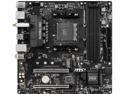
MSI B450M BAZOOKA MAX WI-FI w/ DDR4-2666, 7.1 Audio, M.2, Gigabit LAN, 802.11ac
Pros: Almost everything you could want from a B550 motherboard It doesn't use A-volute Nahimic audio drivers. That's a huge plus. Stay away from Nahimic at all costs. That's why I chose the Bazooka Max
Cons: I wish it had 2 NVMe slots instead of just one. I might have to buy an add-in card, or I may just use a SATA SSD for my storage drive No digital audio out. I plan to use my other computer for audio stuff because it's newer and more powerful and this build is my backup computer that I fixed up(used to be a Dell. I'm sorry), but it would have been nice. I know it's mATX, but I'm slowly getting into music creation and adding some nice gear. Some day I plan to get an amp with a digital input
Overall Review: If you don't need 2 NVMe SSds or a digital audio out, it's a great motherboard!
9/4/2021See more detail
The cables are awful
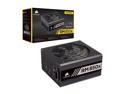
CORSAIR RMx Series RM850x CP-9020180-NA 850 W ATX12V / EPS12V 80 PLUS GOLD Certified Full Modular Power Supply
Pros: It's 850 watts and I originally bought it for a Dell which needed +3.3V@25A, +5V@25A and a combined 3.3v + 5v rail of 150 watts, or something to that effect, and this was the the cheapest one I could find to satisfy that. I ended up using it in a new build instead with a Ryzen 3900X and for now a 2060 Super, but hopefully I can upgrade soon to a better graphics card.
Cons: The cables are very stiff, but also there is a long section near the pluc that has hot glue or somthing and then rubber around that and it's completely inflexible there. I really hate the cables.
Overall Review: read the pros and cons
12/6/2020See more detail
I like it!
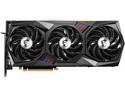
MSI Gaming GeForce RTX 3070 Ti 8GB GDDR6X PCI Express 4.0 Graphics Card RTX 3070 Ti Gaming X Trio 8G
Pros: I can game in 4K with settings on high or ultra, depending on the game. Video editing goes faster. Video transcoding also goes faster. Runs great, and I have it undervolted and underclocked. Much faster than my 2060 Super. I won the right to buy it at MSRP through Newegg Shuffle, and it wasn't bundled. Win-Win
Cons: I can't control the RGB with MysticLight 2 or 3 and I refuse to install Dragon. I don't want those pesky Nahimic drivers on my computer ever again. Avoid A-volute Nahimic at all costs. Search the interwebs, you'll see. So, I'm stuck with rainbow RGB. No biggy. I don't usually look inside my computer anyhow. I look at my awesome computer screen with all the pretty colors. This thing is massive. Makes my 2060 Super look like a child
Overall Review: I would totally recommend this. I would have prefered the 3080 TI, but the price is a lot more. This was already eating a big hole in my wallet. I love it though. I'm glad I went for this one instead of the 3070 TI Ventus because I think the heatsinks and fans are better, even if it costs a bit more. Ventus is good too, I bet. My 2060 Super is a Ventus, but these 30 series cards put out some heat, so I did a lot of research on the Gaming X Trio and chose that
9/7/2021See more detail
Nice little case
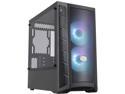
Cooler Master MasterBox MB311L ARGB Airflow Micro-ATX Mini Tower with Fine Mesh Front Panel, Mesh Intake Vents, Tempered Glass Side Panel, ARGB Controller, Dual ARGB Lighting Fans - Black
Pros: It's got great airflow and I love the way it looks
Cons: The pcie tabs on the rear of the case are not the kind you can screw back on. you have to break them off and then you can never put them back on, yet my MB511 has replaceable ones. The metal where you mount a rear fan that's right next to the IO shield/cover was warped a lot. It made installing the motherboard a little bit of a challenge. Definitely not as good of quality as the MB511. The glass doesn't go all the way to the bottom but the MB511 does. It's not bad looking though.
Overall Review: Read my pros and cons and decide for yourself
9/4/2021See more detail
A-Volute Nahimic audio software causes problems. Stay away from MSI with Nahimic
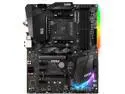
MSI B450 GAMING PRO CARBON MAX WIFI AM4 AMD B450 ATX AMD Motherboard
Pros: It's great, if you don't need audio
Cons: First of all, The Nahimic audio software is like a virus. You think you've removed it all, from 10+ different locations, but it just keeps coming back. Search the web and you'll see so many miserable people. Not only is it just like the most impossible virus, but it also sounds terrible and the volume is so low, unless you use the generic RealTek audio drivers which work great until Nahimic worms is way back onto your computer. I know programming, I have removed viruses. I'm pretty good at accomplishing anything I want to do on a computer, but nobody seems to be able to solve this problem. Why would MSI make its audio driver impossible to remove, just like the worst virus ever? The nahimic audio drivers also don't play well with my softphone I use for work. Whenever Nahimic comes back, I can't hear any incoming calls, yet all the other audio still works. I have lost many hours of work and money because of this thing. I really want to do a class action lawsuit. The software is evil. Do a search. I dare you An 8 pin + 4 pin for the CPU power??? is that normal. The instruction manual could have been much better. The BIOS/UEFI menu is not intuitive at all. I had a heck of a time finding where to turn virtualization on. The RGB is just okay, but I'm not into RGB anyhow.
Overall Review: Stay away from MSI motherboards that use Nahimic audio. I built another computer that doesn't. It's an MSI B450M Bazooka Max Wifi.
8/9/2021See more detail
I feel bad not giving it 5 stars, but...
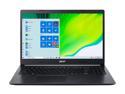
Acer Laptop Aspire 5 Thin and Light Laptop A515-44-R4M5 AMD Ryzen 5 4000 Series 4500U (2.30 GHz) 8 GB Memory 512 GB SSD AMD Radeon Graphics 15.6" Windows 10 Home 64-bit
Pros: It's an AMD Ryzen 5 4500U at an amazing price and the laptop feels solid and very good. The Ryzen 4500U is a very powerful APU, considering it is an ultralow power APU(the ones that end with U are ultralow power consumption, and the ones that end with H are much faster but also much more electricity and much higher price). I've been waiting for the Ryzen 4000 series laptops to come out for a while. I haven't spent much time with it, but the little bit of time felt mostly great. I bought this as an emergency computer. I work from home, and if something goes wrong with my main computer I can be back to work in minutes and fix the problem later. Also, if the power goes out I can watch a movie or work on one of my personal projects. And I didn't have a laptop anymore as I gave my last one to my wife as a Christmas gift.The top is aluminum(where the screen is). The keyboard doesn't feel mushy like on some laptops. I'm not talking about the keys, but the general area of the center of the keyboard. On some laptops you can see the whole middle of the keyboard area flex a bunch as you're typing, but this one seems really good.500GB SSD at this pricepoint is extremely rare. 256GB is way too small for me.Can be used for gaming. Even plays AAA titles at low settings(not the best experience, but still impressive for integrated graphics)
Cons: What I've noticed, so far:The touchpad feels weird, very weird, like when I click the touchpad button it looks like the touchpad is going to fall off. It doesn't actually seem like it's going to fall off, but it's weird to me and I don't like how the buttons that you click are also part of the touch, so the pointer on the screen moves a little as you are clicking. It's better just to do a virtual click on the pad instead of using the actual buttons.The power adapter connector is extremely thin. I feel like the connector inside the laptop could break easily. Maybe it's an irrational fear. Also, it takes quite a bit of pressure to get it to go in. Then it clicks into place. Maybe this will get easier with time. It really scares me thoughLastly, The screen color angles are terrible, and it's low resolution by today's standards. I knew that going into this purchase. The resolution doesn't bother me. The colors/brightness does a little. The top is a different brightness than the bottom and the slightest movement of my head makes me focus on that. I'm not upset at all, because my last laptop was like that and I knew what I was buying, but I still see it as a reason to lower my rating a tiny bit, and mention it.
Overall Review: The price is unbeatable. I seriously considered buying a second one(for my wife to use), after I got the first one. Her 2 laptops aren't really in need of an upgrade quite yet(I already upgraded to SSDs in her laptops), but I want her to have a great experience while working, instead of just a decent experience. I feel a little guilty because my computers are very powerful and I don't want her to feel like I care more about myself. My desktop PC is a Ryzen 9 3900X with an RTX 2060 Super graphics card, but she just has laptops and one has a i7 7500U and the other is a A12 9720P, so about half as powerful as the Ryzen 5 4500U
4/16/2021See more detail