
Your Browsing History


David S.
Joined on 06/22/06
0
0
product reviews
- 3
Great Price & Picture
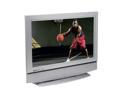
32" 720p LCD HDTV
Pros: Picture is great and you won't find a LCD with 480i, 480p, 720p, 1080i for this price. Inputs are suitable for a user who is not planning on putting tons components on the inputs. Enough features for most, but not overwhelming for the non technical members of your family. Also, with the price you will be able to afford a few DVDs and a player so that you can actually use the LCD!
Cons: The remote is not very nice looking, but if you are going to get this price on a great LCD you cannot be too picky about the looks of the remote. After all the remote does what it is suppose to do.
Overall Review: Make sure you buy your cables to go with the LCD and you will be set. Also if you get a DVD player for the LCD make sure that your output of the DVD is set to "widescreen" TV, otherwise you may get some odd warping on the sides of the images. This isn't a TV problem, but a formating issue with the input source and the TV attempting to make up for the source.
6/7/2007See more detail
Transition from WRT54G Linksys
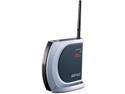
BUFFALO WHR-HP-G54 802.11b/g Wireless-G High Power Router up to 54Mbps/ Open Source DD-WRT Support
Pros: Built in amplification for the signal. Full supported by dd-wrt, which some of the newer Linksys models cannot boast. Available and fairly good peripheral antennas that are sold at a reasonable price.
Cons: The Buffalo firmwire is HORRID! Quite a pain to work with if you know what you are doing with a network. Best analogy is it's like a Mac... you should be able to use a shell e.g. bash, but because the company selling you the product discounts your ability you can only run wizards. It took me far longer to deal with the horrific web-setup than to install dd-wrt. Buy this for the compatible with dd-wrt and enjoy better signal strength than a more costly Linksys.
Overall Review: Cons are just to warn off the users who what to run the stock version of the firmware. This is a nice piece of hardware, but you have to have the right stuff running on it. It's a shame Buffalo didn't get it right, but there ARE other options which make this hardware great to use!!!
2/26/2009See more detail
User's Tech. Ability Necessary... if so, great product, if not, you will not have fun
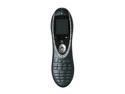
Logitech Harmony 880 Universal Infrared Advanced Remote Control
Pros: If you have the remote for your TV, DVD, or any other IR receiving device, you can teach the 880 the IR commands and it will WORK. The learning and setup software is Mac & Window$ based --I'm not aware of any Linux software out there (I can wish) and it isn't the worst setup app suite out there. If you don't have the remote, but know your device can receive IR signals to control it, then the database that Logitech has for the 880 (it's huge) is your savior! I can attest to this myself: I did not have my A/C unit's remote because I bought the end-of-summer floor model w/o a remote, but after only two or three drop-down menu selections the 880 had my IR codes and I can now control my A/C unit.
Cons: No RF, but the 890 is, I am sure, a great product for those that want/need the RF ability. Expect a slowish web interface to setup your remote which can make the setup process more painful than it should be --who wants to program a remote anyway... I just want mine to do what I want! The cradle for the recharging is not up to the price you pay for the remote and cradle! However, a good six hours of on and off use --the remote will go to sleep when not in button mashing mode-- only shows one bar out of three depleted. Don't buy at the retail price! Newegg usually has a fairly good price cut on the item, but don't pay too much for it... it's just an IR learning remote.
Overall Review: Though I did not buy my product on NewEgg I did read a ton of reviews. Overall, some reviews I read on were helpful and some just showed me that the reviewer had issues with learning a new tech. item's oddities in setup --I think there is an art to reading online reviews and a lot of it has to do with how well you can gauge the level of competence of the review in relation to the requirements of the product! That said, you don't need to know hex keycodes for your T.V. or DVD to get the remote working, but you do need to be willing to spend a few minutes to figure out how the product is suppose to be used and setup. If you are not willing to spend a bit of time don't buy the product and don't buy anything but an installer's time!
12/27/2007See more detail