




 here!
here!
I’m your shopping assistant for PC builds, upgrades, and everything tech.
Got questions? Ask away!
Start a conversation
here!
I’m your shopping assistant for PC builds, upgrades, and everything tech.
Got questions? Ask away!
Start a conversation

Joined on 04/26/05
Not Obvious SetUp
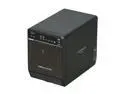
Pros: Using a Sil3132 Chipset eSata card in an early 2008 MacPro OS 10.6.8 when it was properly set up (see below) it ran immediately out of the box with my moved RAID drives in slot 1 and 2 in the same RAID configuration as when they were in the Mac WITHOUT any further configuration. Drives 3 and 4 are running and the 3 in total are JBOD without any problem or further configuration. It is virtually silent and since it sits under the desk I do not care about the blue lights that are not, IMHO, very bright at all, so I am not sure what others complain about. Transfer speed interdrive is extremely fast.
Cons: Give me some more ownership time! But as of right now the only con is the not so obvious need to start the drives up in a certain manner, see below, other thoughts.
Overall Review: Manufacturer web site crashed when I was trying to find the advanced user manual (search these reviews for the link) and their forum did not work. However, on another site I found out why my unit would not remain on. The unit defaults to input mode USB 3.0 (not used on Mac) and I had an eSata setup. The device turned off after 15 seconds due to the Synch setting. As soon as the device turns on, one must press for 3 seconds at least the button "Interface Switch" so that the mode switches to eSata. Once that was done, all drives mounted in seconds, and as stated above, this included a moved RAID set that was intact. If one knows this, one will avoid thinking the device is defective if one is using eSata. I thought this needed to be shared...
Definite Network Problems
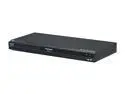
Pros: DVD's play with astounding quality. When the network works it is good.
Cons: VieraCast is very slow. Netflix interface is clunky and not anywhere near as good as Roku's. There seems to be few ways to debug this and Panasonic support is non-existent.
Overall Review: I mainly use this for DVD's (no problem whatsoever) and through the Network (wired) with Netflix and Pandora. Pandora seems ok. Netflix is ALWAYS trouble and requires far too much buffering to make viewing pleasant. Netflix support claims it is my ISP, they are no help. Same video, same internet connection with my computer is perfect, ROKU is perfect. Tried network settings with DHCP vs Fixed IP, no difference, changed DNS to OpenDNS, no difference, changed the cable (etc etc) no difference. Obviously I use the latest firmware. Have the DMP in router's DMZ, although it should not matter, but no difference. Router not the problem. One trick I did to fix it to some extent is to each time I want to use NetFlix, I reconfigure the network settings using the Easy set up. Somehow it makes the connection faster, although not perfect. My internet connection ranges between 20-30 Mb/s. Either this device has an ethernet card problem or they need to again upgrade their firmware.
Will Not Fit in a MacPro
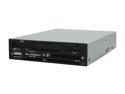
Pros: Would have been nice if it worked
Cons: Does not install in a MacPro due to the form factor. MacPro only allows 2x Optical Drives. Considering that the MacPro is the ONLY Mac that allows installation of aftermarket internal units, one wonders how the company could say it is compatible with Mac?
Overall Review: Nippon Labs support is non-existent
Not what you would expect
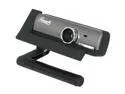
Pros: Cheap, reasonable audio
Cons: Specifications are deceiving and do not reflect that actual quality of the camera. Video quality not very good, intolerant of less than perfect lighting, manual focus clumsy and considering the difficulty to turn the knob, hard to focus on the subject due to it moving constantly. Takes time for the senors to lock in on the image.
Overall Review: All settings must be performed on an application by application basis. Page 17 of the manual states that the frame rate for 2MP is maximally 5 fps, effectively making the camera a joke. You only get a higher frame rate in VGA mode. If you are looking for a good web cam for a Mac (as in Mac Pro) look elsewhere.
Do not buy this drive
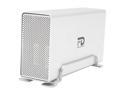
Pros: It is large, cheap, and supposedly works with FW 800, as well as FW 400 and USB 2.0.
Cons: Very unstable drive. It worked for a month or two and then started to have trouble mounting on a MacPro using the FW800. I changed the FW to the USB and it would work, but I had to reindex the volume. After another month it would no longer mount under USB regularly. Now it will not mount at all, Leopard is asking me to initialize the disk, which is exactly what I do not want to do.
Overall Review: I originally thought my Mac had port problems, but intensive testing proved this false. It is not a good buy, even if you read the reviews of people who have owned it for a short time and love it. It is poorly made and the company should be ashamed of itself.


