
Your Browsing History


DAVID C.
Joined on 10/11/04
0
0
product reviews
- 5
Truly AIO
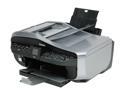
Canon PIXMA MX700 2186B002 Up to 30 ppm Black Print Speed 4800 x 1200 dpi Color Print Quality USB InkJet MFC / All-In-One Color Printer
Pros: * LCD screen * Excellent photo color reproduction * Double paper feed * Photo print faster than spec * Lots of utility software * Fairly compact for 5 in 1 * Prints plenty quick for home and hobby use * 4 color ink
Cons: - Manual details are a bit sparse and not as clear as they could be - fax features lacking. There is no integration between received faxes and computer. Can't download or manage recived fax from AIO from PC. Fax reports must be printed out to view. I rarely fax so it is a minor irritation. - 2 pl smallest ink dot size. Other photo printers are 1 or 1.5 pl. The color looks great and I can't really see a quality problem in photos -- but this is my first photo printer so I can't really judge.
Overall Review: I had one glitch with software trying to print scanned page. Updated drivers and software from Canon website (you have to select XP OS for them to show up), and problem is fixed. Reports of fax picking up during calls. [Other website] reviewers posted some instructions on how to set manual fax receive to not interrupt voice calls -- seems to work for me: TEL PRIORITY. AUTO/MANUAL OFF. INCOMING RING 25. RING NO 0. RING TIME 45. DISCONNECT. I got a pack of Canon Plus glossy photo paper and am happy with it. The color reproduction is exactly what I see on screen.
1/14/2008See more detail
No ECP on Vista
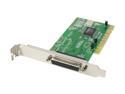
SYBA PCI to Parallel Port Controller Card Model SD-PCI-1P
Pros: Got it for my old All-in-one printer/scanner/fax. Prints fine.
Cons: Does not scan -- only get garbage printed. Legacy product for legacy parallel port. Moschip is the manufacturer. In moschip technical docs it clearly states ECP mode (bidirectional mode) does not work on Vista because of the way Vista allocates IO port addresses. I think it is a problem with their driver.
10/19/2007See more detail
Solid experience so far 2 months in

Acer Predator 15 G9-591-70XR Gaming Laptop Intel Core i7 6700HQ (2.60 GHz) 16 GB DDR4 1 TB HDD 256 GB SSD NVIDIA GeForce GTX 980M 4 GB 15.6" Full HD 1920 x 1080 HD Webcam Windows 10 Home 64-Bit
Pros: Powerful Fast Quiet when not gaming Loud speakers IMO it looks cool
Cons: Heavy, bulky -- but I knew it coming in it wasn't going to be macbook air light
Overall Review: I'm a casual gamer, but I wanted something higher end than my consumer HP laptops always ending up overheating and falling apart at the end-of-life. I've been using this predator 15 mainly as a work computer for 5+ hours a day -- photoshop, office, web, youtube. A few steam PC games. No problem, runs cool and quiet when not gaming. In my opinon, windows 10 is not any worse/better than win 7, this computer has no performance issues in that regard. The only mar is I have had 2 system freezes in the time I've been using it that required hard boot. I don't move it around, I use it as a desktop replacement, so I can't comment on portability or battery life.
6/25/2016See more detail
freebie power brick -- unlike the photo
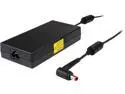
Acer Gaming Laptop Gifts
Pros: freebie same acer power brick as in the acer predator box
Cons: the photo had me confused what the heck i was getting, and if it would be at all useful.
Overall Review: extra pretty heavy brick means you can have power bricks in 2 places if you actually plan to regularly transport this pretty heavy laptop between 2 places. Or, for me, just a backup, as I have had power bricks fail on me after a few years. New laptop power supplies are not cheap.
5/18/2016See more detail
updated review -- worse and worse
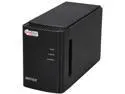
BUFFALO CS-WX2.0/1D CloudStor Dual-Bay Cloud Accessible Storage and Media Sharing Device
Pros: a decent consumer feature set -- bit torrent, NAS, price
Cons: Downgrade from 4* to 2*. Initially I gave it a 4* after lots of troubleshooting and finally getting it working as RAID1, adding a 2nd 2TB seagate 5900RPM, and everything almost seemed fine for a few days, other than email status never working. But now I've had the NAS crash one me 3 times, I come home with front lights off and only unplugging and plugging in power will it come back, but with 2nd RAID drive corrupted. A 15 hour RAID rebuild cycle and it is working fine again as RAID1 for a few days to a week. At least the NAS still works off of 1 drive, but it is unacceptable that I am waiting 15 hours for RAID1 to come back up. Incomplete bit torrent. Non working email notification. Quirky/buggy pogoplug -- drive full bugs, timestamp bugs.
11/22/2011See more detail