
Your Browsing History


Galen M.
Joined on 09/08/03
0
0
product reviews
- 14
User
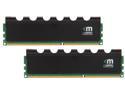
Mushkin Enhanced Blackline 16GB (2 x 8GB) DDR3L 1600 (PC3L 12800) Desktop Memory Model 997110
Pros: These are not exhaustive comments. The memory installed easily, worked and did not give any initial problems. No aggravation, hence 5 stars
Cons: None at this time
Overall Review: I deliberately purchased a board with 4 available memory slots. You can buy 4 gig, 8 gig, and so on. I purchased two 8 gig memory sticks. With 4 slots available, 8 + 8 = 16 gig in just two slots, the other two are empty for now. If there is a need to add more memory in the future, I will purchase more of the same, My particular Gigabyte board maxes out at 32 gig.
3/2/2014See more detail
Nov 2nd, 2013
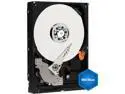
Western Digital Blue WD3200AAJB 320GB 7200 RPM 8MB Cache IDE Ultra ATA100 / ATA-6 3.5" Internal Hard Drive Bare Drive
Pros: hardrive arrived in questionable packing
Cons: I installed the Windows XP installation disk, formatted the drive, and nothing. System does not see the hardrive. expirimented with master / slave stuff and short / long positions on ide cable. Very aggravating; May post more later. I finally got the original hardrive "accepted" by the motherboard and swapping positions on cable; DISCOURAGED and I feel that the hardrive may not be bad but Western Digital hasn't told me something.
11/2/2013See more detail
Five month review
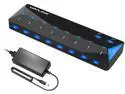
Wavlink 10-Port USB 3.0 Hub with 2x1.5A Fast USB Charging Port, 48W Power Adapter, Peripheral Sharing Switch, LED indicators, USB3.0 Splitter Up to 5Gbps for Android, Apple iOS, Windows Mobile Devices
Pros: Seemed to work ok, when installed. I like the fact that it is powered which makes sense to me if you have a self powered hard drive. I use it this way to keep the extra "load" off my Gigabyte motherboard.
Cons: Unit failed at three months, I wound up paying $18.00 in shipping to get it replaced which NewEgg did. I downrated it because of the failure and inconvience of having to get it exchanged. Quality DOES matter !
Overall Review: Reliability is a question, failed at three months, dead ! You might want to think about where you will put it or how you will mount it. Reduces clutter on desktop motherboard USB
5/7/2018See more detail
Purchased from NewEgg
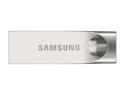
Samsung 128GB BAR (Metal) USB 3.0 Flash Drive, Speed Up to 150MB/s (MUF-128BA/AM)
Pros: Amazingly small !
Cons: Comment #1 When copying a large major directory, the drive became hot ! I took a moist rag and touched the metal sides which helped to cool it down. Perhaps it should be lightly finned ? Comment #2 Sometimes it works and other times in Windows 8.1 and Windows 10 I get an error message: This drive needs to be scanned to correct errors. The drive is scanned finding no faults and then it seems to work. Also sometimes the drive does not seem to be picked up right away. I am using a recent Gigabyte motherboard board with modern USB 3 outlets. Comment three: Why can't manufacturers put an easy to see drive indicator light in/on the drive that can be easily seen.
Overall Review: If I have a reason to change the rating, I will. But right now I am annoyed at the constant error flagging that the drive has errors that need to be fixed.
3/24/2017See more detail
Just purchased / initial rating
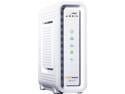
ARRIS SURFboard SB6141 8x4 DOCSIS 3.0 Cable Modem
Pros: This is one of the more pleasant experiences I have had with setting up a modem. It arrived in good time; I called Time Warner. The T/Warner lady quickly configured the new modem correctly. A couple of minutes later it was working in place of the original without hassle.
Cons: None yet. (was much smaller than I expected)
Overall Review: I achieved a 16 Gbps download during a quick test That was a 1 Gb improvement compared to the stock T/W modem. Performance is now pretty good. Hooked up to a brand new Computer with Windows 8 Intel i-5 and a premium Gigabyte motherboard, quite satisfied. All these people complaining about leds being too bright. I disagree. The only way this might be too bright is if it is placed two inches in front of your eyeballs. I like blinking lights. They let me know it is working.
3/28/2014See more detail
Additional Comment
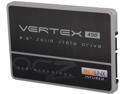
OCZ Vertex 450 Series 2.5" 256GB SATA III MLC Internal Solid State Drive (SSD) VTX450-25SAT3-256G
Pros: I am commenting to "Robert" who just sent me an e-mail from OCZ "correcting me" on my earlier post. He states that the OCZ Vertex 450 series VTX450-256G 2.5" 256 GB SATA III MLC Internal Solid state drive had been flashed Rev 1.0, 1.17, and 2.0 long before I received it. THAT IS NOT CORRECT. Go back and read my earlier post. I said, and I say again, that we went to the OCZ website where we checked what revision we had. It read from from OCZ's website at REVISION 1.0 That drive came out of a cellophane package !
Cons: I do not feel that the information that "Robert" gave me is correct.
Overall Review: I stand behind what I said earlier. There are still some "bugs" in these drives. And the public is getting the opportunity of guinea pigging the drives. I do not doubt that they will get better and become trouble free, but today ?
3/24/2014See more detail
seller reviews
- 1
USB Adapter to allow ps2 devices
I tried purchasing a "simple" adapter locally to adapt and use my older ps2 keyboard and mouse. I have a BRAND NEW Gigabyte Motherboard. I'm glad I orderred this adapter from New Egg. This adapter worked out of the box for both the keyboard and the mouse and only used one usb port.
On-time
Delivery
Product
Accuracy
Customer Service
Satisfactory
2/16/2014See more detail