




 here!
here!
I’m your shopping assistant for PC builds, upgrades, and everything tech.
Got questions? Ask away!
Start a conversation
here!
I’m your shopping assistant for PC builds, upgrades, and everything tech.
Got questions? Ask away!
Start a conversation

Joined on 06/06/08
no heatsink - designed for servers
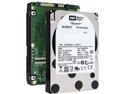
Pros: only way to get SAS-like performance in a low-end server with Intel or other host-RAID controller that only supports SATA. Also, consumes less power than a comparable SAS drive.
Cons: costs more than the model with heatsink kit? I'm guessing this has to do with expected warranty claims as these bare drives are likely to be subjected to heavier use and potentially not cooled as well.
Overall Review: if you're buying this for your workstation, you need to have a fan-cooled hard drive bay. If mounting in 3.5" bay, better to stay silent and save money and get the model that comes with a heatsink. ** This is perfect match for a 4-bay 2.5" hot-swap enclosure from iStarUSA. The 6-bay enclosures don't have enough height to mount these drives.
good but not great
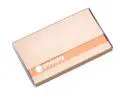
Pros: compared to other 2.5" enclosures, it is very compact, has good looks, and includes a quality carry pouch that is actually usable for the purpose intended. (I hate the shoddy pouches that come with some of the other brands - why include one if you can't even use the darn thing?)
Cons: ESATA IS USELESS. After troubleshooting to finally get the drive enough power to spin up, it still just doesn't work. Locks up the computer - other eSATA drives I have work with no problem.
Overall Review: Either save money and get the USB-only version, or get the Vantec Nexstar 3. The carrying pouch isn't as nice, but it's functional. The enclosure is sturdy and works very well. eSATA works both with USB power or 5V input without hassle. Also, the Vantec comes with an eSATA bracket for your PC.
Great but with caveats
Pros: Reliable solid construction attractive when mounted Gigabit PoE
Cons: complicated configuration no firmware updates without Cisco SmartNet maintenance subscription
Overall Review: Best access point I've ever tried, in terms of reliability and concurrent connections. I figured if they have a GUI then certainly I can figure them out. I was wrong. I struggled with it for many hours and never got the wireless functional with WPA security. Also spent time trying to figure out if there were firmware updates available. I had other work to do, so life moved on. Came back to it a few months later, and this time I figured it out in a couple hours. Express Security page is a joke unless you want insecure WEP or you have Radius servers. If you want WPA/WPA2 with a pre-shared key (like everyone has), then you have to go around your a5$ to get to your elbow. 1) Go to Security, then Encryption Manager 2) choose your Cipher (I chose AES CCMP), hit apply 3) now go back to SSID Manager and define your networks 4) you will now be able to choose WPA and give it a Pre-Shared Key 5) once your SSID's are defined, then the wireless Radios can be enabled (or they may automatically enable) 6) also, if you want the SSID visible you have to go to the bottom of the SSID Manager page and flag it for Guest mode. I wish they would have a "standalone" mode to make these easier to configure. The beauty is, once you do learn how to get it working, you're just done.
Awesome but expensive
Pros: Reliability supports many concurrent users Gigabit PoE Rock-solid construction attractive when mounted (well, at least not an eyesore)
Cons: complicated configuration not intuitive for WPA pre-shared key configuration no firmware updates without expensive Cisco SmartNet maintenance subscription
Overall Review: Best access point I've ever tried, in terms of reliability and concurrent connections. I figured if they have a GUI then certainly I can figure them out. I was wrong. I struggled with it for many hours and never got the wireless functional with WPA security. Also spent time trying to figure out if there were firmware updates available. I had other work to do, so life moved on. Came back to it a few months later, and this time I figured it out in a couple hours. Express Security page is a joke unless you want insecure WEP or you have Radius servers. If you want WPA/WPA2 with a pre-shared key (like everyone has), then you have to go around your a5$ to get to your elbow. 1) Go to Security, then Encryption Manager 2) choose your Cipher (I chose AES CCMP), hit apply 3) now go back to SSID Manager and define your networks 4) you will now be able to choose WPA and give it a Pre-Shared Key 5) once your SSID's are defined, then the wireless Radios can be enabled (or they may automatically enable) I wish they would have a "standalone" mode to make these easier to configure. The beauty is, once you do learn how to get it working, you're just done.
Great small business router
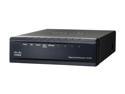
Pros: Dependable performance. Price to Value ratio can't be beat. Firewall and Port Forwarding are easy to configure, UPnP Port Forwarding (different tab) lets you do Port Translation (I think many people don't realize this feature is there). PPTP VPN has flawless operation and is great when level of security is not a big issue. Site to Site IPSEC VPN is very secure and has worked very well for me - recommend using RV042 at both ends. DMZ or 2nd Internet port gives great flexibility. Small footprint, wall mountable, now comes with a very small power supply.
Cons: QuickVPN is a horrible waste of time for a Windows environment. It doesn't pass DNS and NetBIOS information properly by itself - it requires custom lmhosts and hosts files, then even after you get it set up "right", it's still glitchy. With proper setup, it will work for certain simple networks (1 server, only PCs with static IPs).
Overall Review: I am an IT consultant and have these installed for about 10 of my clients, and I use one at home. I have always kept a spare to use as a service unit in case one goes down, but have never needed it. In 4 years of having these installed, not one has failed. Also, they have never needed rebooting unless there was an issue with the ISP or a power outage. Only one of my clients uses the Site-to-Site VPN (gateway to gateway), and not heavily, so from reading the other reviews, reliability may depend on how heavily the VPN is used and the level of encryption done. If you have a high-bandwidth internet connection and use VPN heavily, then this unit is not even in the league of routers you should be considering. Check out it's big bro, the RV082 - the CPU is twice as fast, it has integrated PSU, and is rack-mountable. Or, you could make sure it has good active air circulation to keep it cool.
great tool for technician or IT pro
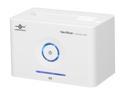
Pros: - eSata interface (drive access beyond USB capabilities) - price - power button on front - looks fairly attractive for a tech gadget
Cons: - eject button not designed for 2.5" drives - a little quirky with eSata, but could be controller - separate power supply - not suitable for continuous use (poor drive support and cooling)
Overall Review: Overall, as a first available dock, it's great. It could have been better engineered, but it works infinitely better than the invisible one I had before it. Hot-Plugging eSata is quirky. I powered on the empty dock and it locked up the PC. With a drive in the dock, hot-plug ON works great. I haven't been able to test hot-plug OFF yet, since I couldn't afford to lose the data on the drive I was working on. It did not show under "safe remove" so I just shut down the PC to disconnect the drive. I have Vista Biz SP1, ASUS mb w/ built-in Jmicron RAID eSata controller running in AHCI mode. I plan on trying one of the Intel ICH8R SATA ports to see if it behaves any differently. Also will try with a drive I don't care about to test the hot-plug remove and see what happens.


