
Your Browsing History


VINH-THY T.
Joined on 03/08/06
0
0
product reviews
- 2
So far so good
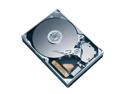
Western Digital Caviar RE WD2500YD 250GB 7200 RPM 16MB Cache SATA 3.0Gb/s 3.5" Hard Drive Bare Drive
Pros: Fast. Quiet. Cheap. Newegg delivers quickly.
Cons: Not "Whisper Quiet". More like "Stage Whisper Quiet". Also, drive emitted ominous rattle/whirring within first few hours. Since then, nothing. Maybe it was breaking itself in ...
Overall Review: This is an OEM product. You'll need to download DataLifeguard from Western Digital website to partition and format the drive. Installed this drive in a Dell E510. Make sure you enter the setup screen (hit F2 during startup sequence) and check that SATA2 is *on*. The factory default is supposed to be "on" but on my machine it was "off". So DataLifeguard didn't detect the HD after I turned on the computer. As for the additional SATA data cable you might be purchasing: it's worth taking off the panel to your computer and checking to see if you would benefit from choosing a cable with an "L" shape at one end -- on my Dell E510 it would have been a real tight fit if both ends were the usual "straight" shape.
3/20/2006See more detail
So far, so good
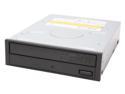
NEC Black 16X DVD+R 8X DVD+RW 8X DVD+R DL 16X DVD-R 6X DVD-RW 16X DVD-ROM 48X CD-R 32X CD-RW 48X CD-ROM 2M Cache IDE/ATAPI DVD Burner
Pros: Extremely quiet. Cheap. No problems viewing burned DVDs on my six year old set top DVD player.
Cons: The drive casing was slightly dented in the back as if it had been dropped ... ?!
Overall Review: This is an OEM product -- so no installation manual will be included. I installed this burner as a second drive on my Dell E510. It didn't work the first time around because (1) I didn't enter setup (hit F2 during startup) to enable the drive and (2) I didn't have the jumper settings on the burner set correctly. Fortunately, this is all explained fairly cleary in the following document: "NEC_DVD_CD_quickstartguide.pdf". After setting the jumpers correctly and making sure to enable the drive, everything works just fine.
7/6/2006See more detail