
Your Browsing History


Christopher H.
Joined on 09/17/06
0
0
product reviews
- 16
Weird.
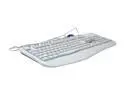
AVS Gear EZ-9910OP Beige 107 Normal Keys 19 Function Keys PS/2 Standard Office Keyboard
Pros: It's a multimedia keyboard (all the cool extra buttons) for a *really* reasonable price. Seems to work just fine.
Cons: The F keys aren't always F keys; there's a button you press similar to Number Lock or Caps Lock to switch between the F meaning and the "multimedia" meaning. Confusing until you get used to it.
Overall Review: It may be just me, but this thing's feature set seems kinda excessive for a bargain keyboard! You may like such things, though, in which case please consider my review a resounding 5/5.
1/30/2007See more detail
Basic Functionality, but...
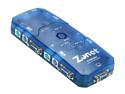
Zonet KVM3004 KVM Switch w/4 sets of 6ft Cables
Pros: Connections are easy to make on this thing, with cords that (as have been mentioned by other reviewers) would cost $xx on their own. Keyboard hotkeys work as described (Numlock, Numlock, # of computer).
Cons: First off, the box has connectors on all four sides. This makes it a *BEAR* to position if you want tidy cords under your desk. Second off, the box ONLY SUPPORTS 4:3 RESOLUTIONS. It'll forward those to your computer just fine, but if you have a widescreen LCD be prepared for fuzzy, stretched images as your optimum resolution fails to come up on the list.
9/30/2006See more detail
It's RAM
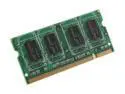
PQI 1GB 200-Pin DDR2 SO-DIMM DDR2 533 (PC2 4200) Laptop Memory Model MAB21GUOE
Pros: Solid. All 1G post to my system. Incredible price.
Cons: It's slow-clocked, but that doesn't really matter so much with laptop memory - you get what your motherboard can support.
Overall Review: It's RAM. Not much to say, really.
1/4/2008See more detail
Great processor choice.
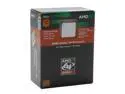
AMD Athlon 64 3800+ - Athlon 64 Venice Single-Core 2.4 GHz Socket 939 89W Processor - ADA3800BPBOX
Pros: This does most everything that you'd expect a modern processor to do. Runs fast and stable. The included fan is fine.
Cons: This is a single-core processor. No dual execution, no hyperthreading (I'm not sure the latter even exists on AMD).
Overall Review: It's a nice, solid processor if you're not worried about joining the dual-core revolution.
1/30/2007See more detail
Once it's working, it works.
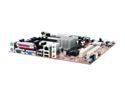
Foxconn 761GXK8MB-RS 939 SiS 761 GX Micro ATX AMD Motherboard
Pros: It's really, really inexpensive, or at least it was when I bought it. Does everything that you'd expect a modern mobo to do. Graphics connect by PCI-E rather than AGP.
Cons: You WILL HAVE PROBLEMS if you're trying to install Windows to a SATA drive and you don't have floppy media lying around! System requires two levels of floppy-based assistance - one to flash the BIOS, one to install the SiS SATA drivers so that Windows will see your HD.
Overall Review: Get a cheap floppy drive and a couple disks, and you'll be fine. If you're not up for the work, that's fine too and there are other good motherboard options out there.
1/30/2007See more detail
Good bargain burner
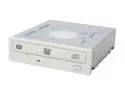
LITE-ON White 18X DVD+R 8X DVD+RW 8X DVD+R DL 18X DVD-R 6X DVD-RW 12X DVD-RAM 16X DVD-ROM 48X CD-R 32X CD-RW 48X CD-ROM IDE DVD Burner
Pros: DUAL LAYER DVD BURNING for less than a lot of combo drives cost. Does basically everything other than read Blu-Ray or HDDVD.
Cons: Like the others said: loud. I don't care so much, but you might.
Overall Review: White faceplate, just in case you have a black case and the aesthetics are worth an extra few bucks to you.
1/30/2007See more detail