
Your Browsing History


Phillip K.
Joined on 11/04/05
0
0
product reviews
- 52
Great product, needs to have own power.
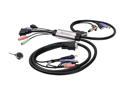
IOGEAR GCS932U MiniView Micro DVI-D KVM with Audio and Cables
Pros: Does what I need it to do. Switches between both my towers, and does it flawlessly... I love the remote. Great price.. I caught it on sale.
Cons: Needs its own power source. Had to put in a self-powered USB hub to keep my Logitech MX-518 from going dead, due to not enough power on the buss to power the switch, keyboard and the mouse.
Overall Review: If your mouse is having problems like dropping out, try adding in a self powered USB hub. It might solve your problems. My systems: (1) Intel 945GNT, Intel D915 2.8GHz, 2GB Kingston 667, EVGA 8600GT 256MB. 420W PSU (everyday surfing computer) (2) EVGA 680i LT SLI, Intel E6750 2.3GHz, 2GB OCZ 667, EVGA 8800GTS SSC 640MB, X-clio 550W psu. (gaming rig)
8/31/2008See more detail
Has potential, but definitely needs refinement
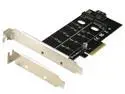
Dual M.2 to PCIe Adapter, RIITOP M.2 NVMe SSD to PCIe Adapter & NGFF (B+M Key) SSD to SATA Controller Expansion Card for 1x NVMe SSD and 1x NGFF (SATA Based) SSD
Pros: - Can be used to install an m.2 ssd onto a motherboard without native support for it. - Will work with 2 different types of m.2
Cons: - The brass hold down piece was too narrow and I had to FORCE it on the end of my ssd. - Can only hold one modern m.2 ssd The second "SATA" slot will only work with outdated and unavailable ssd's.
Overall Review: I should have just ordered a single m.2 expansion card. That's all this one is anyway. The extra slot is a waste for anyone who doesn't have a 1st generation m.2 ssd. I had to really force the hold down spacer onto the ssd. Why doesn't this have typical ssd hold downs? The manufacturer obviously knows the measurements to put the hole in the right place. I mean I had to use my Dremel to widen the slot in the hold down, because I was afraid I would ground or ruin my ssd if I forced the hold down spacer onto the ssd.
1/21/2023See more detail
Works fine for light loads on 5600x
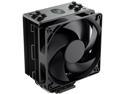
Cooler Master Hyper 212 Black Edition CPU Air Cooler, Silencio FP120 Fan, 4 CDC 2.0 Heatpipes, Anodized Gun-Metal Black, Brushed Nickel Fins for AMD Ryzen/Intel LGA2066/1151 Compatible
Pros: - super quiet - fairly simple install - Great option for small cpu's with 4 cores or less.
Cons: - Does not effectively cool at 95 watts or more power draw - No TDP rating listed - Regular fans do not work with the included brackets. Silencio fans are different thickness at the corners due to the lack of built in anti-vibration pads.
Overall Review: I'll start this off by saying. I do not recommend this HSF for anyone with a cpu that has more than 4 cores... So I bought this based on reviews saying that this HSF is rated for 125w. I should have known that a quad core was not equal to a hexa core, but based on what people were saying. I bought it. And sure enough when my Ryzen 5 5600x cpu is operating at or below the 65 watt TDP. It works fine and doesn't limit my cpu in any way... I should note that Cooler Master's documentation for this HSF does not stipulate a TDP rating that I can find.. However, get over that 65w TDP and things start to look different. At maximum all-core boost. My 5600x starts thermal throttling. According to Ryzen Master, my cpu is pulling down 95w at that point. And the temperatures match it too. Once it hits 95C it starts dropping clocks like a waterfall. My cpu goes from 4.7ghz all core to 3.8 lickety split.. I tried to put some different fans on, in a push-pull fashion. Thinking if I can move more air through it. It might be able to keep up. However, even though I bought Cooler Master Masterfans to replace the included one (figured I might add some RGB). The new fans would NOT fit with the included brackets. The Silencio fans are different thickness because of the dampeners included with the cooler. They stand off the face of the cooler more than the MF120's, because the MF has a built in vibration dampener pad. I looked and the RGB version of this HSF has a plastic fan bracket and it's perpetually out of stock on Cooler Master's site, with none to be had in the US. So I will be replacing this HSF with a bigger brighter unit. Possibly AIO. Given that it is NOT able to handle my CPU under a full load, and I am unable to replace the fan for a different possibly better fan.
1/21/2023See more detail
A very simple RGB control and fan speed HUB

2-in-1 PWM & ARGB Controller Hub 8 Ports 12V 4Pin Fan & 5V 3Pin AURA Wireless IR Remote Adapter with PMMA Case and Magnetic Standoff for Cooling Radiator & ASUS/MSI LED Strip
Pros: - Has the ability to sync up 8 fans both rgb and fan speeds. - It does what they claim it will do. - Great for systems that have too many leds for motherboard to run them all. - Allows RGB in systems that motherboard does not have argb header.
Cons: - Very simple and limited RGB effects - If using with motherboard RGB. It only syncs all connected devices. All devices run the exact same effect at the exact same time. Does not allow for sequencing of effects - Magnets are laughable and pointless. Even with 1 fan, they would not hold it in place on back of motherboard tray.
Overall Review: I purchased this before I realized that I needed a more complex rgb controller. This is primarily a hub with a few pre-programmed effects built in. I didn't realize I needed a customizable controller to be able to sequence the effects across my fans. This unit will spit out the same color effect on every fan connected to it, at the same time. You should also be aware that this unit will NOT control fan speeds. Will only change RGB effects. Fan speed is controlled by the motherboard via the PWM fan header connecter.
1/21/2023See more detail
Functionally it's been awesome!
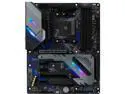
ASRock X570 EXTREME4 AM4 AMD X570 ATX AMD Motherboard
Pros: - Seems like the power is cleaner than on my previous board. My CPU clocks higher on boost. - Has a clean aesthetic. - IO has sufficient options for me.
Cons: - RGB is problematic on this board. Connecting my RGB fans directly to the board causes intermittent restarts. Moving fans to independent controller that runs on USB, solves that problem. - Only 1 5v aRGB header, but 2 12v RGB headers. - RGB controls are not industry standard. Signal RGB can not control LED's on the IO or NB. This is a Asrock design problem. - I didn't realize how much a PITA it would be to have BOTH M.2 heat spreaders and the NB fan as a solid unit. I figured this out when I wanted to replace the lower ssd for a new faster one. Since my GPU partially obstructs the upper M.2.
Overall Review: When I bought this board. RGB was not a concern. If it had been. I would not have bought this motherboard. Now that I have made some case upgrades and added some RGB. I have realized just how problematic Asrock RGB software and controls are. Asrock is the only manufacturer that SignalRGB is not able to control the motherboard rgb, and when they can figure out a way in. It's EXTREMELY limited. Maybe that's what they mean by Extreme4... I had to remove the motherboard from the RGB circuit and buy a separate Razer Chroma controller because of unrequested restarts and restrictions within the Asrock software. Now that I run my RGB software via USB. Everything works fine, except the motherboard rgb. I just turned it off. Which is disappointing... So if you are planning on having RGB in your system. I would not recommend ANY Asrock motherboard. If you just want to build a plain Jane workhorse. Then Asrock will do you right. I have been running this board for almost a year and it's been great. It allows my cpu to boost higher than my previous B550 board and it's allowed me to have 2 super fast m.2 ssd's.
1/21/2023See more detail
Overall a decent looking case with great airflow and good looking fans.
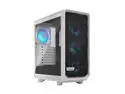
Fractal Design Meshify 2 Compact RGB White TG High-Airflow Tempered Glass Window PC ATX Mid Tower Computer Case
Pros: - Case fans are super quiet. I have the pc sitting about 8 feet from me most of the time and I only hear the fans at startup. - Power light on front can change colors to match RGB scheme. Even if you don't use the included controller to control the rgb on your fans. - The case fans are RGB with an included "controller". So if you don't have an aRGB or Gen2 RGB header on your mobo. You can still enjoy some RGB effects. Plus the controller is powered by a SATA power connector. Not Molex. Which is good because there are very few reasons to have molex power in your pc today. - You can get optional ssd/hdd mounts for 2.5" and 3.5", that you can mount in place of the top fans. So if you need more HDD/SSD mounts, that is an option. There are also 2 more 2.5" mounting spots available on the PSU shroud. NOTE: if you use the optional top mounts. You will need to source longer SATA cables for the drives. - Air filters... Any opening designed for air intake has a filter. Front, bottom, and even top. Although I don't know anyone who uses top intake.. - The basement has 2 removable sections in case you wanted to install a radiator and fans in front. With the included fans, this forces some air from the bottom fan back towards the basement and behind the motherboard tray. So if you have hdd's in the included trays, they would receive direct cooling.
Cons: - The space behind the motherboard tray is pretty narrow. They should have made the case 1-2 cm wider to allow more room for the cables. There's only enough room for 1 "real" rgb controller like my Razer Chroma. - The amount of room for cable routing for the grommets on the side of the motherboard tray is minimal. Once I ran my 24 pin cable, sata cables, plus the included front panel cables, the side panel didn't want to close. - The design for the optional 2.5" SSD/HDD on the PSU shroud has the connector end of the ssd/hdd pointing towards the glass side panel. Not the motherboard and any hopes of hiding the cables is gone. - Power cables for RGB fans are quite short. Making cable mgmt a PITA. - Included RGB controller is very basic. - Included fans need another 5 cm of length on the power cables, and the cables are all white in a case where the motherboard tray and basement are BLACK. They stick out like a sore thumb. - basement is black and which is a pro and a con. Pro if you use all black cables, but con if you use white cables. - The whole interior should have been white. It would show less dust. Plus it would allow for an all white build or a white/(name your color) contrast build. - After seeing the RGB on the fans. I am looking at different fans. I want fans with more than 6 compact LED's. For solid colors, these are fine, but for sequences. They just don't work well.
Overall Review: Overall. The design is mostly good. I would not recommend THIS case. I would tell my friends to buy the black version, or if they want a white case. Find one that is painted white throughout the case. Not just white on the exterior. After working with this case. I realize I should have chosen the black version. My original thinking would be that the white would contrast with my components. What I didn't think about is that the black motherboard tray and basement shroud defeats that purpose. It looks like I might be pulling everything out of the system and doing some color match paint to get a truly WHITE case.
1/21/2023See more detail