
Your Browsing History


patrick r.
Joined on 12/13/05
0
0
product reviews
- 6
All Good
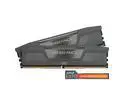
CORSAIR Vengeance 32GB (2 x 16GB) DDR5 6000 (PC5 48000) Desktop Memory Model CMK32GX5M2E6000Z36
Pros: I used the ddr5 in a new build GIGABYTE B650 EAGLE AX AM5 Ryzen5 7600x I had no issues at 6000
Overall Review: Ill buy again
8/3/2024See more detail
new build
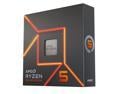
AMD Ryzen 5 7600X - Zen 4 6-Core 4.7 GHz - Socket AM5 - 105W Desktop Processor (100-100000593WOF)
Pros: I Installed Ryzen5 7600x onto a GIGABYTE B650 EAGLE AX AM5 with 32gig DDr5 @ 6000 and a 990 pro 2t, .Scythe Mugen 5 Rev. C CPU Air Cooler. I am waiting on a new GPU.. tested with a gtx 1060.. Passmark score 11033.4 .cpu 87th. Seems to idle at 37C and runs 48c when gaming.. Seems like a great cpu for the money...
Cons: I had Driver issues with the graphics driver from amd.. Kept getting black screen... I wanted to use the onboard graphics. However after wasting a few days trying to get the drivers to work. I just dug out a old gtx 1060 and installed it instead..That was very easy. From searching the interwebs, I see a lot of users have had the same issue with amd drivers and black screens.. AMD might want to issue a fix other than just use windows drivers..
Overall Review: I would by again despite the unresolved driver issues.. However; atm I still need a GPU and I was sold a on RX 6800 XT or RX 7800xt. Now I an leaning towards a RTX 4060ti or 4070..
8/3/2024See more detail
New Build Ryzen 5 7600x
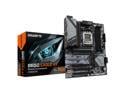
GIGABYTE B650 EAGLE AX AM5 LGA 1718 AMD B650 ATX , DDR5 Triple M.2, PCIe 5.0, USB 3.2 Gen2x2 Type-C, AMD Wi-Fi 6E, Realtek GbE LAN
Pros: updated bios and had no issues with the board.. Was in my budget and did what I needed it to.. Kinda pretty to look at.. Time will tell..
Cons: The directions for updating the bios needs some work.. STEP 2: Download the motherboard BIOS file and rename it to "gigabyte.bin". Save it to a USB flash drive formatted in FAT32. Insert the USB flash drive into the Q-FLASH PLUS USB port. if you follow their instructions your system will power up until you release the button and bios won't load. download your bios, unzip your bios, remove all the files except the one for your bio version example> B650EAGLEAX.F30, rename this file to " gigabyte.bin" Save it to a USB flash drive formatted in FAT32. Insert the USB flash drive into the Q-FLASH PLUS USB port. STEP 3: Press the Q-FLASH PLUS button, and the motherboard will start updating the BIOS automatically.
Overall Review: for the price point I would buy again..
8/3/2024See more detail
AM5 build
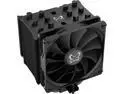
Scythe Mugen 5 Rev. C CPU Air Cooler, 120mm Single Tower, Black Edition, Intel LGA1700, LGA1151, AMD AM5/AM4/Ryzen 120mm, Single Tower
Pros: Fit well, easy to install on am5 socket ryzen5 7600x and came with paste. I used a CORSAIR 4000D AIRFLOW Mid-Tower ATX Case w/ GIGABYTE B650 EAGLE AX AM5 and had plenty of clearance. Idle temps at 37c and runs around 48c to 55c ( when gaming), Max temp on 10 min stress test at 115% was 90c. However cools back down very fast.. I have mild overclock and I dont have any plans on a higher oc.. This will serve me well.
Overall Review: I will buy again
8/3/2024See more detail
Easy all Good
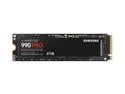
SAMSUNG 990 PRO 2TB SSD, PCIe Gen4 M.2 2280, Seq. Read Speeds Up-to 7,450MB/s for High End Computing, Gaming, and Heavy Duty Workstations (MZ-V9P2T0B/AM) Non-Heatsink
Overall Review: Ill buy again
8/3/2024See more detail
Good Deal
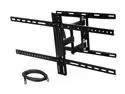
Rosewill RHTB-16001 37" - 65" LCD LED TV Low Profile Tilt & Swivel Wall Mount with 6 ft. HDMI cable, Max. Load 100 lbs., VESA Max 800x400mm, Black, Compatible with Samsung, Vizio, Sony, Panasonic TV
Pros: steady and moves tv so ya can see it better or work on it easier.
Cons: Stud mounts are perfect, If your studs are off there is not much room for error. I bought two mounts. One worked out very nice. The other one my studs were off just enough. That I choose to use a different solid mount. However, my neighbor fixed my car and took the mount as payment. He loves it.
10/24/2018See more detail
seller reviews
- 1
all good
All good plenty of room and cools well pretty quite
On-time
Delivery
Product
Accuracy
Customer Service
Satisfactory
8/3/2024See more detail