
Your Browsing History


Marieta S.
Joined on 07/24/06
0
0
product reviews
- 4
Excellent price/performace ratio.
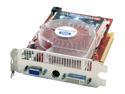
SAPPHIRE Radeon X850XT 256MB GDDR3 PCI Express x16 Graphics Card 100106SR-RD
Pros: This card rips right through any game you throw at it. On max settings - this is no joke (I still get about 288 fps on high settings). Very quiet and effective fan. Using ATITool to do dynamic fan speed changes is very nice. I have it set to 100% at 60 degrees, and it proportionally gets lower for lower temps. Under full load never goes above 65 (MAX 70), and idles at 40 degrees with no air conditioning on. (All with stock cooling and no overclocking.)
Cons: None. 'Nuff Said.
Overall Review: The fan is pretty quiet, and my pc is right next to my head (when at 100% - otherwise it's silent)... Not sure what the "blow-dryer" comments were supposed to mean...
8/10/2006See more detail
Awesome
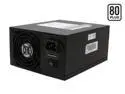
PC Power and Cooling S75QB 750 W ATX12V / EPS12V SLI Certified CrossFire Ready 80 PLUS Certified Active PFC Power Supply compatible with core i7
Pros: Clean, stable, continuous power. 60A on a single +12V rail. Quiet, very. Gobs and gobs of cables for anything you could think of (the model I received indeed has an 8-pin CPU power connector). Easy fit in a roomy mid-tower case (CM C5). Stays cool. PC Power & Cooling. Is there really more to say?
Cons: There are no cons. This is a PC Power & Cooling PSU. 'nuff said.
Overall Review: PC P&C keeps going with extreme quality. Their reputation is amazing, they are the kings of power supplies. Thus the high prices - you seriously get what you pay for.
12/3/2007See more detail
Very Fast - Who Needs Conroe?
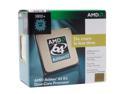
AMD Athlon 64 X2 3800+ - Athlon 64 X2 Windsor Dual-Core 2.0 GHz Socket AM2 89W Processor - ADA3800CUBOX
Pros: Extremely fast multitasking. Who needs an X2 4800+ when this does the job?
Cons: The locking level is extremely hard to push down. When you do so keep one finger under your mobo, or else you'll crack it. Not too cool, stays around 45C (not acceptable considering my video card stays at 38C [it's rated to be one of warmest cards]).
Overall Review: I managed to install Linux on a virtual pc while playing FEAR without lag (and had multiple FireFox windows open).
8/29/2006See more detail
Nice Case
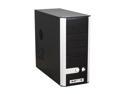
Cooler Master Centurion 5 CAC-T05-UW Black Aluminum Bezel , SECC Chassis ATX Mid Tower Computer Case
Pros: The case has a front 80mm fan in front of the HDD bays, so not only does it provide airflow but it keeps my HDD cold. It also has a back 120mm fan. There is a lot of space inside to move around, and no sharp edges.
Cons: The back fan at 100% blows miserably... Getting the screwless design to work correctly is a little tricky. You see, you have to have the drives positioned so that their screw holes are exactly in the middle of the availible screw place. The first type of screws were too big for the expansion slots, and the second were too small :P. I ended up putting small ones and securing them with a motherboard standoff I wasn't using. Not what I was thinking of doing, but as long as my cards are secure...
Overall Review: You can put a 80mm fan on the side (which I plan on doing) where the useless air-vent is, and with a little modding a second 92mm side fan on the little holes on the side. The case is a very good one overall, it's just that I give it a 4 due to it's some inconveniences... Oh, before I forgot. Trash the [useless] manual, and listen here for how to get the front mesh off. Take a small screwdriver (not a plus, a minus one) and carefully slide it in between the case and the mesh. Carefully wiggle it to the sides to get the front mesh to come up. Do it at all four corners a few times untill there is 1cm space between the case and the mesh, and then pull it off. I guarentee this way you will not break anything.
8/21/2006See more detail