
Your Browsing History


BRUCE M.
Joined on 05/12/14
0
0
product reviews
- 3
Good product with limitations
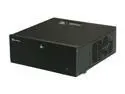
SILVERSTONE Black Aluminum / Steel Grandia Series SST-GD07B ATX Media Center / HTPC Case
Pros: The manual was great in describing the best order of installation, and provided detailed specifications on limitations of installed component sizes. (The limitations are in the back of the manual, read that before purchasing this case).
Cons: Installing four hard drives in the middle 'cavity' was easy. Installing the SSD and another hard drive in the recommended locations was not. Perhaps with different SATA cables it might work. Instead I added adapters that expanded the size of the extra hard drive to an optical drive size, and expanded (in two steps) the SSD as well. Then I was able to install both in the area normally reserved for optical drives.
Overall Review: Kind of surprising that it is designed to hold four optical drives, although I turned that to my advantage (see cons). Locking front panel blocks use of optical drive, not much use for me. As with other HTPC cases (this is my third), compromises are made to keep the size of the case small.
12/6/2016See more detail
Couldn't get it to appear in Device Manager when installed in 2 different PCs
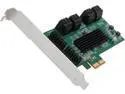
SYBA SI-PEX40071 8 Internal SATA III Ports PCI-Express Card, PCI-e x2 Slot, Specification V2.0 Plus Low Profile Bracket
Pros: Would have been great had it worked.
Cons: [1] I installed it in 2 different PCs, but card did not show up in Device Manager, nor did the attached disk drive(s) show up in Disk Manager. (Because it is Marvell based, I also disabled the Marvell chip on the motherboard to determine if there was a conflict between the motherboard Marvell and the expansion card Marvell, still didn't appear). [2] Product ordered was SYBA, product delivered had "IOCREST" on box. IOCREST website near zero support, SYBA website has more support information. Moreover, the paper/printed manual was not in the box nor could I find a place to download same.
Overall Review: While I would not recommend it, it seems that many folks have success with it. Note that some complaints are due to customer ignorance, as in, not knowing that the driver has to be installed for Windows to see 8 (not 4) drives and that only 4 connections are bootable.
6/13/2016See more detail
Excellent product - easy to setup and use - with one exception
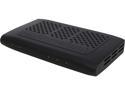
SiliconDust HDHR3-CC HDHomeRun PRIME 3-Tuner US CableTV with CableCARD Stream Premium Channels and Cut the Cord
Pros: Easy to do the hardware install, easy to do the software install. Even getting the added DVR service was straightforward.
Cons: NOTE - It is misleading to mention Windows 7 and Windows 8.1 as suitable clients as they will not be able to access all cable channels. Explanation: At first I had trouble accessing many of my cable channels. There is a bit of confusion about cable channels and 'DRM', so stay with me for the explanation. On an ordinary digital-cable ready TV I can not access all of the channels that my TIVO can. My ordinary digital-cable ready TV can get all my local stations, that I could get over the air, and a few more. My TIVO also can receive MSNBC, The Weather Channel, etc. That is in part because the TIVO has a cable-card that is tied to my cable subscription and so it knows that I pay for more than the lowest level of service. I had expected that the HDHomeRun Prime, in that it has a cable-card, would immediately be able to receive these channels as wells once I called my cable company and had the cable card tied to my service. But, I could not get those channels on my Windows 7 PCs. It turns out (and this important) that to access these channels (called 'DRM' = Digital Rights Management) your PC must be running Window 10 and be at the level of the latest upgrade, the so called 'Creators' Update. Additionally, if your PC is not a laptop or tablet, but has an external display (a monitor), you MUST have a connection that supports HDCP. That is a bit technical, but ordinarily that means a HDMI connector (it is actually a little more complex...) with a display that supports HDCP AND and PC whose output (or graphics card) supports HDCP. This is not fully explained.
Overall Review: Yes, as long as they are running Windows 10 Creators Update (if they are Windows PCs) and IF they are not using a tablet/laptop, understand what HDCP means.
10/5/2017See more detail