
Your Browsing History


Brandon M.
Joined on 10/24/02
0
0
product reviews
- 63
Some Hurdles, mostly minor, Excellent choice.
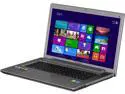
Lenovo Laptop IdeaPad Intel Core i7-4700MQ 8GB Memory 1TB HDD NVIDIA GeForce GT 745M 17.3" Non-Touch Screen Windows 8.1 Z710 (59406328)
Pros: The design is great. This has a removable plate, three screws no issues. Pushes off as easy as an old school cell phone trying to remove a battery. Easy easy easy! You have direct access to memory, fans, chips, hard drives as soon as you remove it. This computer has a "novo button" which is used to access things like boot menus and bios. You can use it while hibernating or when powered off. The bios is painless and it is very easy to get windows 7 on this machine. You just use the novo button, switch to legacy boot system, and make sure you switch to legacy boot support, and just choose your method.
Cons: The only con I really have, is that Lenovo, has a pretty shoddy support on their site for the drivers for things. Their download page looks like it has all the things you need, but when you download and install it, it doesn't exactly work. I had issue with the touch pad driver, audio driver, and the worst, the wireless driver. I will post how I solved it here, because once the solution was found, it was easy. These are the drivers for the touchpad and FN keys. http://drivers.synaptics.com/Synaptics_v17_0_19_C_XP32_Vista32_Win7-32_XP64_Vista64_Win7-64_Acme_Inc.zip These work with windows 7. For the audio, I let windows 7 find those online, worked perfect! For the Wireless, this one I had to open the bottom, see the model number because NONE of the drivers worked. I ended up going directly to INTEL. *DO NOT USE INTEL'S AUTO FIND APP* It just fails and doesn't help. Mine had the intel wireless-n 7260. You might not. You might be able to use the default drivers on the Lenovo site. If you too have this model, the direct link is here: https://downloadcenter.intel.com/Detail_Desc.aspx?agr=Y&DwnldID=23626&lang=eng&wapkw=intel+wireless-n+7260 I used: Wireless_16.10.0_s64.exe on that page.
Overall Review: Is actually a CON, but really, so minor it is a nitpick. I don't like FN keys that you turn off and on, I prefer the shift like function where you just hold to use it and release to turn it off. Roomy enough for a 2nd hard drive bay but doesn't have one, but I knew this going in. Screen has a pretty poor viewing angle but most laptops do.
2/27/2014See more detail
So So case
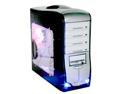
Linkworld 3210-04-C2628 Black/ Silver Steel ATX Mid Tower Computer Case
Pros: Looks sleak, light weight, handle is sweet, lights in front are a nice touch.
Cons: My psu would not fit. and it is by no means something large. its a thermaltake 430 watt. I wedge it in there but it is not sclewed in. little sad on that. The pci slots are hard as hell to get sclewed down and the front fan is a little hard to get put in. also not alot of room for wires once you start filling up.
Overall Review: I'd probally save a bit and buy a higher end case more suited for a powergamer like myself
2/22/2007See more detail
Not tested Properly

ThinkPad Laptop 2.00GHz 2GB Memory 320GB HDD Integrated Graphics 12.1" Windows 7 Professional X201
Pros: The product itself I have no doubt would be very nice. It could use an SSD (which is what I did) for better performance.
Cons: 1st Attempt: Battery would not charge, turned out to be the charger. 2nd Attempt: Touch screen would not work, pen worked, touch screen would not. Wireless Drivers would not work, none of them. These were nothing compared to the fact the battery would charge to only 63%. The only reason this thing gets 2 stars is because new egg allowed a one time exception so I could get another brand.
11/9/2014See more detail
Great mouse!
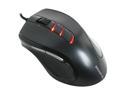
GIGABYTE M6900 Metal Black 7 Buttons Tilt Wheel USB Wired Optical Gaming Mouse
Pros: Feels great in hand, upgraded from a very old logitech mx-1000. Very fast, has 7 buttons and software makes it easy to bind to keys.
Cons: My only beef is, two of the buttons are used to control the sensitivity or DPI. And it is hard coded. If want to key bind stuff to it, it will also adjust your mouse DPI, so I set mine to always be 3200 dpi and left it but I could see people wanting to have specific dpi for maybe different games and this could cut down on the number of usable buttons they get.
3/9/2014See more detail
Basic and alright
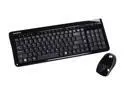
GIGABYTE KM7580 Black 15 Function Keys 2.4GHz Wireless Keyboard - Retail
Pros: It's easy to use, good enough range for media needs.
Cons: I don't like how you have to tap the mouse to bring it online. I also don't like that the mouse and keyboard share the same wireless USB connector.
3/9/2014See more detail
Great OS
Microsoft Windows 7 Home Premium 64-bit 1-Pack for System Builders
Pros: It is all I use now for OS needs.
Cons: Nothing!
2/26/2014See more detail