
Your Browsing History


Brandon P.
Joined on 08/12/06
0
0
100%
product reviews
- 97
wicked....
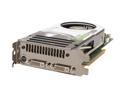
XFX PVT80GGHE4 GeForce 8800GTS 320MB 320-bit GDDR3 PCI Express x16 HDCP Ready SLI Supported Video Card
Pros: had the card 2 weeks in new build...card is freakin awsome...only played GRAW and COD2 so far but handles well no gliching/hang, AA and AF where? don't see any here...ran passmark 3D, on stock system this card, amd X2 5200+, 2G corsair 6400C4 (C4 is cas 4) gigabyte M59SLI-S5 mobo, stock no clocking benched at 8400 something (can't remember exact) gonna run again in a coouple weeks after im done tweeking clock and finding max stable.
Cons: none for the card...but in reply to dude below...the card is actually 9 inches long...the GTX is 10 inches. so if your running a mid tower case take some measurements before you order, you will NEED a MINIMUM of 10 inches for this card and 11 for the GTX between your back panel and HDD's. as well if your south bridge chip has a large/tall heatsink you may need to replace it with a low profile heatsink, in this case your SB heatsink can be no taller than 1/2 inch from the mobo to the top of hsink. depending on where your SATA connectors are this card may also require that you get 90 degree angle SATA cables.(actually though most mobo manufacs know of this now and most SB HS are low profile and most SATA connectors are positioned so that the card won't interfere with them, but if your board is first generation pcie (older that 6 months) you may have these probs to work around.
Overall Review: I got this card instead of the 640Mb GTS cuz I decided to get a new mp3 player instead of spend another 150 on the card..ya know glad I did...I don't see the need for the extra memory this card handles great and with 640Mb you probably wouldn't be able to SEE the diff except on benching, big deal, I dont really care what a mark is as long as the system runs great and this does...other reason for this card...it will be cheaper should I decide to sli later but I really don't see needing that either. IF YOU WANT AN 8800 CARD AND DON'T HAVE OR WANT TO SPEND 450 PLUS ON A CARD THEN GET THIS YOU'LL LOVE IT!!!!...oh ya one more....NEWEGG ROCKS..PERIOD!!!!
3/8/2007See more detail
music skips....not Toshiba

TOSHIBA Satellite 15.4" Intel Core 2 Duo T5500 2GB Memory DDR2 667 Windows Vista Home Premium PSAF0U-02D009
Pros: its Toshiba
Cons: people like the guy complaining about skipping music without actually realizing where the problem lies. Toshiba did not right the drivers for the sound card and no PC manufac will solve a driver problem because that is a SOFTWARE problem and they are only responsible for HARDWARE. in short KNOW WHAT YOUR TALKING ABOUT BEFORE YOU COMMENT ON THINGS. By doing what you did you do not deter people who actually know what they are talking about, rather you only make yourself look bad because you failed to realize what I have stated about software vs hardware issues.
Overall Review: dude maybe you should check a few things out before you bash a product. you are correct in one area IT'S ALL VISTA. Toshiba did not create Vista NOR the drivers for the sound card. what you need to do is solve the problem by continually checking either Toshiba or the sound card Manufac's web site for driver updates. Toshiba WOULD solve your problem IF it was a faulty sound card.EVERYTIME Microsoft puts out a new OS there are driver problems for a long time, the best is to stay away from a new OS until at least the first service pack is released that or KNOW YOU WILL HAVE PROBLEMS TO DEAL WITH. I too have Vista that I ran on a dual boot for a while, I wanted to see its features BUT knew full well that I would have issues with it, Raid drivers still struggle with vista and caused a lot of crashes for me. Did I blame nVidia or Gigabyte, NO, because I know it takes time to fix bugs, I uninstalled vista and will try it later. Bottom Line I knew what I was in for and I dealt with it.
8/5/2007See more detail
good cooler
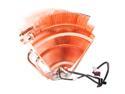
Thermaltake V1 Max-Performance CPU Cooler with Massive 110mm Blue LED Full-Range Variable Speed Fan CL-P0401
Pros: good cooler for performance. kept my AMD X2 6400+ at 28- 32C idle.
Cons: fan bearings died after 19 months.
Overall Review: after the V1 died I put the stock AMD HSF on, temps are running 38-40 idle. so the V1 kept the CPU 8-10C cooler than stock fan. would like to have gotten 2 yrs out of the cooler.
6/21/2009See more detail
TOO HEAVY
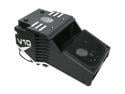
COOLER MASTER Intel Core i7 compatible V10 Hybrid TEC RR-B2P-UV10-GP 120mm CPU Cooler
Pros: ???
Cons: 1200g??? this thing is WAY too heavy. Last time I checked most mainboards recommend coolers that are less than 350g. Can you say cracked mainboard and/or board traces? If you INSIST on using this cooler I would STRONGLY recommend NEVER moving the tower without first unmounting this beast.
Overall Review: True, all the popular coolers like Zalman or any other run in the 500-750g range, still that is a little iffy and has the possibility to cause damage to the board if the tower is not handled carefully.
5/13/2009See more detail
Re: Good Little Video Card (Andy)
SPARKLE GeForce 8400 GS 256MB DDR3 PCI Low Profile Ready Graphics Card 700020
Pros: pricing for a friends replacement.
Cons: ??
Overall Review: Andy, 135F (52C) is really not that bad for a GPU. it is actually about as cool as you can expect todays GPUs to run on air, without a monster after market HSF or water cooling. GPUs run hotter than CPUs, and commonly idle in 50 - 60C (122-140F) range. so don't let that worry you, don't get worried until it is Idling above 65/70C or above about 80C under load.
4/28/2009See more detail
Pretty good for the price, met my expectations

CenOmax F7024B-09 7" LCD Wide 480 x 234 Digital Frame w/ MP3, 4 Interchangeable frame inserts, Remote
Pros: Pretty nice for the price. Just finished loading pics on 2 of these for xmas gifts for my mom and girlfriend. easy setup. resolution is good for the price paid. pics look great from 3-6 feet. both turned on and function great with no problem. So far they meet my expectations. I think they are worth 5 eggs for the price and class. Then again I knew not to expect a crystal clear, sharp image for ~30.
Cons: The power cord could be longer, it's about 6 feet, 8 would be nice. True, the resolution could be better but considering the price paid it is good. If you want GREAT resolution go spend 100+ on a digital frame. If your not willing to spend it, don't expect it. For those complaining about the resolution, you obviously have no tech experience. YOU ARE NOT going to get GREAT resolution from a ~30 item. Your expecting too much, as I said if you expect great then shell out the cash for great or stop whining about it. Few things are more annoying than someone who expects to get something for nothing, buys the cheapest stuff and then whines that it's a piece of junk.
Overall Review: will we see how long they last, If they last a yr I will be happy. I wanted a digital frame for my mom and GF but didn't have 200+ to spend, as well as I wanted to see how well they liked them before buying a high end model. as others have said as the resolution is best if you use a photo app to resize the pics to the native res of the frame (480x234) I tested several sizes, some smaller and some larger than 480x234, including the default res from my camera, the frame is NOT made to resize thus a pic of a res other than 480x234 looks worse and the farther away you get from the native res of the frame the worse the pic looks. as well they seem to look better and fit the screen better if you set the screen options to wide screen, it is default normal
12/16/2008See more detail