
Your Browsing History
 Holiday Shipping Details & Extended Holiday Returns Holiday Shipping Details & Extended Holiday Returns

Joined on 12/22/13

Crucial MX200 CT500MX200SSD1 2.5" 500GB SATA 6Gbps (SATA III) Micron 16nm MLC NAND Internal Solid State Drive (SSD)
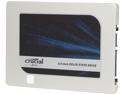
Pros: Good drive, no hick-up's or problems of any kind. * Anyone having problems copying their C: drive on a desktop computer? here is how to. See other thoughts. This how I transferred my existing 1TB WD Black H.D.D. to my 480Gb San Disc Extreme Pro. Sorry this SSD is to store Games on.
Cons: None as of yet
Overall Review: If this is going to replace your boot drive (C:drive and/or you don't want to reinstall windows) on a desktop computer and you are maxed out on SATA connections, here is how you can copy your existing C: drive to the new SSD. (You must have a back-up drive connected to your computer to store a copy of your C: drive). So first after installing Acronis on your computer. Run the Acronis software that is included as a D/L from Crucial. just make a Acronis Bootable Media CD. Then do a full C: drive back up using Acronis True Image. *(after the back-up completes, you must validate the True Image back-up) To validate the disc image, open Acronis True Image, view Back-up's, Right click on the Back-up you just made and select "Validate". After image passes "validate", with the Acronis Bootable Media CD in the Cd drive, go ahead and shut down your Computer. Remove the original C: drive and replace it with the new SSD. Restart your computer . hit F12 and pick what to boot from. Select your optical drive (The Drive with the Acronis Bootable Media CD you made). Select-"Start Acronis disc Recovery" and run "recover from disc image". pick the back up image you made and start recovery. As long as your used data doesn't exceed the size if the SSD, including any hidden partitions It will automatically resize your unused space to fit onto the SSD. Don't worry if you make a mistake, because your original C: drive will still be on the old drive, just as it was before you started.
little over 1 month then RMA
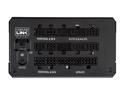
Pros: Yes Corsair are Pro's at making excuses on why my replacement did not ship. Customer service was great until they received the RMA psu. Then I was repeatedly lied to as to when my replacement will ship. (more info see cons)
Cons: First off let me state that this PSU is not fully modular. The 24 pin, CPU, and 2 pci-e 6+2 are hardwired into the psu. Second, if you do buy the refurbished unit get a extended warranty. I got this to replace my HX750 (which has a 7 year warranty) because I am running 2 R9 270x 4Ghz GDDR5 in crossfire X. With 5 HDD's, BD-R, 7x case fans, 2x cpu fans, and some over clocking, I'll be underpowered. Well it lasted 5 1/2 weeks or so. It took corsair almost that long to send my replacement to me. They sent me a confirmation e-mail on when it will ship due to being out of stock. Each time on the following day after it was supposed to ship. I would get a new e-mail stating they are out of stock, so i'll have to wait until they receive more. Mind you that each time it was a 7 day waiting period until it will ship. next shipping is in 7 days. Again the day after it was supposed to ship I would receive another e-mail saying 7 more days. With that amount of time and failure to follow through after repeatedly sending me confirmation e-mails, Then informing me it will not ship.You think they would just upgrade it for me and keep the time frame that they, themselves stated. So after going for 3 weeks with excuses on why they are again delaying my replacement , after first confirming it will ship. I finally got it, that Corsair does not want nor need my business any more.
Overall Review: so after the whole RMA thing was finished and over 3 weeks waiting for it to ship out they were nice enough to show how much, i myself am appreciated by Corsair. They sent me a mouse pad for the time and trouble. So thanks corsair.. (by the way thats sarcasm) Please refrain from posting a link to customer service. I have it on favorites due to having to go there repeatedly.
This comes with certificate of origin card.

Pros: Comes with origin card. Works well like it should
Cons: None
Overall Review: I would recommend if you know how to apply it you don't get enough to do it twice.
Good deal on Ryzen approved RAM
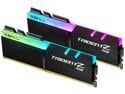
Pros: G. Skill that is for Ryzen CPUs must have the"x" at the end of the product number. If not it's not optimized for Ryzen.
Cons: None
Overall Review: If you are running an older Ryzen. Especially if it is a first gen you won't get 3200 unless it's this trident ram
Took a dump on the first day used.
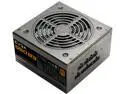
Pros: It has make me reconsider EVGA products. It confirms that Corsair makes a better psu at any price point.
Cons: (>_<)_.l.. <-------This is how well it worked, EVGA
Overall Review: Worthless, couldn't get 3 hours out of it before it shut off. unfortunately for me I bought this last year but just now installed it into a build. We're talking a brand new build. Ryzen 5 2400G, XFX RX580 GTS, MSI B450i plus ac itx, LG Blu-ray rewriter, WD Black 500Gb NVMe., WD Black 1Tb HDD, Fractal Design Focus G mini ITX, and a worthless EVGA 550 B3 fully modular psu. It should have been plenty of power for this since the graphic card only needed 1x8 pin. Worse of all this was going to be a gift for someone. So now do I pay for the shipping which I'm sure EVGA wont cover to get it repaired or do I just cut my losses and go with another brand.
This will be my third one, all work with no issues.
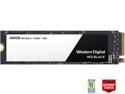
Pros: I already own 2 of them in my personal build, so when I started to make a computer for my girlfriend, I stuck with what's been reliable for me. I mean I still have Old WD HDD"s that were state of the art 500 gb back in the day that still work to this day. WD has never failed me yet.
Cons: None
Overall Review: Good product from a reliable company.
It real Thermal Grizzly with certificate or origin
I received a color two sided printed Certificate of origin. 2 spreaders and 1 application of non-conductive TIM. There might have been enough to do a small gpu also but I wouldn't push it. As for temps. they are a avg. of 4°-5°C lower than when I first installed the cpu. If I go by the old TIM right before replacing it, then it dropped 10°C. But why would you say that when you know the old TIM isn't doing its job hence needs replaced. So if you use a fair quality TIM you should also see a drop of 5°C from the original installed TIM temps.
It was just a case fan but it was on time and the right product.
I've used these fans in the past from Cougar when they only had orange blades. The only ones selling them on newegg was OutletPC.com. they sent me what I ordered and it was properly packaged for shipping.(with the air bags in the box.)
Received sooner than shipping date.
I received it before the shipping date and it works like a charm.