
Your Browsing History


Michael C.
Joined on 05/29/22
0
0

product reviews
- 2
Love My Desktop, ABS Asus Build Ultra 9 285K, RTX 5070-Ti
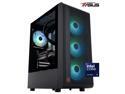
ABS Stratos Aqua Gaming PC Powered By Asus - Windows 11 - Intel Core Ultra 9 285K - GeForce RTX 5070 Ti - DLSS 4 - 32GB DDR5 6400MHz - 2TB M.2 NVMe SSD - SA285K5070TI2
Pros: ABS more than helpful with setup. The computer initially didn't boot, but after seating the ssd, it had slipped a bit in shipping, computer fired right up. I did all the firmware updates on the ssd, pretty straight forward using ABS provided documentation. Overall it was packaged well, no damage in shipping. Looks great and handles everything I need it to do.
Cons: The power supply is fine, but a little bit better one would have been nice. I added a Thunderbolt PCIe card that needed power and I had to upgrade the PSU to add another PCIe power connector. I run without RGB, you can cycle through the different lighting options by removing the right hand side panel to access switch. It would have been nice to have an outside option to change along with a dimmer option. The memory RGB can be changed or turned off by downloading the RGB program from the memory manufacture. The memory RGB does come on during start and in standby, but it isn't that big of a distraction.
Overall Review: I love this computer, and wish I had bought sooner. Highly recommend ABS builds and support.
9/6/2025See more detail
Works, Might be a pain to install upgrade.
![Microsoft Windows 11 Pro Upgrade [from Home to Pro] [Digital Download]](https://c1.neweggimages.com/ProductImageCompressAll125/32-351-758-V01.jpg)
Microsoft Windows 11 Pro Upgrade [from Home to Pro] [Digital Download]
Pros: It's window 11 pro which can disable One Drive.
Cons: It's windows.
Overall Review: Okay, I probably made a mistake in cloning the drive before upgrading to Window 11 pro. I upgraded from a computer purchased from Newegg that came with Windows 11 Home. Make sure you and your computer are registered at microsoft before upgrading. I followed the instructions provided but the installation failed as it would not recognize the provided key. Lots of time spent updating drivers, and even a call to microsoft.. They failed as well. A couple more bios updates, driver updates and then a couple of restarts and it took the key and upgraded.
9/5/2025See more detail