
Your Browsing History


William W.
Joined on 10/27/04
0
0
product reviews
- 13
Heavy-duty Wall Mount
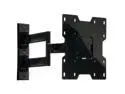
Peerless PA740 22"-40" Articulating TV Wall Mount LED & LCD HDTV Up to VESA 200x200mm Max Load 80 lbs., Compatible with Samsung, Vizio, Sony, Panasonic, LG, and Toshiba TV
Pros: - easy to set up - articulating arm plus tilt makes it easy to find the ideal viewing angle
Cons: - none
Overall Review: Used this to mount a TV in the kids' bedroom
9/30/2016See more detail
Decent case for the price
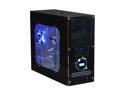
APEVIA X-Dreamer ATXB3KLW-BK/420W Black Steel ATX Mid Tower Computer Case ATX 420W power supply for AMD/Intel Power Supply
Pros: Very nice looking, LED fans it comes with make it look even better. Front panel temp is kind of nice
Cons: Flimsy, front panel is kind of hard to work with
Overall Review: Bought this case about 2 or so months ago for a budget build. Had a small dent on the top that's not really noticable. The case does run a bit warm though, decent quality fans in front, back, side and top dropped the temp a bit, but still running warmer than I'd like. Already looking for a new case to replace this.
11/30/2005See more detail
Great monitor, HDR leaves something to be desired
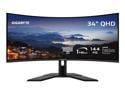
GIGABYTE - G34WQC Advanced - 34" VA Curved Gaming Monitor - WQHD 3440x1440 - 144Hz - 1ms MPRT - AMD FreeSync Premium - HDMI, DP - Height Adjustable - Black
Pros: - nice and big - standard range colors are great - 2 HDMI and 2 DP
Cons: - HDR is only 8-bit, leaves some colors a bit washed out looking. Reds are definitely not very deep, but overall still look pretty good
Overall Review: Overall, a pretty decent monitor. I needed something with at least four ports since I run 4 computers off of a USB switch, and this monitor delivered that no problem. The HDR support is OK at best. Some games/videos definitely look better, but can tell that some colors are a little off, especially the reds
8/27/2024See more detail
Great picture, tinny sound
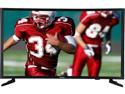
Samsung UN32J5003BFXZA 32-Inch 1080p HD LED TV
Pros: - small bezel makes for better viewing - very crisp picture
Cons: - speakers are a bit tinny
Overall Review: Bought this to replace another 32" TV in the master bedroom. Looks great, but speakers leave something to be desired.
9/30/2016See more detail
Monitor stand is monitor stand
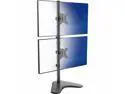
VIVO Dual LCD Monitor Vertical Stand Mount, Fits 2 Ultrawide Screens up to 34"
Pros: - multiple ways to set up, either freestanding, or mounted to pre-drilled desk holes (if your desk has them/you make them) - easy to adjust - set up with two Asus 24" monitors, resembles a battle-station (cool-factor +1)
Cons: - was a bit of a pain to put together - fairly heavy, especially after installing monitors - cable management clips would probably be helpful if I didn't have 3+ cables hooked up to each monitor - not really a con, but took a bit to get used to glancing up instead of left/right for a typical multi-monitor setup
Overall Review: I have a 6ft. desk supporting four computers, one of which belongs to my wife. I used to have a side-by-side configuration, but this left very little real-estate for my wife's computer. Ordered this stand to support a vertical multi-monitor setup so she'd have more room. I have my gaming PC, linux server, and Mac Mini hooked up to the HDMI/VGA/DVI ports on each monitor and switch source between each one depending on what I'm working on. Because I have all ports filled on the backs of each monitor, the cable-management clips are pretty useless to me, although I doubt they had 3-4 cables going through each in mind when they designed it. It's also not really practical to use the top monitor for any long-term work/browsing/gaming/etc. Where it shines is when doing something on the bottom monitor and using the top for keeping up documentation/research/chats/music players/etc. It gives it that "command center" or "battle station" feel.
9/21/2016See more detail
Super-fast, awesome upgrade
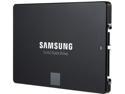
SAMSUNG 850 EVO 2.5" 500GB SATA III 32 layer 3D V-NAND Internal Solid State Drive (SSD) MZ-75E500B/AM
Pros: - samsung cloning software got me up and running in about than 20-30 minutes - easy to install - pretty reasonable size for OS and my most-played PC games
Cons: - nothing that I can think of
Overall Review: Bought this as an upgrade for both my and my wife's PCs. Replaced a Crucial M4 128gb in my machine and is accompanying a WD 1TB drive in my wife's. Drive installation was completed in a couple minutes on each machine and cloning took about 15-20 minutes. The samsung cloning software was a breeze to use. I imagine I could have used something better with more options, but it did the job and did it in no time flat. Unhooked the old boot drives, rebooted, and everything just worked.
9/21/2016See more detail