
Your Browsing History


Brian V.
Joined on 02/08/02
0
0
product reviews
- 1
An absolute garbage product and company! Avoid at all costs!
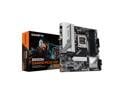
GIGABYTE B650M GAMING PLUS WIFI AM5 LGA 1718 AMD B650 M-ATX, DDR5, PCIe 4.0 M.2, PCIe 4.0, USB 3.2 Gen 1 Type-C, Wi-Fi 6E, 2.5GbE LAN
Pros: - Not a thing
Cons: - Newer AMD CPUs need a BIOS update and this thing is ultra picky about what USB drive you use to do this - Can apparently come damaged from manufacturer (as mine did). - Better hope you notice said damage within the Newegg return window because Gigabyte support will NOT accept any responsibility on their part
Overall Review: A few months ago I was shopping for parts to build my daughter a new PC. I was looking for bargains and wasn't in any particular rush since her current PC was working fine. I would pick up various parts from one week to the next depending on what was on sale. Newegg was running a pretty good combo deal involving this mobo, a 9600x CPU, some 32g Corsair RAM, a 500g SSD and a free game (Monster Hunter). My first mistake was ignoring the overwhelming amount of negative reviews around this motherboard. I absolutely should have continued looking elsewhere but I convinced myself that since I wasn't in any rush to build the PC, I would have plenty of time to work out whatever quirks may come with this mobo. My second mistake was not building the computer sooner (as to discover problems within the Newegg return window). About 2 months after starting this quest, I had finally acquired all the parts and set out to build my daughter her new PC...or so I thought. The first problem I encounter is that the mobo needs a BIOS update. I follow all instructions on putting the BIOS on the USB drive and insert it into the designated USB slot but the mobo will not cooperate. I read up online and determine that I need a crappier, smaller USB stick. No problem, I got another, smaller drive. Nope, that won't work either. I waste an entire evening trying to make this work and it simply wouldn't. The next day I set out to go buy a USB drive that would work. I get a 16gb Onn drive from Wally World. Come back home, try it, nope. I set out again. I end up driving to 3 different WMs in search of a smaller USB drive by any brand other than Onn. I finally managed to get a 3 pack of 16bg PNYs (because they didn't have a single 16) and one of those finally worked. 2 days down the drain but I got the BIOS updated. Now to complete the rest. My next wonderful discovery was during the CPU installation. I noticed several of the CPU socket pins didn't look uniform with the others. I took the attached picture and took a closer look with a jeweler's loupe. Most of the bent pins were in good shape and not touching others but I notice one that had clearly been malformed during manufacturing. Unfortunately, since I waited to build the PC, I'm outside of Newegg's return window so I go ahead and install the CPU and try it anyway. No shock here: it wouldn't boot. I reseat the CPU a couple times and move the RAM sticks around and it does eventually end up booting...but only if I leave a single RAM stick in the B2 slot. At this point, I'm fed up with this thing and ready to be done with it so I concede that I'll have to send the board off to Gigabyte for RMA. Since every other part of this build had been a giant pain in the rear, I had no reason to believe the RMA process would be any different. My daughter had already waited long enough and I could already feel what was going to happen next so to save time I went and purchased an ASUS B650E mobo. With the ASUS, I had my daughter's PC up and running the day after it arrived. No problems whatsoever. I sent the Gigabyte off for RMA, complete with photos of the bent pins and a detailed explanation of everything I experienced and as you probably already guessed, they denied any responsibility. They asked if I wanted them to repair the socket for $100 (lol). Needless to say, I rejected that offer. No matter what I told them they were convinced that I damaged the socket and would offer to do nothing more than repair the socket for $100. So the lesson I learned here is to always build the PC asap so that you can return any damaged products to the vendor and avoid the trash customer service and RMA process of the manufacturer (in this case GIGBYTE). Trying to squeeze $100 out of me was more important to Gigabyte than trying to help or maintain a customer. As if my miserable experience with the mobo wasn't enough, the equally lame customer service has ensured that I won't touch another Gigabyte product again. Stay far, far away from this motherboard and this company. Oh, and fwiw, the ASUS B650E Max Gaming Wifi I bought in place of this thing was a breeze to install and has been rock solid. Highly recommend that mobo over this hunk of trash.
8/4/2025See more detail