
Your Browsing History


Gentry B.
Joined on 12/21/05
0
0
100%


product reviews
- 130
Crucial X8 Portable SSD - 1TB
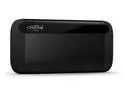
Crucial X8 1TB Portable SSD - Up to 1050 MB/s - USB 3.2 - External Solid State Drive, USB-C, USB-A - CT1000X8SSD9
Pros: Pretty. Darn. Fast. Nice pocket size, 1/4 the size of a portable HDD. Sleek design very sturdy. Great for gamers who want to store games on an external drive. Perfect for carrying around a steam game library, assuming the library does not exceed 1TB of space. No driver install needed, the drive opened up right away after plugging in via USB-C. USB-C connection required for advertised speeds. See OTHER section for test results. In short, the drive read speed came very close to the max 1050 MB/s transfer rate. Almost 10 times faster than a USB 3.0 portable HDD.
Cons: Price point may be a turn off. A portable HDD with more than 4 times the storage can cost less than the portable SSD. This is really the only con. My personal complete game library exceeds 3TB but I can use the portable USB to carry around part of the library.
Overall Review: Tested with a Gigabyte AERO 15 laptop - i7-9750H, RTX 2070, 16GB DDR4, Windows 10. Ran test on three drives with CrystalMark. Showing top read/write results for simplicity purpose. Crucial X8 Portable SSD (via USB-C) READ = 1036MB/s, WRITE = 975MB/s (advertised speed = up to 1050MB/s) Toshiba 4TB portable HDD (via USB 3.0) READ = 135MB/s, WRITE = 126MB/s Intel 512MB M.2 SSD READ = 3048MB/s, WRITE = 1559MB/s (local C:\ drive, M.2 connection on a Gigabyte motherboard) Results show the Portable SSD is several times faster than the Portable HHD but about a third of the speed to the local M.2 drive. The Crucial X8 Portable SSD Is an excellent drive, especially for gamers on-the-go... like me.
12/12/2019See more detail
Rage PC (Early Review)

Rage PC Game
Pros: Landscapes. Character animations during battles. AI. Lots of RPG content. Vehicles. Holds well over 60fps on my machine and probably any current PC with a decent mid-range card.
Cons: (Cons for current PC version) Textures are bad. Get close to an object and the surfaces begin to blur. I am really surprised that there is no way to change advanced graphics settings. A lot of environmental details are missing that one would expect from a highly and lengthily developed id game. For example when I look down, I want to see my character's legs. There is no "free look" while on vehicles, it's fixed. No leaning, that I am aware of. Vegetation looks flat. No vertical sync, results in screen tearing on fast PCs. The story and characters are forgettable... like getting thrown into a scenario for no interesting reason. I am really disappointed.
Overall Review: I was more than hoping for an immerse-able game from id. What we got was a slightly above average shooter with some RPG thrown in. I still plan to play all the way through as long as my interest stays up. I am hoping that id addresses the issues with the PC version. Played on [Ci7 930, 6GB DDR3 1600, GTX580, Win7 64, 1920x1080]
10/5/2011See more detail
Crucial X9 2TB Portable SSD
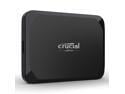
Crucial X9 2TB Portable SSD - Up to 1050MB/s Read - PC and Mac, Lightweight and small - USB 3.2 External Solid State Drive - CT2000X9SSD9
Pros: Super fast. Gets very close to the 1050MB/s as advertised. Great for gaming on the go but must be connect to USB-C. Small and light, pocket size. Many AAA games that require 100+GB installs for storage can benefit from and sometimes demand the speeds of SSDs. The Crucial X9 will meet and satisfy the demand. Nowadays gaming storage libraries easily exceed 1 terabyte or more. The 2TB on the Crucial X9 is plenty of storage for on-the-go gaming, especially Steam libraries since they are easily transferable from one computer to another.
Cons: A little pricey but to be expected. A portable HDD with 2 or 3 times the storage can cost less, even half, but the speeds won't be matched with an external SSD. Not even close. Still much slower than an M.2 drive. As you can see from the results below, the M.2 is nearly twice as fast.
Overall Review: Test Machine = Core i7-13700K, ASUS Prime Z790-P Motherboard, 32GB DDR5 RAM, RTX 4080, Windows 11 23H2. Ran tests on four drives with CrystalDiskMark8. These are the top read/write speeds for each drive tested to show comparisons. See image for detailed results of the Crucial X9 Portable SSD. Crucial 2TB X9 Portable SSD (via external USB-C) READ = 1039MB/s, WRITE = 987MB/s (advertised speed = up to 1050MB/s) Western Digital 2TB SSD (Operating System Drive, connected to the motherboard) READ = 557MB/s, WRITE = 526MB/s Western Digital 5TB portable HDD (external gaming drive via USB 3.1) READ = 107MB/s, WRITE = 103MB/s Intel 1TB M.2 SSD (local gaming drive, connected to the motherboard M.2) READ = 1929MB/s, WRITE = 1790MB/s External SSDs are great for gamers on-the-go who need the extra storage for game installs. Honestly it can be used for anything, but it seems the real benefit will be for gaming, especially Steam libraries. Microsoft gaming libraries must be redownloaded on each computer and therefore will only benefit from non-portable drives remaining connected to the motherboard. But Steam libraries are easily transferable between computers using an external drive. And a fast one like the Crucial X9 is perfect.
6/15/2024See more detail
CORSAIR iCUE 2000D RGB AIRFLOW Mini-ITX PC Case

CORSAIR iCUE 2000D RGB AIRFLOW Mini-ITX PC Case - White - Mini-ITX Form-Factor - Steel Mesh Panels - iCUE Lighting Node CORE Controller
Pros: Beautiful case that has a very simple minimalist appearance. Extremely well made. Mostly metal surrounded by plastic mesh on most sides allowing for plenty of ventilation. No flaws. Great for an elegant home office. It's easy to disassemble (and reassemble). It has a lot of room to work in even for its size. Comes with 3 full size built-in LED fans. Probably the best thing about the case (my favorite thing), it can hold that latest and biggest full size 3 slot graphics card. Since the power supply is mounted at the top, it has built in straps for a power cable extension that comes with the case. The straps hold it in place inside the cover of the case. It comes with one external USB-C connection in addition to two USB3 connections.
Cons: Unfortunately, it requires a fully modular SFX-L power supply. Separate purchase. And for those not familiar with this type of power supply, it takes a little research to figure out that's what goes into the case. The motherboard is mounted at the bottom of the case which makes plugging anything into the back of the motherboard very awkward. It literally needs to be turned on its side to plug in a USB accessory or a video cable. The case itself is heavy and is a chunk to lug around when fully assembled. Mostly because of the solid build, which may not be a con for some. It only has one mount for an internal standard SSD. Even though it's easy to assemble and disassemble there were no instructions, which could be a problem for novice PC builders.
Overall Review: I used the case to replace a smaller case so I could install a full-size graphics card. Overall, it's a great case for standard mini-ITX computer build that allows for the best gaming graphics card. A huge plus for me. I include two photos. One showing almost everything assembled and the other with everything connected and plugged into a monitor. I left off the side panel because I was still testing. It's perfect for anyone who likes the look of the case and needs the space saving design. Although novice builders beware. It may take some time and a little research to get it all put together. But it's not difficult to put together.
9/9/2023See more detail
Dell Latitude 5289 (refurb)
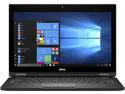
DELL Latitude 12.5" Intel Core i5-7200U 8GB Memory 256GB SSD Windows 10 Pro 64-bit 5289
Pros: Was this really a refurb? The laptop I got was in perfect condition. Not a single scratch, dent or smudge. It was professionally wrapped and sealed inside a bubble sleeve made for the exact size of the laptop. All the specs matched exactly as advertised. The power supply was no exception. Perfect condition and was a manufacturer original. Not an off brand.
Cons: None. Zero.
Overall Review: I'm an IT professional and I am always looking for good deals on top quality laptops. I buy a lot of refurbs for my friends and clients. I like to make sure the devices are working before passing it on. Most of the time I receive what I expected. And usually there are very minor inflections that indicate the device was used at one time. This particular purchase, the laptop was pristine. The recipient I was helping, a school teacher, could not have been happier with her new laptop. The value of this purchase was highly satisfactory. I would buy it again.
8/25/2021See more detail
Rosewill CFZ750 750W ATX Power Supply
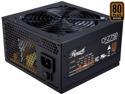
Rosewill CFZ Series, CFZ750, 750W Semi-Modular Power Supply, 80 PLUS BRONZE Certified, Auto Fan Speed Control, SLI & CrossFire Ready, Black
Pros: Pretty typical no-frills power supply that has all the necessary components to run a nice basic gaming ATX desktop. The main cables are pre-attached and work with higher end motherboards. For example, in addition to the 20+4 pin main, my motherboard also requires the pre-attached 8 and a 4 pin power connector. And they plug right into the motherboard. There's enough power to run any of the highest end graphics cards up to an RTX 3090. Fan runs quiet.
Cons: Not really a con.. Claims to be Crossfire and SLI ready, but probably works with lower end graphics cards due to only having 1 modular slot for PCI-Express. Using the provided 2 x 8pin split cable makes me feel a little uncomfortable (1 cable for a 2 x 8pin GPU). But the power supply is designed to handle it.
Overall Review: Good power supply, no complaints. Rig: Core i7 9700 (clock limited at @ 4.1GHz), ASRock Z390 Extreme 4, Gigabyte RTX 3080, and 32GB DDR4.
5/30/2021See more detail