
Your Browsing History
 Holiday Shipping Details & Extended Holiday Returns Holiday Shipping Details & Extended Holiday Returns

Joined on 12/12/07
Nice, but shouldn't have to be dependant on the remote...

Pros: Higher resolution for an LCD frame. Remote. USB and SD card slots.
Cons: Must use only one data source? So, I can't have the slideshow show pictures on the memory card AND the internal memory??? How about the buttons on back? They work, but are practically useless. Would have been nice to know how easy the remote was to use before spending hours trying to use the buttons. Once we figured out that the remote was much easier to work with, our frustration level decreased dramatically.
Overall Review: USE THE REMOTE. USE THE REMOTE. Did I say, "use the remote," already? Oh, and don't lose the remote either. If you do, you will find yourself frustrated with the buttons on the back.
Need Cheap Color Flyers?
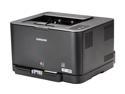
Pros: Color Laser = No ink running when your page gets wet!!! Love it! Excellent device, networkable through wired or wireless, simple setup, replacement toners easily available online (very few stores seem to carry them, yet).
Cons: small paper tray, printer goes into 'lockout mode' when it thinks a toner is exhausted rather then giving you the option to print anyway and see how your prints look.
Overall Review: We wanted to distribute color flyers in the neighborhood for our church's Easter Celebration. When we looked around for color copies, they were roughly $0.50 each. So, for 500 copies, we would pay $250.00. But, for $139.00 (plus shipping and rush processing, $143.98) we printed 500 copies before the yellow toner was 'exhausted' and locked us out. We replaced the yellow toner (bought locally for $60), and ran another 200 copies before the blue toner went out. So, we printed 700 of our own flyers for $50 less than they would cost to have 500 copies made, and now, we have the resources available to do our own color prints, any time we want to, with just the cost of toner remaining. (speaking of which, always look for the best deal online for the toners - you can get them for about $40 if you look)
Works
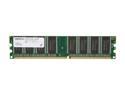
Pros: Compatible, no issues. Don't have to listen to my mom complain about how slow her computer is, now.
Cons: Wasn't free, didn't install itself.
Overall Review: Purchased as Christmas present upgrade for my mom's PC. She had 256mb, now 1.25Gb. Plenty for her internet browsing, youtube videos, picture slideshows, etc...
Nice collection of hardware
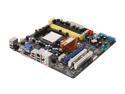
Pros: Very good assortment of components for a general-use motherboard. 4 dimm slots, onboard SATA, total 6 ports (including Esata), decent onboard video, etc. Good enough to get you going, and then (though I haven't played with them), additional settings for "tweaking" or overclocking, for you "tweakers" out there.
Cons: Only 2 SATA ports are "native" and the other 4 require AHCI or RAID mode. RAID mode is functional, but obviously not a real perfomance option. (It's not a $300 raid controller, but that's to be expected.) AHCI mode works for optical drives but was giving me trouble, so I still added my additional SATAx4 PCI card for my 3 optical drives, and left my 3 hard drives on the onboard SATA ports.
Overall Review: To use all the SATA ports, remember to press F6 when loading windows and install the dos mode driver (you will have to put in on a floppy or incorporate it into your windows install) otherwise, bad things happen.
Need more internet to download
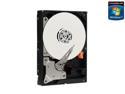
Pros: TONS of space. What am I going to do with myself? I think I've already downloaded the whole internet, and still have room!
Cons: None.
Overall Review: Just remember to keep drives cool. Heat will kill hard drives.
AWESOME AWESOME AWESOME!!!!
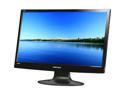
Pros: Huge screen, 1080P, VGA & HDMI. Beautiful picture.
Cons: Some light seepage from top and bottom on dark screens. Nothing show-stopping, though. Speakers are suck just plain suck(but that's not what I bought it for).