

Your Browsing History


William S.
Joined on 06/07/20
0
0


product reviews
- 10
Seconds Always Taste (Look) Better

Phanteks D30-120 DRGB PWM FAN 3Pack, Reverse Airflow Model, Premium D-RGB Performance Fans, Halos lighting Effect, ARGB/DRGB lighting, Daisy-chain Fan Linking system, Black, 3Pack
Pros: Linked fans, less cables Daisy chained RGB connectors No finicky/suspect software
Cons: The only con at this time is uninstalling my Lian Li TL LCD fans to make room for these
Overall Review: So far, so good. I've done early reviews before, but I can definitely say that I am impressed with these fans. I don't even miss my high-priced, low quality fans that I replaced. I'm calling it early, but these are a but for me. I will bring that smoke in an additional review if I am wrong. The last fans started to fail at five months. I already have one set of these fans, in white, in another computer that has been going strong for two months. I don't have any issues with those.
6/2/2024See more detail
Another One Bites The Dust

Lian Li UNI FAN TL LCD Reverse Blade 140 RGB Single Pack Black Color (No controller included)- 14RTLLCD1B
Pros: None anymore
Cons: Fans last maybe a good six months or more
Overall Review: Literally a day after posting about disconnecting my rear 120mm exhaust fan for a high pitched squeal, one of my three 140mm intake fans are starting to squeak. This proves to me that it isn't a one off occurrence. Do not buy these fans. Way too expensive, terrible software and they don't last. Yeah, I was sold on the screens too. Don't get duped.
5/31/2024See more detail
Far Too Expensive

Lian Li UNI FAN TL LCD 120 RGB Single Pack Black Color (No controller included)- 12TLLCD1B
Pros: The LCD screen is a nice touch Lighting effects are pretty good
Cons: Software is a pain at times and still a bit sketchy Getting the GIF to work properly can be challenging (upside down, improper animation flow) LCD animations use a lot of CPU, RAM or GPU resources (I do have seven of them though) Most likely will not last the life of you computer
Overall Review: I received these fans in the month of January 2024. I fought the software from then until late March. I originally had 10 of these fans, but I couldn't get a set of 3 to work properly. I discovered that you can only use a limited amount of these fans so I removed 3. I finally got all 7 to work in late March, although intermittently. The temperature dial would lose their background or completely white out. After a restart, or GPU update, they would return to normal. Here I am today, in the last days of May and my rear exhaust fan decides it just wants to make high pitched squeals during operation. So I'm assuming the bearing has gone bad. I've taken well care of these fans. I don't smoke, I don't keep pets in the house. My rig is on top of my desk. It's too late to ask for a replacement so I'm just going to replace the fans myself. I'm not going to wait around for the others to fail. The point of all this is to let potential customers that these fan are far too expensive for this type of quality. They are nice fan, but they are more trouble than they're worth. I have far cheaper fans from 2019 (my first build) that are still working with no problems at all. They were nice while they lasted, but I will not be a return customer for these items. I tried to update my previous review but I had no access to do so. I recommend a pass on these. Don't let the glitz and glam draw you in,
5/30/2024See more detail
I had a great time building in it

Mechanic Master iF11 LogiCube air-cooled portable ITX desktop A4 Long GPU/Small Form Factor /PCIe4.0 GPU Riser Inc Black
Overall Review: Everything has pros and cons, I had no cons so I'm not going to butter it up with just pros. Yes, there weren't many instructions, but there is a QR code in the booklet they do provide for online assistance. If you're a seasoned builder, you know how to build in it so I get that a new builder can get lost. It's is a foreign manufactured case so some instruction is lacking. Anyway, I enjoyed building in it. I will just post the pictures. I listed the specs in another review. 4K in a backpack!
3/14/2024See more detail
Big Let Down
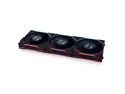
Lian Li UNI FAN TL LCD 120 RGB 3 pcs Pack Black Color ( controller included)- 12TLLCD3B
Pros: - Fan LCD feature is a nice touch - Looks good with the screw hole covers
Cons: - A headache to assemble - Progressive feature only seems to work in one direction - Specific L-Connect-3 TL LCD software no longer available - Cable connector, at times, does not stay secure to the fan.
Overall Review: It's a normal Lian Li fan assembly process, but make sure you get it right the first time. I did my build in an O11 Vision. You cannot use more than 7, I tried with a splitter. My ASUS Hero motherboard did not like that at all. I removed 3 TL LCD fans and added some non LCD TL's to the open space. If you have to disconnect/reconnect the fan cables on the fan side, the locking feature wears out quickly. One of my cables will not stay secure to the fan. Luckily, I had spares. Your cable connection on the fan is the top of the fan stack, should you mount vertically. I used the ladder climb GIF and instead of climbing up, it climbs the ladder downward. Of course you can rotate the screens, but it throws the GIF off. Everything worked fine when I had the specific TL LCD software, but somehow the software reverted to the SL/AL L-Connect 3 software and the specific software for these fans is nowhere to be found. My fans are ramped up to the highest RPM. The L-Connect software I have now doesn't see any fans. Although all LCD fans display 'Li' only 4 of the 10 fans display RBG and only respond to changes from ASUS' motherboard software. I have one controller. Port 1 has a set of three 120mm TL non LCD's. Port 2 has a set of three 140mm TL LCD's. Port 3 has a set of three 120mm TL LCD's. Port 4 has one 120mm TL LCD. The controller is plugged into a 6 pin PCI cable from the power supply (1000 watt), a 3 pin RGB header and the CPU fan header. And no, the CPU isn't hot. It's sitting at 30 degrees Celsius. I've submitted this information through Lian Li's troubleshooting option on their website and there has been no response.
1/24/2024See more detail
Love this design
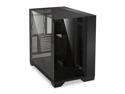
LIAN LI O11 Vision Black Aluminum / Steel / Tempered Glass ATX Mid Tower Computer Case ----- O11VX
Pros: Room for your set up. Fits all video cards and you can do a custom loop. I have a push/pull on my AIO, but if you want an air cooler, I don't think you'll have a problem with any that you choose. Everything just works. Right now, this is the most amazing case I've ever owned.
Cons: Not as much room in back as you would think. Everything was fine until I had to introduce the power supply cables. A lot of it is due to the additional custom sleeved cables. If I didn't use those I would have less cables to stuff. If you use a 360 AIO, leave your screws loose for adjustment. If you set it too high when reinstalling the upright bracket, you hit the top of the case. You could also just leave the bracket in there and just built you AIO on that. There are three glass panels. The top, the front and the side. There is a part that joins them altogether that is supposed to stay glued on the front glass. Mine came off with the side glass. It still serves its purpose though.
Overall Review: My overall view is, you are going to love this case. I love the way it displays. I didn't have to fight to get my CPU power cables in their sockets. I wanted to adjust the motherboard tray to the lower setting, but with the intake fans on the bottom, it limits the use of the PCI slots on ATX/EATX motherboards. I have future plans for those available PCI slots.
12/9/2023See more detail
seller reviews
- 6
I got the SFF bug
First SFF build since Meshlicious. I really loved building in this. I'm interested in a travel PC or one that can be easily moved around my house. Sure, I could just get a laptop, but laptops have limitations...as does almost anything. This, however, is much easier to update or move to a desktop tower. Laptops are integrated/soldered CPU and/or graphics. Specs: Gigabyte B650I Aorus Ultra, 32GB 6000 speed Oloy RAM, Ryzen 7 7800X3D, Noctua NH-L9x65 CPU cooler, Gigabyte 7900 XTX, Thermaltake Toughpower SFX 1000W (yes, I know, overkill). Pros: Portable, full up PC. Easier to build in than I thought. Quick release side panels. Cons: Small form factor. Not that it's small, but as with SFF builds, the heat is contained in a small area. I installed two slim fans to exhaust the heat. No components reach above 85 degrees Celsius under load. Tested with my vast library of 3DMark test (Fire Strike Ultra, Time Spy Extreme, Speed Way, Port Royal, etc. Long story short, it's just a con for the component heat dissipation. I have no cons for usability. Ok, I've gone on for long enough. Great case. My compliments to the chef, uh creator.
On-time
Delivery
Product
Accuracy
Customer Service
Satisfactory
3/14/2024See more detail
Nice fans
Worked for a week, now they will not respond to the L-Connect 3 software. Contacted Lian Li via their troubleshooting process, still no contact. Saw the YouTube video for the fans and software, my installation is correct according to them. L-Connect 3 software is unresponsive for update requests. I had to go to the website to update from 2.07 to 2.08. It still doesn't recognize my fans and my fans stay a full RPM.
On-time
Delivery
Product
Accuracy
Customer Service
Satisfactory
1/26/2024See more detail
Just Awesome
The case is amazing. Best looking build I have done so far. Everything fits. Everything works. I believe I have found the case I want to keep for as long as I can. I would definitely recommend. Pros - It displays you build beautifully. Especially with RGB. Make sure your build is clean because you see everything. Cons - Do a parts check. I didn't receive the extra two grommets for use when lowering the motherboard....which goes to my next point. If you lower the motherboard tray with an ATX board and fans on the bottom, say goodbye to any use of your lower PCI slot. With the way most video cards are designed now, there's usually no hope for the mid/second PCI slot either. I kept my tray in the upper position because I think it looks better that way IMHO, and I want to keep that PCI slot open for future use. I had already done a review previously. Pictures are posted there.
On-time
Delivery
Product
Accuracy
Customer Service
Satisfactory
12/15/2023See more detail