
Your Browsing History


TIMOTHY T.
Joined on 09/29/08
0
0
product reviews
- 5
Fantastic Docking Station
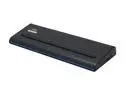
Targus Universal USB 3.0 DV Docking Station with Power (Black) - ACP71USZ
Pros: Convenient, stylish, great driver, did I mention convenient
Cons: Docking station can provide the power to the laptop, but only if it's a <95W laptop. Mine requires ~180W so I had to buy a spare power supply.
Overall Review: I have 2 monitors, gigabit network connection, keyboard, mouse, speakers, and my cell phone USB charging cable connected to it. It has been running perfectly for 5 months. I have 3 monitors including my laptop screen. 2 monitors are running out of the dock. The dock included an HDMI-to-DVI adapter, so I have both monitors connected via DVI. We also have a gigabit network in the office, so I have the dock wired in to the network, and get full speed 1Gb networking. If I need to take my laptop out of the office at the end of the day, I just disconnect the USB and the power and I'm ready to go. All of my programs jump over onto the laptop screen, and I hit the power button to hibernate. Out of the office, I primarily use wifi, but when I connect to the dock, the gigabit wired automatically takes precedence over the wifi we have in the office. I don't know if this is a feature of Windows 7 or the dock drivers, but it is exactly how I want it to act. A couple of times when I've connected the dock back up to the laptop while the laptop was up and running, my left-most monitor has not reconnected. The screen has displayed an error saying it doesn't support the display mode that the computer is requesting. When I check the settings under "Screen Resolution" in Windows 7, it shows the correct settings. To fix it, I right-click on the little monitor icon that shows up in the system tray after you install the driver for the dock. And used that to set the monitor resolution to something smaller. Then the screen comes up. Then I set it back to the correct setting, and it works fine. Out of the 100 times I've connected my laptop, it's only happened like 3 times. And it could be the monitor. It's most convenient for use on a laptop, but it you think about it, someone could connect it to a desktop and automatically get 2 more monitor connections, an extra gigabit networking port, and 6 extra USB 2.0/3.0 ports. Overall, it the dock has matched or exceeded my expectations in every way. I definitely recommend this Targus dock for anyone that has USB 3.0 support.
11/20/2013See more detail
So far so good
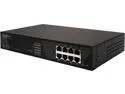
ZyXEL 1100 Series GS1100-8HP-240W Unmanaged 8-port Gigabit 240W PoE+ Switch
Pros: Lots of power. Powerful fan. Solid build. Able to operate in high temps.
Cons: None so far.
Overall Review: We have installed this into a large warehouse to handle the access control and camera system. Since this switch has 8 ports, 7 of them will be usable, powered ports, and 1 port will be the uplink. This switch has up to ~35W per port available. Our switch is powering 4 Axis A1001 access controllers and one Axis P1427-E outdoor rated, 5MP camera. We will likely be adding a couple of more cameras to it before too long. The access controllers use ~12W, and the camera is using ~5W. So we don't need nearly as much as this unit can handle. The number one feature of this unit for us is the environmental operating temp. Others have mentioned how loud the fan is. With that loudness comes cool running hardware which is what we needed. This switch is sitting on a shelf about 15ft above the floor, and about 2 feet from the warehouse ceiling. And we're also in Texas. The operating spec on this unit is 131 degrees F. I am anticipating that it may get into the 120's in the building up near the ceiling by the time summer rolls around. We haven't used it through the summer yet, so I can't yet attest to whether it will continue to perform well. If we have any issues, I will come back and update this later. This unit is metal and feels very solid. I was impressed by the construction. As a final comment, the Ethernet run from this unit to the camera is about 350ft. They say you should not run Ethernet longer than 300ft. But we are getting full bandwidth and full power to our camera from this switch.
4/17/2015See more detail
Excellent Product - Great Quality - Works Great
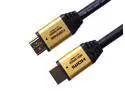
FORSPARK High Speed Ultra HDMI Cable 50ft with Ethernet ,Supports 4K, 3D, 1080p Full HD Latest Version, Gold Case
Pros: Excellent quality construction. Even the packaging was top notch. Several of us in my office have been impressed with how nice these were. After buying some other brand HDMI cables that were hit or miss (mostly miss) on the quality, I decided to give Forspark a try. We have a couple of 35ft ones hooked up to a couple of 4K UHD TVs with full 4K signal, and they work perfectly. The 50 ft ones are running a couple of 50in HD TVs off of a laptop. I just ordered a 3rd 50ft one for an HD TV we're putting in our office. I have purchased purchased a total of 3 x 50 ft HDMI cables from Forspark and a 35 ft one. They have all been great. Now when I look for HDMI cables, I just come to Newegg, search for Forspark, and pick the length I need.
Cons: None!
Overall Review: One thing to note, the 40ft cable is actually more expensive than the 50ft one.
1/30/2015See more detail
Excellent Product - Great Quality - Works Great
FORSPARK Prime High Speed HDMI CABLE with Ethernet(35 Feet/10 Meters),Metal Gold Case,HDMI Connector A to A Type,Support HDMI Ethernet,3D,4K,Good for Panasonic Epson Home Theater RCA Etc.
Pros: Excellent quality construction. Even the packaging was top notch. Several of us in my office have been impressed with how nice these I bought another brand cable for a TV before we decided to add a 2nd TV. So then I bought this one. The other cable has already died and I replaced it with another Forspark cable, which is of course working great. The TVs are both 4K UHD TVs, and the clarity and picture is amazing. I have purchased purchased a total of 3 x 50 ft HDMI cables from Forspark and this 35 ft one. They have all Now when I look for HDMI cables, I just come to Newegg, search for Forspark, and pick the length I need.
Cons: None!
Overall Review: One thing to note, the 40ft cable is actually more expensive than the 50ft one.
1/30/2015See more detail
Great product
FORSPARK High Speed Ultra HDMI Cable 50ft with Ethernet ,Supports 4K, 3D, 1080p Full HD Latest Version, Gold Case
Pros: Quality product. The first thing that impressed me was the packaging. I mean, that doesn't necessarily mean the product is good, but it is very nice when it comes in a nice, branded cardboard packages instead of a cheap plastic bag. The cable itself has been in near constant use for 5 months. This is powering a 50" HD TV that running as display for a business, so it is on all the time. We initially tested the cable in our offices for about month on a couple of different displays before installing it at the final location. So it has been disconnected, reconnected, rolled up, and unrolled several times. Then we had to run it over a ceiling and through 2 walls. So it's been worked over pretty good. And it works perfectly.
Cons: None!
Overall Review: I am about to purchase another 50' and a 35' one for some new displays we will be putting up.
10/22/2014See more detail