
Your Browsing History


Robert R.
Joined on 11/09/01
0
0
product reviews
- 9
It's a stylish black floppy and works
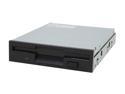
SAMSUNG Black 1.44MB 3.5" Internal Floppy Drive Model SFD321B/LFBL1
Pros: Quiet for a floppy drive. Also relatively speedy.
Cons: Floppies are obsolete, USB keys are a better choice overall.
Overall Review: I don't know why but I get the warm fuzzies having a floppy drive in my new system builds. These are some of the best drives out there, quiet, reliable, speedy. I've purchased at least a half dozen of these from NewEgg over the last couple of years.
7/8/2008See more detail
Massive problems with RAID5
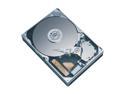
Western Digital Caviar SE16 WD2500KS 250GB 7200 RPM 16MB Cache SATA 3.0Gb/s 3.5" Hard Drive Bare Drive
Pros: Inexpensive, good performance.
Cons: Runs hot. Does not like 24/7 RAID5 use.
Overall Review: I have a RAID setup with 6 250 GB 7200.8 drives from another company. After having one fail a few months ago, and another fail a few weeks ago, I decided to experiment with this drive in the array as I'm building a much bigger server and wanted to see how it behaved compared to the brand I usually buy. Big mistake. My RAID5 array crashed repeatedly and I couldn't keep the system up for more than 48 hours at a time. Once the RMA warranty replacement came back, I popped it back in and voila, no more issues. I can't recommend this drive for 24/7 applications, and Western Digital apparently agrees as I've read they ask for a 40% duty cycle i.e. they expect the drive will be used for 8-10 hours a day maximum.
7/18/2006See more detail
XMP does not work
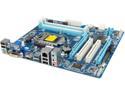
GIGABYTE GA-B75M-D3H LGA 1155 Intel B75 HDMI USB 3.0 Micro ATX Intel Motherboard
Pros: Inexpensive. Decent feature set.
Cons: XMP will not work with current Ivy Bridge CPUs. I suspect the problem is the BIOS is ancient. The production BIOS shipping on this board is F12 from October 2012. There is a beta BIOS F13g from November 2012. I am running a Celeron G1610 released in January 2013. It is a 22 nm Ivy Bridge part. I am also running the very popular G.SKILL Ripjaws X Series 4GB (2 x 2GB) 240-Pin DDR3 SDRAM DDR3 1600 which supports XMP. My memory runs at 1333 and the BIOS doesn't allow me to change it. It doesn't even display an XMP option!
Overall Review: I have opened a support request with Gigabyte and I guess we'll see how quickly this is addressed. I'm incredibly disappointed. I don't want to have to spend a bunch of time returning the board and finding something else, and I like Gigabyte as a manufacturer. That said, it's ridiculous to have a production bios that's five months old when we've had multiple cycles of CPU released since then.
3/15/2013See more detail
Nice RAM repeat purchase
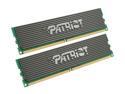
Patriot Extreme Performance 2GB (2 x 1GB) DDR2 800 (PC2 6400) Dual Channel Kit Desktop Memory Model PDC22G6400LLK
Pros: Heatsinks work great, get nice and warm under test loads. Reliable, fast RAM.
Cons: None to speak of.
Overall Review: I've had a set of these in my primary desktop for many months now and they work well enough that I purchased some for a server I'm building. Good stuff, tests great with Memtest86+ and not too spendy either.
7/8/2008See more detail
DOA
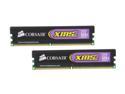
CORSAIR XMS2 4GB (2 x 2GB) DDR2 800 (PC2 6400) Dual Channel Kit Desktop Memory Model TWIN2X4096-6400C5
Pros: Cheap.
Cons: Deader than a doornail.
Overall Review: It's absolutely insane for a memory manufacturer to ship out modules without fully and carefully testing them first. A colossal waste of time with RMA and whatnot.
7/8/2008See more detail
Single rail really works
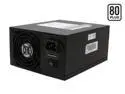
PC Power and Cooling S75QB 750 W ATX12V / EPS12V SLI Certified CrossFire Ready 80 PLUS Certified Active PFC Power Supply compatible with core i7
Pros: Single huge 12V rail is ideal for servers that need a lot of power for drives.
Cons: None that I've experienced. Cables are a bit short but I was able to get the unit to work fine in a full tower server case without too much trouble.
Overall Review: When doing a server build with 12 power hungry SATA drives, the system wouldn't boot with all 12 drives attached, but having 11 attached worked OK. I did some number crunching and realized that this was overloading the 750W power supply I had bought because it split 12V into four rails, and only one of the rails was available for hard drives. Swapping it out for this unit solved the problem completely.
7/8/2008See more detail