
Your Browsing History


Jason S.
Joined on 06/26/02
0
0
product reviews
- 6
Works fine, some annoyances.
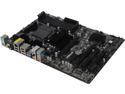
ASRock 970 Extreme3 R2.0 AM3+/AM3 AMD 970 USB 3.0 ATX AMD Motherboard
Pros: - Inexpensive (when I bought it) -- praying I get the $35 rebate. - Attractive and comprehensive BIOS config interface. - Rock-solid performance.
Cons: - XFast advertising is potentially misleading... it's just software. - Some components (SATA ports, chipset heatsinks) seem a little loose on the motherboard. - Can't figure out how to get the keyboard backlight to turn off on Sleep. - Can't figure out how to get a BIOS POST screen/logo on startup. - No on-board video.
Overall Review: I'm not an "extreme" overclocker. I installed 1866 RAM and boosted the base CPU clock up 5 MHz. Everything runs cool and rock solid with an FX-8320, Hyper 212 Plus cooler and G.Skill memory. The XFast LAN software is nice. I haven't tried the USB or RAM software. I'm somewhat fearful of the USB software but I've seen that it actually works and the latter is just a ram disk solution.
12/22/2014See more detail
OK, when it worked.
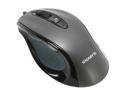
GIGABYTE M6800 GM-M6800 Noble Black 4 Buttons 1 x Wheel USB Wired Optical Gaming Mouse
Pros: Accurate, inexpensive, glides very nicely.
Cons: Spotty initialization during power up. Constantly had to reboot or manually unplug/plug. No custom driver, which likely contributed to problem.
8/7/2014See more detail
Now I understand why this is always out-of-stock
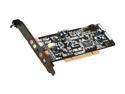
ASUS Xonar DG 5.1 Channels 24-bit 96KHz PCI Interface Sound Card
Pros: Inexpensive, dynamic range, clean, headphone amp
Cons: Software/drivers need improvement
Overall Review: I'm coming from an Realtek ALC892 and an Audigy SE that's about 15 years old. The Realtek ALC892, although reasonable with speakers, was not going to cut it with headphones. This onboard solution could not drive any decent headphones. Granted, the ALC892 is not one of Realtek's best offerings. The Audigy SE actually drove decent headphones fairly well... it suffered some issues with interference and its dynamic range wasn't the best, but the Audigy SE powered headphones at 40% better than the ALC892 at 100%. Now, going from the Audigy SE to Xonar DG is negligible on OK desktop speakers. Where you can REALLY hear the difference is on a decent set of headphones, more than likely due to the higher S2N ratio, cleaner signal due to the headphone amp and lack of interference. If you are OK with your onboard and don't use headphones, you probably don't need a sound card. If you listen often on headphones that require 150 ohm or less and are on a budget, there is no need to spend more than this.
1/3/2015See more detail
The hype is real.
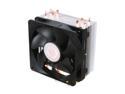
Cooler Master Hyper 212 Plus - CPU Cooler with 4 Direct Contact Heatpipes
Pros: Inexpensive, efficient, quiet.
Cons: Size
Overall Review: The stock FX cooler sounded like a leafblower, even at idle. When playing games, it was intolerable. While gaming, this cooler keeps my CPU about 10C lower at 1/3rd of the RPM as the stock cooler. Just make sure this thing will fit in your case. Also, plan to curse a few times when you try to mount it... but otherwise, don't hesitate in purchasing this one.
12/21/2014See more detail
Good so far
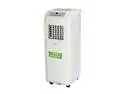
SOLEUSAIR Portable Air Conditioner 8,000 BTU, KY80
Pros: Reasonable noise level. Compact device. Good cooling. Air blowing out is 25F colder than ambient room temperature.
Cons: The exhaust tube is rigid, which I suppose is good for insulation.. but it is difficult to manage while keeping the unit close to the window. Also, the connections on the tubing is a major pain. And oh yeah, the packaging on the unit was absolutely horrible. It is a miracle that it arrived in one piece.
Overall Review: I wish people would do research before buying this unit. YES, they fill up with water. YES, they are loud. YES, they are not quite as efficient as window units. This should be all common sense.
6/9/2012See more detail
Excellent bang for your buck!
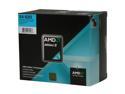
AMD Athlon II X4 620 - Athlon II X4 Propus Quad-Core 2.6 GHz Socket AM3 95W Processor - ADX620WFGIBOX
Pros: price, power consumption, overclockability
Cons: low CPU multiplier
Overall Review: Wish I had spent a few more bucks and went up a model or two. Air cooled, I OC'd to 3.02GHz without an issue. Can probably go higher, but it is very fast now.
5/20/2010See more detail