

Your Browsing History


John L.
Joined on 02/14/09
0
0
product reviews
- 23
Nice Video Card
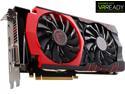
MSI GeForce GTX 980 Ti GAMING 6G
Pros: Sold my 2 GTX 970 cards in SLI and replaced them with GTX 980ti. SLI 970's were in PCIe 3.0 x 16 slot and x8 slot, so was not getting x16 performance. Now have single x16 card, also less heat in case and less power needed for a better performance. Card runs around 165 F under heavy graphics load. Card fans are very quit, happy so far.
Cons: did not get a free game with it???? How about sending me a steam code for the new Batman ???
9/29/2015See more detail
Warranty is meaningless
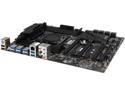
MSI X99S SLI Plus LGA 2011-v3 Intel X99 USB 3.0 ATX Intel Motherboard
Pros: After working with the motherboard for about a week, everything works as advertised. Very happy so far, board is heavy and well built with many bells and whistles. I have had excellent performance so far. My new rig: MSI X99S MPOWER LGA 2011-v3 Intel X99 Intel Core i7-5930K @ 3.50GHz Cooler Master Hyper D92 CORSAIR Vengeance LPX 16GB (4 x 4GB) 2800 SanDisk Ultra II SDSSDHII-480G-G25 2 MSI GeForce GTX 970's in SLI
Cons: If you are going to run SLI or Crossfire, understand that you must use the top two PCIe 3.0 slots to 16 lanes for each card and it is tight, so one card stays hotter than the other because of airflow issues. Also don't freak out when you plug in high speed dd4 memory and it auto configs at 2133, you have to enable xms profile in BIOS for it to run at what ever speed advertised.
Overall Review: Board completely died before warranty expired. Does not even POST. Called MSI tech support to try to setup a RMA, rude guy says RMA must be setup at the website, will not do RMA over the phone. Guy said 6 to 8 weeks minimum, so ordered a ASUS board to replace the bad MSI board, not going to sit around with no computer for 8 weeks waiting for repair. I installed ASUS board and computer is working now, so I go online and submit RMA on 3 separate occasions, but no response ????. Now what, if they don't respond to your RMA request how can you get a RMA to have it repaired, what a garbage company. I hope screwing me on this one motherboard is worth losing my business for life.
9/12/2016See more detail
I LIKE IT !!!
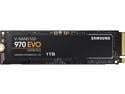
SAMSUNG 970 EVO M.2 2280 1TB PCIe Gen3. X4, NVMe 1.3 64L V-NAND 3-bit MLC Internal Solid State Drive (SSD) MZ-V7E1T0BW
Pros: Super fast easy install. First I downloaded the NVMe driver and the Samsung cloning software from there website. Installed M.2 on the mother board, then installed driver into Windows 7. Clone and update the boot menu. Getting crazy fast Hard Drive speeds, worth the money. This M.2 supports the great Win 7, Win 10 makes my sphincter ache.
Cons: None
Overall Review: I would recommend this purchase
9/9/2019See more detail
Nice Flash Drive
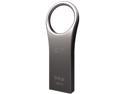
Silicon Power 64GB Jewel J80 USB 3.0 Flash Drive (SP064GBUF3J80V1T)
Pros: Needed a USB 3.0 64GB drive for work. This one is very rugged (Titanium), nice and small. Use it as a WinPE bootable drive for all sorts of things, so far so good.
Cons: none
9/29/2015See more detail
TP-LINK TL-WA860RE V2 300Mbps
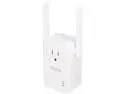
TP-Link TL-WA860RE 300 Mbps Universal Wi-Fi Range Extender / Repeater with Power Outlet Pass-through, Dual External Antennas, Wall Plug Design, One-button Setup, Smart Signal Indicator
Pros: This thing is a steal at $24, works great. Easy to setup, you can 1. use WPS button on router or 2. run cd install or 3. connect to it and fill in the blanks for your wireless network. light indicates good connection to router and extended wifi coverage. Now Netfix doesn't buffer all the time in the bedroom, yeah!
Cons: Non so far, hope it lasts
8/10/2015See more detail
Sweet Deal
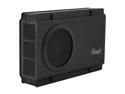
Rosewill RX-358 V2 BLK - Black, 3.5" SATA to USB & eSATA External Enclosure with Internal 80 mm Fan
Pros: Got this for $15 on sale for $49. Great deal, works great.
Cons: USB 2, but who cares for $15. Using it as a media drive hooked to my PS3. USB 2 more than enough bandwidth for movie/picture/music playing
Overall Review: Great quality
5/4/2015See more detail