
Your Browsing History


David B.
Joined on 02/03/11
0
0
product reviews
- 4
Magnificent clarity and performance
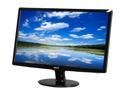
Acer S201HLbd Black 20" 5ms LED-Backlight LCD monitor 250 cd/m2 ACM 12,000,000:1 (1000:1)
Pros: The Acer 20" LED-backlit display is a very thin, light-weight flat-panel display with excellent clarity and contrast. The optional neck and base attachments allow you to set it up on the desk, or maintain a sleek appearance when used with a wall-mount.
Cons: The power button is a small, clear, plastic tab that juts from the bottom of the display, and lights with a very bright LED. Larger Acer displays offer a capacitance-touch button that integrates cleanly with the frame. I would prefer to not worry about such a small plastic component extruding from the otherwise sleek monitor, because it seems like it could break easily. Not worth docking an egg, though.
Overall Review: I received 2 of these babies without any dead pixels, which matches my last experience with NewEgg monitor purchases (nearly 6 years ago, now). Acer produces high-quality displays which are solid investments for many, many years. They survive moderate abuse and I have no compliants about them.
2/16/2011See more detail
Decent
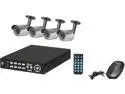
Rosewill RSVA-11001 8 channel + 4 Sony 1/4" CCD 21 IR LED Bullet Cameras, H.264 High performance DVR, Remote Monitoring/Real time record DVR Kit (HD Sold Separately)
Pros: 1. Low Cost 2. 75 degree camera viewing angle 3. Best D1 fps in this price class 4. 82 ft power/video cables to cameras!
Cons: 1. Minimalist manual (which basically just tells you exactly what the menu/options say) 2. Impossible to flash with new firmware; they have an updated firmware file available for download at the Rosewill site, but the system doesn't recognize or attempt to install it from USB medium, and doesn't offer TFTP, web, or any other vector. 3. Supports backups to USB, but not to network 4. Doesn't support USB keyboards for console entry (but does have a web interface which requires ActiveX and an OCX control--I used a dummy VM to run this interface, because I'm not about to taint my regular environment with something so... flagrantly insecure).
Overall Review: For first time CCTV system owners, you should note that the FPS is divided by every active channel. So, 60fps@D1 (the best resolution), provides a meager 7 fps per channel, with 8 active cameras. Thankfully, this device allows you to pick camera specific resolution and fps settings, which allows you to fully tweak the system to squeeze better frame-rates/resolutions from the more important cameras. The manual for this thing is a joke, and is not uncommon for most Rosewill products. However, like most Rosewill products, it just works out of the box and does everything it's advertised to do. I'd love to update the firmware, to take any stability/feature updates that they've provided the system, but (see Cons), I can't get this to work, and have an open ticket with Rosewill on the matter.
9/8/2012See more detail
Excellent sound for most homes
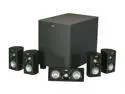
Klipsch HD 500 5.1 High Definition Theater system
Pros: Excellent, pitch-perfect sound and clarity that lasts and lasts. It will surprise you how much power Klipsch can pack into a 6" woofer.
Cons: 150Khz crossover range means the subwoofer is doing most of the work. This isn't a bad thing, but means that you should be conscious about where the subwoofer sits, because it's not all bass.
Overall Review: I've never, ever been disappointed by Klipsch speakers, and will always buy from them for my audio needs. I'm running my set off an Onkyo receiver that outputs 75W per channel. These babies will do 100W; but I would never think to upgrade because the sound I get today in my 14 ft x 14 ft living room (and throughout the whole house, it seems) is rich and rewarding enough.
8/10/2012See more detail
Volume discount is nice.
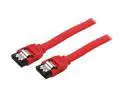
BYTECC SATA-120C 1.66 ft. Serial ATA-150/300 Cable w/Locking Latch
Pros: It's hard to think you could go wrong with cables, but that fallacy is where outfits like Monster Cables make their money. It's all about price. When the signal is digital, you either get it all, or you've got nothing. That said, the volume discounts for these make them cheaper than most options, which sets them apart from every other basic SATA II cable at this length. Who writes reviews on cables? Me: when they're priced to sell, and they work precisely as expected without fail.
Cons: No complaints.
3/24/2011See more detail