


Your Browsing History


Philip D.
Joined on 05/16/13
0
0
product reviews
- 3
Wrong hole
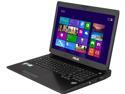
ASUS G75 Series G750JW-BBI7N05 17.3" Notebook Intel Core i7-4700HQ 2.4Ghz / 3.4Ghz Turbo Boost 8GB DDR3 Memory 1TB HDD Windows 8
Pros: Its a fast machine, easy to upgrade. looks nice. feels solid. it has 2 internal drive caddy's 4 RAM slots, it looks and smells brand new even though its a refurbished model.
Cons: I gave 3 stars not because of the product itself, but for the human errors mentioned below. On examining the laptop the top left corner of the laptop was gaping. wide open about 2cm's there was also rattling. I was planning to put in a SSD and an additional 1TB storage drive in anyway. so opened it to have a look. It turned out that whoever "refurbished" the laptop put the incorrect screws in the wrong holes. a long thin screw that has no bite, for the external left corner, 100% loose and where that screw was support to be a shorter fat screw was in its place again, loose and rattling inside under the access panel for the drives and RAM. Clearly this was built right or even inspected after the refurbishment. the noise and more so the huge gap on the corner were totally obvious. I swapped the screws to the right holes. and everything tightened up. My other issue is the fact the windows 8 key is on the bios. so you cannot do a clean install of windows 8 or windows 8.1 without a complete ordeal. basically you have to do a migration, which includes all the bloatware.
Overall Review: Asus, Check your hardware before it go's out. a little attention to detail. be it a new retail system or in this case a refurbishment.
3/5/2014See more detail
Will not fit in NZXT Source 220
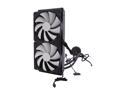
NZXT Kraken X60 RL-KRX60-01 Ultra Performance Water/Liquid CPU Cooler 280MM
Pros: Cools well. 26c-28c under load 3.4Ghz I5k
Cons: NZXT Kraken x60 will not fit in many of its cases, including the Source 220, Tempest, Gamma Classic and the M59 . the screw holes do not match up. nor is there enough room to even install if you drill it out. the back plate for the CPU mounting bracket also is a poor fit for 1150. it wont fit flush and has to be bent and forced into place. also the software will not pick up the CPU temps correctly unless you refresh the hardware monitoring tool
Overall Review: Good cooling. poor false compatibility. buyer beware I had to cut into my NXZT Source 220 case with a Dremel and mount the Kraken externally and the fans in a push configuration internally.
6/2/2014See more detail
NZXT Kraken x60 not supported
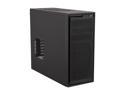
NZXT Source 220 CA-SO220-01 Black Steel / Aluminum-like finish ATX Mid Tower Computer Case
Pros: Low cost, USB 3.0 port on front,
Cons: NZXT Kraken x60 will not fit in this case. the screw holes do not match up. nor is there enough room to even install if you drill it out unless you mount the fans externaly. No fan filters, No rubber grommets for the PSU. Flimsy drive bays. only locks on one side the other side needs to be secured with a screw to be secure.
Overall Review: NZXT should be clear on what systems support the Kraken x60. to get it to fit I had to cut into my case with a Dremel and mount the Kraken externally and the fans in a push configuration internally. I own 2 other NZXT cases, one of which is the Gamma Classic, which is a cheaper case yet it came with a fan filter, rubber grommets for the PSU and even a 3.5 to 2.5 SSD dual drive cage.
6/2/2014See more detail