




 here!
here!
I’m your shopping assistant for PC builds, upgrades, and everything tech.
Got questions? Ask away!
Start a conversation
here!
I’m your shopping assistant for PC builds, upgrades, and everything tech.
Got questions? Ask away!
Start a conversation

Joined on 03/25/05
Quiet
Pros: Using as a replacement supply. Very quiet.
Cons: I hate rebates with a passion.
Random system hang and memtest86+ errors
Pros: Good heat sink design. Per OCZ instruction, bios adjusted to 2.2v, 5-5-5-18 and 533/1066 to set correct speed.
Cons: Random system crashes after install with no prior issues before with G.Skill DDR2 800 4GB kit. Frequent computer hang-ups at startup. Multiple errors (100+) found while running dual channel MemTest86+ 2.11 during Test #5. Moved kit to 2nd slots to no avail. Not sure if it's an error or a rebadged DDR2 800 with increased voltage but memory showed up as PC6400 regardless of which program was used to identify it.
Overall Review: Phenom II 720x3; Asrock AOD790GX; Radeon4850. Did research before purchase and gave OCZ the benefit of the doubt even after reading the memory issues about this particular kit at OCZ forum. Unfortunately, I'm experiencing the same issue that a lot of users are going through. Also, I don't know how replacement process works with rebate. Hopefully OCZ will still honor in a timely fashion (with their strict 21 day window) if memory kit is replaced. RMA in the works but prefer refund. Testing with other bf's and friend's different brand 1066 kit had no issue. I will update accordingly.
Good product
Pros: Modular, quiet and affordable.
Cons: ... Rebates. Need I say more? Was unable to cut box due to possible PS replacement. 21 day window passed and now I'm out $20 rebate. :-P
Overall Review: Not a negative for most but the plug design may be less than optimal for some. I have the PSU in a FT03B and due to the plug direction, the cable from the FT03B, when plugged in, will prevent the side door from closing properly. You'll need to bend the cable at a 90 degree angle to allow the plastic side door to close correctly.
Unstable voltage?
Pros: A lot of features for the price and most importantly, pins for 3 bios/motherboard controllable fans (2x3 pin, 1 4-pin).
Cons: Random power cycles at default settings so I got a replacement board. Tested/swapped everything (CPU, PSU, Mobo, RAM, HD, OS) and could not get the system to go stable. System with replacement board is now stable at stock settings but becomes unstable at any over-clock configurations. Strange random power-cycles and freezes. I've already spent ~$11 to send the bad one back so I didn't want to spend anymore. Something odd that I discovered when manually adjusting the setting was the high difference/fluctuation in voltage. A manually adjusted 1.15v setting shows up (on all monitoring software) over 1.3~1.4v. Voltage peaks to 1.5v with turbo enabled and at times, would freeze/BSOD while doing simple task such as opening applications. NOTE: No other settings were adjusted other than changing the cpu voltage from AUTO to MANUAL. :-/ Strangely enough, stock setting works just fine and reports exactly within specs.
Overall Review: Mobo came with bios 1.3. i5-2500k. OCZ 550w PSU. G.Skills Ripjaws X 4x4.
Reliable.
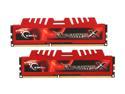
Pros: Working great on an Asrock Z68 Pro3-M motherboard... so good that I actually bought 2 kits.
Cons: Sales curse! Purchased my first set at regular price only to find them $10 cheaper the following week (which I promptly bought).
Overall Review: I've used only GSkill RAM for the last 5 computers I've built and needless to say, I've been very happy with them.
DD-WRT or bust
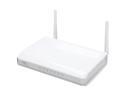
Pros: DD-WRT support (installed v24-14896 build). Currently using device as a wireless access point to extend my network. Same SSID + security settings + different channel = no problem (less minor changes to minimize possible coverage conflicts).
Cons: DD-WRT works great. No problem so far. Didn't try the stock firmware. I don't understand why anybody would buy a wireless router that didn't support DD-WRT. :-)
Overall Review: Firmware update using Asus's built-in web-based upload didn't work for me. I had to use the Firmware Restoration Utility to upload the update. Power cycle after installation and I was in business.


