
Your Browsing History


Michael G.
Joined on 10/04/04
0
0
product reviews
- 5
Good card for the money
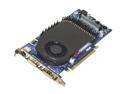
ASUS EN6800GT/2DT/256MB GeForce 6800GT 256MB 256-bit GDDR3 PCI Express x16 SLI Supported Video Card
Pros: This card is really powerful considering what you spend on it--I only have one installed and I can run Half-Life 2 with the graphics cranked to the maximum. Newer games like F.E.A.R. and Oblivion are more demanding and you can't crank some of the settings, but since this is an SLI card you can buy a second one down the road and keep on cranking.
Cons: Heat. The thermal paste on these cards is really lousy, and both of the heatsinks fell off within the first two weeks I had it. Also, the shell/fan/heatsink apparatus around the GPU collects a lot of dust. After 6 months I started experiencing really bad artifacting in my games, but I simply removed the card and blew the dust out and everything was back to normal.
Overall Review: This card is definitely a "buy" for anybody looking to build a gaming PC and save some money. Be sure to buy some thermal paste to reattach the heatsinks.
6/3/2006See more detail
Junk, do not buy
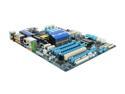
GIGABYTE GA-X58A-UD3R LGA 1366 Intel X58 USB 3.0 ATX Intel Motherboard
Pros: It works insofar as I can boot up and use my computer.
Cons: On-board HD audio is completely useless because of static and interference coming from the mobo itself. Front panel audio ports aren't recognized. I contacted support and all they did was ask me what kind of speakers I was using when I had already told them. I am going to have to buy a sound card to use this mobo for anything media-related. Audio management program is terrible and does not include a volume control (wave, line-in, etc.) Poor layout. The front-side FireWire port underneath where an SLI'd graphics card needs to go. Want SLI or Crossfire? No front-side FireWire for you. Also, the heatsink near the top of the PCIE ports and under the CPU socket only allows clearance for 1 "long" PCIE-1X card like a sound card. Seems to post very slowly, even slower than my old motherboard from 5 years ago. Support website is terrible--there is no option to have a dialog with a support rep over phone or email. You must fill out a web form which can only be responded to once.
Overall Review: I opted to get a cheaper board and I got what I paid for--a faulty, poorly-designed, and poorly-supported board. The extra $xx for a similar but more expensive board is well worth your money. I will never buy gigabyte again.
8/10/2010See more detail
Great
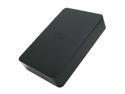
Western Digital Elements 1.5TB Desktop External Hard Drive
Pros: Great price for 1.5TB. Good form factor. Quiet. Sturdy and hassle-free AC adapter won't break and is easy to connect. Comes with a good USB cable.
Cons: LED blinking when the drive is connected but the computer is off is annoying and unnecessary, especially in a dark room.
Overall Review: Be aware that this drive doesn't have eSATA (I guess that's obvious from the description.) I use this drive as a backup for my laptop which doesn't have eSATA or USB 3.0 so it suits my needs nicely.
8/10/2010See more detail
Windows Improved
Microsoft Windows 7 Professional
Pros: Windows 7 is a legitimate improvement over Windows XP in many ways. The ones that impact my everyday computer use include the window management keystrokes; libraries; Windows Backup; improved Wi-Fi network management; the new taskbar layout and application shortcuts; the option of 32- or 64-bit (this package comes with discs for both); the ability to search within for anything from files and folders to particular Control Panel options; and improved security. The biggest plus of Windows 7 is that it does not get bogged down overtime like XP did, so making a routine of reinstalling your OS should no longer be a necessity for maintaining your computer's performance.
Cons: Price. My main computer used to be a Mac and the OS upgrades were much cheaper. Hopefully Windows 7 will be as long-lived as XP and I won't have to upgrade for another 8-10 years.
Overall Review: The software volume control/audio mixer is all but useless compared to XP--if you are building a machine, be sure to get audio drivers that provide an equivalent to the XP mixer.
8/10/2010See more detail
Functional and convenient
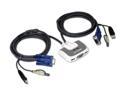
IOGEAR GCS632U 2-Port KVM Switch with built-in KVM Cables and Audio Support (US packaging version)
Pros: This is a very convenient KVM switch if your desk only has 2 computers. I'm only regularly use the USB ports but I tried the audio once and it worked too. Switching between computers by double-tapping ScrLk means you can tuck the switch out of the way if you want.
Cons: No real ones to speak of. I could have done without the indicator LEDs but that doesn't really matter.
Overall Review: I play games on one of the computers hooked up to this KVM and have not experienced any input lag issues.
8/10/2010See more detail