




 here!
here!
I’m your shopping assistant for PC builds, upgrades, and everything tech.
Got questions? Ask away!
Start a conversation
here!
I’m your shopping assistant for PC builds, upgrades, and everything tech.
Got questions? Ask away!
Start a conversation

Joined on 06/12/02
SLOW!
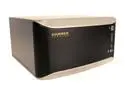
Pros: Very easy to setup - as mentioned by others, make sure you have freshly blank HDs. In my case, I just simply deleted the partitions. Configuration has all sorts of options for shares and access control. Lots of protocol support - FTP and iTunes support is nice.
Cons: This thing is very slow compared to most other gigabit NAS devices. At this price its tough to beat, but if you shop a bit and read some reviews, there's another brandname that is about three times as fast at the same cost. I'm going to keep this one purely as a backup for stuff I don't want to lose (RAID-1 mirror) and then purchase the other brand's NAS for everyday access needs.
Overall Review: Gigabit is not always gigabit, even with jumbo frames on a gigabit switch. This drive peaks at ~15mb/s which is very very slow for a gigabit NAS. Moving hundreds of gigs takes a VERY long time. IMHO, don't get this for writing data everyday - use it as a set it and forget it device. And if you don't need it as an always-on device on a network, look into eSata. This thing is just too slow for me.
Will not connect on bootup!
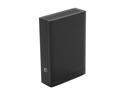
Pros: USB3 speeds as advertised Dock for swapping out to new tech later on (i.e. Thunderbolt)
Cons: This drive absolutely will not show up when booting into Windows - ever. Confirmed via everyone reporting the same thing on the Seagate forums. The only way to see the drive is to unplug and replug in the USB3 cable after the computer has been turned on. Even when "rebooting" your computer, you still have to unplug/replug in the USB cable. I have yet to have any other issues but plan on getting a second 3TB drive to act as a backup of this backup.
Overall Review: Having to perform the above is disgraceful. What's the point of a backup drive if you have to replug it in every time you turn on your computer? Seagate has offered no solution whatsoever to correct this.


