
Your Browsing History


David W.
Joined on 01/08/05
0
0
product reviews
- 13
Awesome display
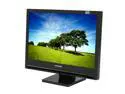
SAMSUNG 22" a-si TFT/TN WSXGA+ LCD Monitor w/ Digital TV Tuner 5 ms D-Sub, DVI-D, CVBS 2280HD
Pros: Beautiful display that can be used as a high resolution monitor and/or digital/analog TV. Within minutes of setting it up, I was using the built-in tuner to scan available QAM channels. The tuner automatically removed scrambled channels (a real time saver). The remote and TV are both styled better than the Samsung monitor/TVs from a couple years ago. They've really improved the PIP interface as well. You can easily turn on PIP from the remote or hidden controls on the front of the panel. Did I mention the hidden controls? I didn't even know they were there until I'd owned the TV for several days. They are touch sensitive parts of the bezel, below the Samsung logo. Very cool. Another cool feature is the opacity of the PIP window. You can make it opaque or semi-transparent so that if you have it on while using the PC, you can still see your applications behind the PIP. It is very bright too. The Energy Star rating shows this uses as little power as possible.
Cons: -Included Canadian paperwork in box (no US warranty card). I registered online. -Glossy screen might not be best for brightly lit rooms.
Overall Review: If you're looking for a device that will handle HDTV and your high resolution computer needs, this is the product.
8/25/2007See more detail
Great until the 2nd time I used it
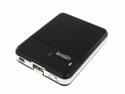
Tekkeon TekCharge Mobile Power & Battery Charger Black (MP1550)
Pros: Perfect solution for recharging mobile devices. This worked great for recharging my cell phone and AA batteries for my GPS on a roadtrip I took earlier this month.
Cons: I just took it on another roadtrip this past weekend and unfortunately, it would no longer charge any devices and the lights no longer light up (however it would still charge AA batteries). The 30 day warranty just expired so now I have to go through the hassle of making a warranty claim with the manufacturer.
9/20/2010See more detail
NOT a Windows Media Center Remote/Keyboard
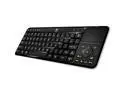
Logitech 86-Key Wireless Multimedia Keyboard Controller w/ Nano Unifying Receiver & Compatible with Google TV!
Pros: Small and lightweight. Allows you to control SOME Media Center function.
Cons: I bought this keyboard based upon a previous review which indicated it is "100% compatible with Windows Media Center". The keyboard does control some media functions (such as volume, play/pause, FF, reverse, etc.), however, it is made for Google TV and doesn't handle all Media Center functions. There's no "green button" or Windows Start button (although the magnifying glass button does bring up the Start menu). Several of the buttons don't do anything in Windows/Media Center (TV, DVR, Stop, AVR, STV, TV, etc.) There's NO documentation anywhere for this keyboard so I can't even figure out what some of the keys are supposed to do (and they do nothing in Windows or Media Center). You can't tap on the touchpad to send mouse clicks and the "right click" mouse button is poorly placed to the right of the space bar.
Overall Review: If you're looking for a wireless keyboard for for use with Windows Media Center, there are lots of better choices out there (including some from Microsoft). If you're happy to just have a wireless keyboard with limited Media Center functionality, this might fit your needs.
7/15/2012See more detail
Best sound I've ever heard from a laptop!
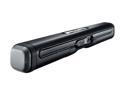
Logitech Z305 Clip-On USB Laptop Speaker
Pros: Awesome sound. I was blown away when I first plugged them in. I had to turn the Windows volume way down because it was so loud!
Cons: The volume controls don't work if you have a cable plugged into the speaker's 3.5 mm jack. I had hooked up my cellphone to the speaker and was listening to MP3s. I then removed my cellphone but left the 3.5 mm stereo cable attached. I tried changing the volume while listening to music on the laptop but the volume controls didn't respond at all. For a few minutes, I thought the volume controls were totally broken but then found that I could change the volume if I unplugged the 3.5 mm cable.
12/29/2011See more detail
Gets the job done cheaply!
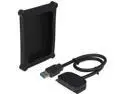
OKGEAR OK108 2.5 inch SATA to USB 2.0 Adapter Cable w/2.5" HDD Protection Case
Pros: Before purchasing a drive dock that could support 2.5" drives, I used this to clone a couple laptop drives. Very easy to hook up.
Cons: If you don't have 2 USB ports next to each other and your HDD needs power from another port, you might have problems.
11/8/2011See more detail
Easiest router setup ever
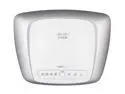
Cisco Valet M20 802.11b/g/n Gigabit Wireless HotSpot Router up to 300Mbps
Pros: Still running fast and strong after nearly a year of use. Setup was a breeze. I've never had to go back into the admin settings since setup. With my previous routers, I was always having to restart them when they would stop responding. I've never had to restart this router.
Cons: None
11/8/2011See more detail