
Your Browsing History


Christopher T.
Joined on 01/04/08
0
0
product reviews
- 4
Good laptop with a few annoyances

ASUS N551JQ-EH71 Gaming Laptop Intel Core i7 4710HQ (2.50 GHz) 8 GB Memory 750 GB HDD NVIDIA GeForce 845M 2 GB GDDR3 15.6" Windows 8.1 64-Bit
Pros: Pretty good laptop with comfortable keyboard and good speakers. The screen is good but a few weird bugs (read below in cons). Overall, it's a good laptop that runs some games and operates Adobe Creative Cloud decently.
Cons: The screen flickers in the beginning during boot after I caliberated the monitor. Not sure if this is a bug, hardware issue but only happens during boot. Asus? Any comments? The touch pad is a pain to use honestly. It works when you get used to it but it's not the best. I've owned a MacBook and it wasn't this difficult on that hardware. When I do some serious work on this laptop, I am using a mouse though so it's not enough to drop an egg. There are way too much bloatware on this computer. I really don't need all the ASUS utilities on here. The only one useful is the touchpad setting control. Outside of that, I do not need any of the other stuff here. It even comes with ASUS screensaver. Like what?
Overall Review: Overall, for the price point, it is a good laptop. It helps me do work outside of my home office which has been psychologically good for me. Good audio output and it's pretty well built for the price. It doesn't feel like a cheap plastic laptop. Overall, I've been enjoying it so far about 1.5 weeks in.
10/22/2015See more detail
Been a NIGHTMARE
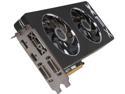
XFX Black Edition Double Dissipation Radeon R9 290 4GB GDDR5 PCI Express 3.0 x16 CrossFireX Support Graphics Card R9-290A-EDBD
Pros: I wrote my previous review on my phone and it shows up as anonymous so I am writing again with my name. Bought this on May of 2015, seemed like it worked right out of the box. Uninstalled previous drivers (AMD) and installed this card, installed the drivers and got it going. I tried playing Fallout New Vegas with ENB graphics mod but it immediately froze up the game and crashed it. Right then and there I thought the card was messed up cause all I saw was pink. Uninstalled ENB and launched it and seemed to work. I've gotten a BSOD on YouTube video's quite a few days after. I disabled hardware acceleration and that seemed to have fixed the issue. Played FarCry 4, Metal Gear Solid TPP, Witcher 3 from June to September and it all seemed dandy... until...
Cons: Mid September I started to have issues with my games freezing up with a sound loop. At first I thought it was an issue with Metal Gear Solid V, but it started to do the same problems in Witcher 3 when I was able to play the game fine a few months back. I've tried flushing of drivers but same freezing issue. Honestly I kind of knew that my PSU wasn't the greatest (it was a 730w PSU with 1PCIE cable that runs 6pin and 8pin on the same line). The first thing I did was order a new PSU from NewEgg which was a Corsair RM850i, 850w fully modular with 70amps on 12v. This time as I read resources online, I put 2 different PCI cables on the card. One 8pin PCI cable and one 6pin PCI cable. Now in December, although I haven't extensively tested to see if it freezes with the sound loop again, I am getting BSOD issues even outside of games. The BSOD code is always pointing to AMD graphics drivers, which can be drivers or GPU hardware. I am not stating you should not buy this card but be weary. I am not sure if it's an XFX issue or AMD drivers issue, but I am getting really fed up with issues related to the graphics card. I used to use a XFX Radeon 6670 and that worked flawlessly for 3 years but after all this experience I think it's time for me to give Nvidia a chance. It's a bit unfortunate as I have trusted XFX for a long while and loved their products but this experience has put a bad taste in my mouth.
Overall Review: I am trying to make this review as fair as possible to consumers. Not suggesting XFX is horrible, but my confidence level at this moment is quite low regardless if it's AMD or XFX.
12/7/2015See more detail
Awesome case!
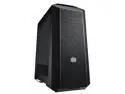
MasterCase Pro 5 Mid-Tower Case with FreeForm Modular System, Window Side Panel, Top Mesh Cover, and Watercooling Bracket by Cooler Master
Pros: - Awesome case with plenty of space and plenty of customize friendly route. - Great cable management - Placement of HDD and SSD location is grand. You can literally mount SSD's in 3 different locations. - Nice airflow and with combination of cpu cooler and how the case is designed, I get idle temps about 25c for CPU and 28C for motherboard. Load temps at about 30-35c. Rarely goes to 40c. Of course your CPU type and set up will change this value. - I love the separation of PSU and the main components. Keeps temps separate and cables tidy. - Easy to remove side panels. - Handles to help you carry the tower. Very easy to move this big boy because it is heavy with all components inside. (Again, your results will vary based on PSU weight, GPU weight, etc. - Have 2 mechanical drives and 1 SSD installed into this case. 2HDD and optical drive on the very top corner so air flows through easily because you can remove the HDD cage! Love it!
Cons: Now for the cons... Coming from a CM Advanced II case, I have nothing really bad to say about this case. I upgraded to this tower because my CM Advanced II case was only USB 2.0 front panel. The airflow to my CM Advanced II case was awesome, but this one is even better. However, some of the screws to this case can be a bit janky, as the threads of the holes are either a bit loose or a bit too small. It is advertised as a tool free case but I had to use a screwdriver to remove some of the screws, unless of course I wanted to peel the skin off my fingers. Some screws didn't go in all the right way when putting it back on, again, could be janky holes, but not enough to take an egg as it just takes a little patience and work. Standoff screws and other screws: Some people were reporting that they didn't get standoff screws and I was a bit afraid to purchase this product solely because of this report. Coolermaster has done me well in the past but I've read some horror stories with this company so I was weary going in. Once I decided to take the jump and bought this case, I opened the package and realized that I did not see any packaging for screws and what not. I was really upset and freaking out because I could not find the packaging for the screws ANYWHERE! I was getting ready to use extra standoff screws from my previous case (CM Advanced II), but still upset and was about to give CoolerMaster hell about it, until I realized that I the standoff screws and all the other stuff was located inside one of the HDD cages! Total dunce hat moment and out loud called myself insulting names. I am not calling out to everyone who reviewed this case on NewEgg any names but I want to give other customers a notice. STAND OFF SCREWS ARE LOCATED IN ONE OF THE HDD CAGES! Do not think it didn't come any and start getting upset. It's hard to see because the box that the screws come in is black, interior is black, everything is black, and it's hard to see. Look hard inside one of the HDD cages. It is all inside! Now it would not have been an ideal location I would've put if I had a choice but breathe better knowing your screws are indeed inside the case. Besides this, I really have nothing bad to say about this case at all. CM did it again and despite all the bad things I read about CM and their customer service, I personally think they make some outstanding products.
Overall Review: Get this case, as it is future proof to the fullest degree. There are small things here and there that's annoying about this case but it is nothing to grumble over on a permanent basis. The fans inside (3) are quiet and runs your components really cool. The case itself looks awesome (like a stealth fighter), and the carrying handles at top makes moving this thing (when you absolutely have to) a breeze. Coming from a CM Advanced II, I love this case much better to be honest just because it is much easier to carry than my previous case.
3/28/2016See more detail
R.I.P 2010 - 2016
SAMSUNG Spinpoint F3 ST1000DM005/HD103SJ 1TB 7200 RPM 32MB Cache SATA 3.0Gb/s 3.5" Internal Hard Drive Bare Drive
Pros: It did well for 5 years. Thank you Samsung.
Cons: Unfortunately it died on me on Feb. of 2016. I made a back up of this drive, all of it, into another internal drive and 2 external drives. I wished it gave me some kind of SMART warning but it told me it was all good until the day of death. Windows Disk Management labeled it as healthy, WD Disk tools said it was good, Speccy said it was good, and CrystalDiskInfo said it was all good as well. No warning, it just died one afternoon. Regaedless, it served me well for the past 5 years.
3/10/2016See more detail