
Your Browsing History


Benjamin D.
Joined on 07/08/03
0
0
product reviews
- 2
Worth Every Penny
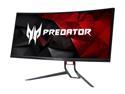
Acer Predator X34 Pbmiphzx 34" 3440 x 1440 UltraWide QHD 100HZ NVIDIA G-SYNC ZeroFrame Design Tilt Swivel Height Adjustable IPS Cuved Ultra-wide Gaming Monitor
Pros: One year update: For owners with a 1080ti. I just picked up a gigabyte waterforce 2080ti slight overclock gets a boost to like 2055-2100 ~55-60c with a 7820x @ 4.8 no HT (I have bad ventilation in my pc) But the card makes the world of difference on this monitor compared to the 1080ti (oced on water). I had a feeling of input lag when fps gaming on the 1080ti but not really much at all now. I think a 144hz version would cure that issue... I play games with textures set to highest, low/med AA and much of the other effect on low/med... with the monitor at 120 hrz.. playing mostly pubg, bo4 blackout, overwatch.. all get well over 110/120fps-190-200 fps ranges with the 2080ti.... have not tried bf1 rtx, I have i but haven't fired it up yet. I have run no benchmark. I still have had had no flickering. I've seen many posters saying that it's most likely b/c your gpu isn't strong enough or clocked properly. I've also found if you use "extreme" setting in the osd overclock it taxes the monitor too much and washes images out. I set to normal. I would like a higher refresh for fps but otherwise, it's been a year now since I got this, no dead pixels, no flicker same mild bleed but still running strong. As for color settings, I feel it's very personal so don't think posting my color settings matters as much... plus I like a little bluer world... I really got this for the curve and wide angles. Day 3... IMHO perfect viewing for desktop gaming. The curve fills the view just right imho. I was using the Acer Predator XB271HU 27" 165hz monitor. And it was so stellar I decided to upgrade. I run the 34" at 120 oc using a display port.. no problems getting it up and going. been on a 120 hz for may years and went to the 165hz could not go back to 60hz. I was going to by the 100hz version but frankly its worth the extra $ to get the 120 imho. My framerates only suffer slightly pubg still hits 120-144 mostly mid to higher settings, overwatch 280-300fps mid/lower setting . bf1 100-120+ mostly ultra settings. since this has so many pixels really don't need to keep settings high imho. Running a WC zotac artic storm 1080ti at 2050mz and have a 7820 8 core w/o HT on at 5.0gz. Color out of box is solid but I'm sure color-a-files might disagree. I like a colder setting changed this. The track light under the bottom edge is easily changed by color, affect and can be turned off via OSD. There is a joystick that moved the osd screen takes a little getting used to but if you game .. it's a joystick :) In generally the games look better and run smoother that the oc 165hz.
Cons: Major CON is shipping. This box is huge, so newegg/fedex doesn't box the original box. (sort of like buying a TV online.. I accidentally ordered the 100hz version and it came in a very damaged box. I RMAed for the the 120hz and notified NE the box was damaged. The rma was approved. Just be there when your monitor arrives... Price - but you get what you pay for - as another mentioned you could wait till they push out a 144 or 165hz .. but I can barely tell the differnce from 120hz to 160hz.
Overall Review: Will report back if pixels die or issue happen. but well worth the coin IMHO
2/6/2019See more detail
less then 30 days dead :(
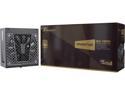
Seasonic PRIME GX-1300, 1300W 80+ Gold, Full Modular, ATX Form Factor, Low Noise, Premium Japanese Capacitor, 12 Year Warranty, Nvidia RTX 40 Super/50 , AMD GPU Compatible, Ref# SSR-1300GD
Pros: I thought my seasonic ss1250xm was dying it was coming on 5-6 years old.. kept having my pc shut down, so I thought it was the supply. I bought this one the 1300 .. it is silent as well. lots of power.. while it lasted
Cons: Died within 20-30 days. only really gamed 3-4 hours nightly, wasn't used to mine... giving 2 stars just b/c my old one still works and will hold me by and still within return for full refund time from neweggg
3/13/2019See more detail