
Your Browsing History


Jonathan G.
Joined on 01/02/04
0
0
product reviews
- 4
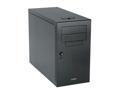
LIAN LI PC-A05B Black Aluminum ATX Mid Tower Computer Case
Pros: Contrary to what some commenters are saying, I don't find the fans all that noisy, especially when compared with my last build. Sturdy but lightweight build, easy to work with assuming you have standard sized parts. Very sleek. I haven't noticed any issues with air-flow other than noted below. Air enters from back, and is pushed through the front. Great cooling for a mid-range build. May or may not be right for a high end/high heat build.
Cons: No cooling at top of case - airflow over the CPU is great, but you'll probably want to pick up a PCI slot fan, especially if you're using a hot running graphics card that doesn't have good cooling built-in. This is the largest flaw with this case I've found yet, and the thing that stopped me from giving a 5 egg rating.
Overall Review: *Front pannel power LED is extremely bright. Not a big deal to me, others might not like it. I'll just as soon disconnect it if I don't like it. Or just go to radio shack and replace it. *REVERSE ATX BUILD. Be aware of potential spacing issues. *Front mounted power supply. Make absolutely sure your PSU is completely ATX compliant here. There is very little room for error. My Corsair PSU fit fine, but I've heard others have had trouble with this.
5/17/2008See more detail
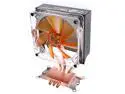
Rosewill RCX-Z4 120mm 2 Ball CPU Cooler
Pros: *Great cooling *Great air flow (That happens to work quite well with my Lian Li case)
Cons: *BIG - Fits fine in my case, but YMMV. May block access to parts of motherboard too. *Installation was a pain - Alright, so I should have thought of this before hand, but make sure you install the mounting brackets for this thing before you try to seat your motherboard. It came prefitted with AMD brackets, so it was an extra step to remove those and attach the intel ones.
Overall Review: *As other reviewers have mentioned, the METAL brackets attach directly to the Motherboard with only a thin piece of insulating tape between them and the mobo. It made me a little nervous, but my gigabyte mobo was designed properly for such brackets and has an outlined area for the brackets where there are no components to deal with.
5/17/2008See more detail
Great Game Bridge
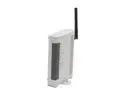
XTERASYS XA-2622G Wireless Access Point
Pros: simple, cheap, functional
Cons: poor instructions, perhaps difficult to set up for someone with less understanding, NO WPA IN BRIDGE MODE
Overall Review: I'm a network administrator by trade, so as long as something works as it's intended, I can usually configure it. This was no exception. It works exactly as intended. I was able to download the bridge firmware from the xterasys website, and flash it (a relatively simple process, don't let the terminology scare you). However, the IP address for the unit isn't mentioned anywhere once you've installed the bridge firmware - I had to IP scan my network and found out that it moved to 192.168.1.241 instead of .240. As soon as I punched in that address, the configuration screen came up, and the rest of the setup went exactly as expected. I was up and running in less than 20 minutes. As long as it doesn't have any issues, I'd call this a great investment over the $100 xbox 360 network adapter.
3/22/2008See more detail
Great Game Bridge
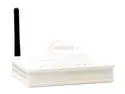
XTERASYS WAP257 Wireless Access Point
Pros: simple, cheap, functional
Cons: poor instructions, perhaps difficult to set up for someone with less understanding, NO WPA IN BRIDGE MODE
Overall Review: I'm a network administrator by trade, so as long as something works as it's intended, I can usually configure it. This was no exception. It works exactly as intended. I was able to download the bridge firmware from the xterasys website, and flash it (a relatively simple process, don't let the terminology scare you). However, nowhere is the default IP address for the unit located once you've installed the bridge firmware - I had to IP scan my network and found out that it moved to 192.168.1.241 instead of .240. As soon as I punched in that address, the configuration screen came up, and the rest of the setup went exactly as expected. I was up and running in less than 20 minutes. As long as it doesn't have any issues, I'd call this a great investment over the $100 xbox 360 network adapter.
3/19/2008See more detail