




 here!
here!
I’m your shopping assistant for PC builds, upgrades, and everything tech.
Got questions? Ask away!
Start a conversation
here!
I’m your shopping assistant for PC builds, upgrades, and everything tech.
Got questions? Ask away!
Start a conversation

Joined on 06/01/08
So far, so good! Used in PS3
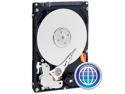
Pros: Does what its supposed to do. Formats to 465 GB. Fairly quiet.
Cons: Wish it were 1 TB! Could always be cheaper :)
Overall Review: I used this to replace the 60 GB drive that came with my PS3. Installation was a snap except for the TINY Philips head screws that aver VERY easy to strip. Unfortunately, the PS3 only gives you about 413 GB of usable space from the 465, but it's a HUGE upgrade for not much money.
First Gigabit Switch
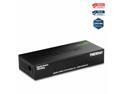
Pros: Inexpensive, 90MB/s average transfer speed, 8 ports, low profile, power savings
Cons: None so far
Overall Review: It just does what it's supposed to do. I'm moving large .m2ts files from desktop to server, and it is averaging 90MB/s with jumbo frames enabled. This is exactly what I bought the switch for and couldn't be happier!
Outstanding!
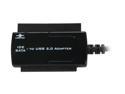
Pros: WORKS!, cheap
Cons: Not a con for the product, but if you are using this for a 2.5" drive, connect the USB to a powered hub or one of the USB ports directly attached to the motherboard (back of computer), not the headers (front or expansion card). The USB attached directly to the mobo seem to provide more power which is necessary to power the drive AND access the files.
Overall Review: I just received this and am using it to transfer files off of an 8 year old 2.5" IDE/ATA hard drive. This little hard drive was in my Dell laptop purchased in 2000, which died a couple of years ago. I had saved the HDD hoping that I would be able to retrieve the data, but it wasn't anything so important it was worth spending a ton of money. While trying to help a buddy recover files from his girlfriend's dead laptop, I stumbled upon this product, and it has been outstanding. I simply connected the hard drive, plugged the reader into the computer, and voila! I am copying down my old papers from college :)
Works for me...
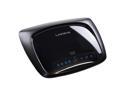
Pros: Worked right out of the box, easy to set up, fast for the standards it supports
Cons: No Gigabit LAN ports, has to be reset occassionally...like all routers.
Overall Review: I am a bit surprised at the rating for this router. I know people are generally a bit hyperbolic when rating products (e.g.: 1 star for bad rebate...pathetic), but I think for most users, this router will do just fine for you. The only reason I am looking for a new one (after almost a year of ownership) is the absence of gigabit LAN ports. Unless you need those or have a more complex network, you should be pleased.
Good value, perfect if you just want XP
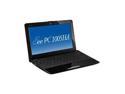
Pros: Excellent battery life, gorgeous screen, easy RAM upgrade, and all other netbook pros (lightweight, inexpensive, etc.)
Cons: Windows 7 drivers are a little sketchy, mousepad can be very frustrating, onboard GPU is weak
Overall Review: I originally bought this for my gf who ended up getting a laptop before I could give this to her; so, I played around with it and considered using it as a traveling media player. Honestly, it works really well in that capacity. Rather than taking my already somewhat bulky Archos, I can just bring my slightly bulkier netbook. What takes off an egg for me, though, are the weak GPU, somewhat wonky mousepad, and difficult Windows 7 drivers. Windows 7 installs easily and fairly quickly on an already partitioned hard drive. The problem lies with the driver support for the SuperHybridEngine, function buttons, and multi-gesture mousepad. The drivers are better (and available) now on Asus's website. Aside from those issues, the GPU is just too weak for me. I wasn't planning on playing any DirectX games or anything, but you can't play HD video on this thing. Even with CoreAVC and Windows Media Classic (lightest decoding package), 720p video even stutters. Kiss 1080p goodbye.
Lots of space for little money
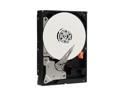
Pros: Reliable WD brand, cheap $1/GB ratio, just works
Cons: I guess it could be cheaper and faster? It took what seemed like 3-4 hours to format, but this is the first >1TB drive I've ever owned so...
Overall Review: Using TeraCopy, I moved ~900 GB of Blu-Ray media from another WD drive, and it took around 4.5 hours at a rate of roughly 55 - 60MB/s. It was a huge relief to finally back up all that painstaking and time consuming data! Verified with no problems. It will be used as strictly a media drive; so, I don't know how well it works for a primary OS drive, but it's great as a cheap solution for data storage.


