
Your Browsing History


Eric H.
Joined on 01/23/07
0
0
product reviews
- 6
Amazing Entry Board
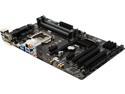
GIGABYTE GA-Z97-HD3 (rev. 2.0) LGA 1150 Intel Z97 HDMI USB 3.0 ATX Intel Motherboard
Pros: Simple Layout, Extremely Fast Post, 3 BIOS Views, Front Audio Header is at the the far bottom left of the board as opposed to some boards that have it near the PCIe slots. NO issues, everything worked as intended. Cheap for z97 board.
Cons: The only con that this board would have, and mind you this VERY minor, is that two of the three fan headers are located right above the PCIe 1x slot. I kinda wish that only one was located here and then they move the second one closer to the front of the board. This will help avoid having a fan cable draped across your graphics card or hanging down from the top if you have fans and/or 240mm radiator coupled with this board. Since the case I used (Corsair 200R) only had one fan on the rear, and one fan the front, this really wasn't much of an issue, but for others this might be.
Overall Review: All in all I am very pleased with this board. A couple of things I would like to point out though is that first this board adheres to ATX form factor, it is just 7.5'' in width as opposed to your typical ATX width. All the mounting holes are the same. I personally liked how compact it felt, all the while providing a good amount of upgrade options. My client was very pleased with this build. Another thing is that this board DOES NOT SUPPORT SLI for nvidia cards. It is however, ready for crossfire for AMD cards. The secondary PCIe slot only runs 4x. The BIOS was very nice I thought the layout was fairly decent; I liked how the 3 different views gave you a choice to set you options. I personally liked the classic which is your basic view, albeit with mouse support still and a simple GUI at the top. The ST mode was a little more enthusiast oriented where it had CPU/Memory information on the left and system status on the right. All the settings can be changed as well as a resolution toggle that I thought was pretty neat; I could either view in 1280x720 or 1920x1080. I kinda wish my 2 other z77 boards had something like that since those don't take fill the screen. The default BIOS screen is interesting. It is a Metro style view, where it lists all the most frequently changed settings. I personally didn't care for it as much; I set my default view to classic. The other interesting thing that I notice was that when you have this paired with a locked CPU (Non-K SKUs) the options for changing core multipliers still let me change the values however they did not save regardless if you press F10. I thought this was kinda odd, wish they would have just grayed out all the options pertaining to OC. Some options, however, looked like you could change them but when you tried click on them they would not budge. No biggie but I thought it was kinda odd. Driver disc was a typical installation disc, just choose the main drivers individually. One of the drivers required a windows update; Its included on the disc as well as .Net Framework 4.5 The build turned out crazy fast for a really good price. I was jealous of their system. I think anyone wanting a good z97 board but doesn't want to pay a whole lot should look at this board. By adding an SSD in the future, I don't see this computer getting replaced anytime soon! It's wicked fast ! My clients build came in under $600 with rebates/promos. Hopes this helps ! :) Specs: Intel i5 4590 3.3 GHz HD Intel 4600 Graphics GIGABYTE GA-Z97-HD3 ASUS DRW-24F1ST DVD Writer WD BLACK SERIES WD1003FZEX 1TB GSKILL Sniper 8 GB DDR3 1600 Corsair CS450M PSU Corsair 200R Case Win 7 64 Bit
6/27/2014See more detail
EVGA Quality !
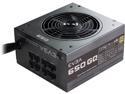
EVGA 650 GQ 210-GQ-0650-V1 80+ GOLD 650W Modular EVGA ECO Mode Power Supply
Pros: This was my first EVGA power supply, despite purchasing tons of graphic cards and motherboards from them over the years. The power supply was amazing quality. The unit itself was packaged well and runs quiet in the system.
Cons: None.
Overall Review: At first I thought the unit was a bit large especially when compared to the corsair CSM Series that I used for a client's build two years previously. However, it fit flawlessly in the Corsair 200R case and lined up perfectly on the screw holes on the back of the case. Highly Recommended!
5/12/2016See more detail
Awesome Ram
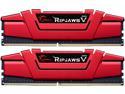
G.SKILL Ripjaws V Series 16GB (2 x 8GB) 288-Pin DDR4 SDRAM DDR4 2133 (PC4 17000) Desktop Memory Model F4-2133C15D-16GVR
Pros: The build quality on these are insane. Heavy and Sturdy, these easily could have cost an arm and a leg. At 1.2V, and 2133 MHZ, these always remained cold to the touch even with the machine on for hours. Beast quality all the way around! The AsRock z170 Pro4s board detected and ran these perfectly
Cons: None
Overall Review: I was on the fence about going one step up to 2400 MHZ to grab the silver ones, but I am glad I went with these to save a few extra bucks. My motherboard also showed 2400 MHZ on the speed selection in the BIOS so there was no point to spend more. Highly Recommend !
5/12/2016See more detail
Amazing Budget Board for the Z170 Chipset
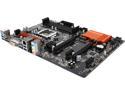
ASRock Z170 Pro4S LGA 1151 Intel Z170 HDMI USB 3.0 ATX Intel Motherboard
Pros: This board was a steal when I got it on sale, especially since it was even cheaper than some of the H170 boards that are out there. The BIOS was fairly straight forward, with a nice interface and polished UI. The board itself felt extremely sturdy and everything worked flawless right out of the box. I paired this with a i5-6400 and 16 GB of 2133 GSkill Ripjaws V. The bios said that these DDR4 modules could run at 2400, however, I ran them at stock since there was no reason to go that high on a relatively mid-range build. The layout of the board was also a plus, no extra bell or whistles that keeps the cost down and also it would make a very nice build if you used a windowed case. It is also nice that they included the M2 slot, which runs at its full 3.0 4x bandwidth. It should support the latest SSDs, however, I would double check before you buy the drive. Subsequent BIOS updates probably added more support since I had purchased mine.
Cons: The only con that I came across with this board was that the CPU Fan header is in an awkward place. It is usually located opposite of the 8 PIN CPU connector, but for some reason they decided to put on the right hand side near the RAM Slot. To compensate for this, I took the stock fan and rotated it upside down (Intel logo upside down) so the cables can still tucked around the side of the heatsink and you can easily connect it at the bottom of DIMM Slot 0. Granted, keep in mind this wasn't too much of an issue, merely a slight inconvenience but by no means does it take away from the board.
Overall Review: A couple of last minute thoughts for this board: -No USB 3.1. This is actually a good thing; some people have complained about this but keep in mind that none of the z170 boards that do have 3.1 slots do this natively (which is huge). They are all supplied through a secondary chip, usually ASMedia. The Skylake refresh, Kaby Lake, should add this feature. -No USB 3.1 Type-C. Again, this board does not have this slot, which is actually good since it not only keeps cost down, but its support is quite limited at this point in time. Once 3.1 becomes native to the chipset, and connectivity expands, then it will become necessary. -Windows 7 worked flawless for me. Keep in mind that before you install, you will need to enable legacy USB support in the bios. When you load the install DVD, this will allow you to use the mouse, so it is quite necessary. I installed Windows 7 through my OEM disc that purchased here on Newegg. Since Windows 7 cannot detect a USB flash drive until you install the drivers, I burned a CD-RW of the latest USB 3.0 drivers. After that, I used a regular flash drive to install the rest. You also could modify your installation source through the AsRock utility that is found on their website and then burn it to a DVD or a USB drive; the instructions are in the manual. That method also worked for me as well. Lastly, keep in mind this board does not support SLI since that last electrical 16x PCIe only runs at 4x. Crossfire though should work.
5/12/2016See more detail
Awesome Drive
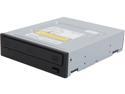
Pioneer Black 16X BD-R 2X BD-RE 16X DVD+R 12X BD-ROM 4 MB Cache SATA Blu-ray Burner BDR-209DBK
Pros: This is the third bluray drive from pioneer that I have purchased and so far everything runs like it should. Movies, DVDs, and CDs all load quick and play quiet. Also, like with most OEM Pioneer drives this has no white logos on the front, but they are still etched on the black plastic. Personally, this is always a plus for me and it looks very flush with the Corsair 200R case that I purchased to along with a new build. Rips are fairly quick on anything you do. So far very reliable !
Cons: None that I can think of !
Overall Review: A couple notes with this unit. It does NOT support BDXL that you can find on the retail counterpart (BDR-2209) which mean no triple or quad layer blurays. Since it is an OEM unit, you will need to supply your own SATA cable.
5/12/2016See more detail
Extremely Fast
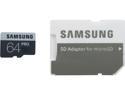
SAMSUNG Pro 64GB microSDXC Flash Card Model MB-MG64DA/AM
Pros: Fastest SD Card that I have personally owned. I ran a quick benchmark. Here are my results: External Reader: Transcend TS-RDF5K USB 3.0 Machine: Intel 3770k/ Asus z77 Maximus Extreme/ Used an Intel Port; Not one tied to AsMedia Controller CrystalMark 3.0.3 x64/ 4 Passes @ 50 MB/ Test Data= Random (Default) Seq Read=91.63-------> Write=81.31 512k Read= 79.96------>Write=67.47 4k Read=7.428------->Write=2.040 4k Q32 Read=8.028----->Write=1.428 I had originally tried to compare the MB-MGCGBA/AM (Older Pro Model) but my benchmark data was flawed. I had used a higher setting and would be a mess to post here. I did a manual test though and this card is WORTH the money I sent about 12.6 GB of music on the old card and I would get writes around 13 MB-17 MB. Usually it woul steady around 15 MB. It would take about 15 minutes to complete. That same transfer on this card was around 58-62 MB and it finished in about 3-4 minutes. Mind=Blown.
Cons: Absolutely None
Overall Review: I am extremely happy and satisfied with this purchase. I had hoped to have a really good comparison with the older PRO model as there is a HUGE difference for the better, but I had goofed when I noticed my old data was at 500 MB/4 passes, which isn't applicable to small transfers such as pictures and music. Anyways, I went ahead ran this card using the same settings, and there was hardly any increase aside from the Seq Write (20.14 MB VS 79.87 MB). Everything else, which is more important, was within +/- ~1 MB within each other. Obviously, this was incorrect. With just my manual transfer the 512k/4k is four times faster so I didn't bother posting it as it would just confuse people. Long story short, this thing is ALOT faster than the previous generation. It deserves your undivided attention.
6/7/2014See more detail