

Your Browsing History


Michael M.
Joined on 08/01/03
0
0
product reviews
- 10
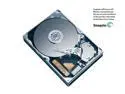
Maxtor DiamondMax 10 6V250F0 250GB 7200 RPM 16MB Cache SATA 3.0Gb/s 3.5" Hard Drive Bare Drive
Pros: I bought two for my MSI K8N SLI F motherboard. Quiet & *fast*. After Maxtor bios update (nForce4 and SATA II issue), my system is now rock solid. MSI K8N SLI F AMD 64 4000+ 2 GB OCZ Platinum Rev 2 (CAS 2) 2 Maxtor 250 6V250F0 SATA II eVGA 7800GTX pci-e ATI HDTV Wonder 24" LCD (D*** 2405) Sound Blaster Audigy 2 ZS Platinum Antec Neo HE 550 PS Plextor 740 DVD Writer
Cons: If you're having a problem with this drive and an Nvidia nForce4 motherboard (i.e., must set to 150 mode or drive not always recognized), call Maxtor for the firmware upgrade and they'll email you the files. For now, you'll have to call to ensure your bios is actually affected by providing them the bios code and serial number. Once flashed, you'll be able to run in 3.0Gb/s (300) mode again.
1/13/2006See more detail
Eh...
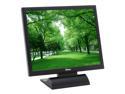
AOPEN 19" Active Matrix, TFT LCD SXGA LCD Monitor 16 ms F90JS
Comments: Received mine with no dead pixels. Good color and controls. Forget the speaker, though--would have been better without. This monitor's dot-pitch is less than optimal, which results in average to poor text (Internet browsing) even through DVI connection set to the default 1280x1024 resolution. Still, not bad for the price or for my kid's computer. But if I ever upgrade my own CRT to LCD, I'll definitely pay more attention to the dot pitch.
7/15/2005See more detail
Nice Item
Pivos PTGNANUSB USB Wireless Adapter 802.11 b/g/n USB 2.0
Pros: Great performance Easy connection Great range Low price (thanks Newegg)
Cons: None
Overall Review: Works great with my Pivos AIOS HD Media Center.
5/17/2012See more detail
Is this thing on?
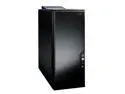
Antec Performance One P180B Black 0.8mm cold rolled steel for durability through the majority of chassis
1.0mm cold rolled steel around the 4 x HDD area ATX Mid Tower Computer Case
Pros: Extremely quiet! Even with 4 120 fans, I cannot tell this thing is on. I have to wait for my stock AMD 4800+ dual core cpu fan to kick in high rpm mode (e.g., while gaming) to hear anything out of this case. Great heat reduction design. I've finally separated my hard drives from the heat of the CPU and graphics cards. My motherboard now reports a 14 degree Fahrenheit difference (cooler) at full load.
Cons: Snaking the power cables through the opening at the bottom can be a pain. I'd recommend a modular cable power supply so you only have to deal with the power cables you need. I first had this set up with my Antec NeoHE 550 PS, but it just blew out after only 6 months. My new PS (non modular) had a lot of extra cables to deal with. Because of the proximity of the bottom chamber 120 fan to the ps, you'll still need to route ALL unused power cables into the upper chamber. So, again, modular cabling is the way to go.
7/24/2006See more detail
The perfect Micro ATX
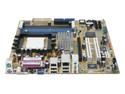
ASUS A8N-VM CSM 939 NVIDIA GeForce 6150 Micro ATX AMD Motherboard
Pros: Price, feature set, reliability. I've got this running in one of my kid's PCs with an Athlon 64 4000+ and 1 gig of standard Infineon PC3200 CL3 memory in a SilverStone Micro ATX case (recommended for its two 120mm fans). The set up was effortless. This is my first Micro ATX (and ASUS) set up in a while, and I'm extremely impressed. The built-in DVI video is powering a DELL UltraSharp 2007WFP 20.1-inch Widescreen Flat Panel LCD monitor with no problems whatsoever. DVD Video plays perfectly too, so I have no idea what the last reviewer was complaining about. This motherboard has been nothing but rock-solid.
Cons: Had to wait until SP2 was installed before the audio drivers were recognized from the set up disk, but audio sounds great. Thin IDE cables (vs. ribbon cables) would have been nice.
6/5/2006See more detail
Just about perfect
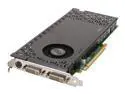
EVGA GeForce 7800GTX 256MB GDDR3 PCI Express x16 SLI Support Graphics Card 256-P2-N527-AX
Pros: Incredibly quiet. Great image quality. I've only got one (no SLI mode yet), but I can still run BF2 in 1920x1200 (with +szx 1920 +szy 1200 command line override) resolution on my Dell 24" widescreen LCD with all options set to high. Who actually needs SLI with this beauty? Other specs: - MSI K8N SLI F - Athlon 64 4000+ (2.4Ghz, no OC) - (2) Maxtor 250 SATA II 3.0Gb/s HD (w/ bios update for nForce4 issue) - 1 gig OCZ Platinum Rev 2 3200 RAM (CAS 2)
Cons: Long, but that's what you get with all 7800's. Card actually covers SATA ports 3 and 4 on my MSI K8N SLI F, but they're not in use.
1/26/2006See more detail