
Your Browsing History


Christopher H.
Joined on 03/26/02
0
0
product reviews
- 4
Excellent RAM with correct timings
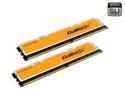
Crucial Ballistix 2GB (2 x 1GB) DDR2 800 (PC2 6400) Dual Channel Kit Desktop Memory Model BL2KIT12864AA804
Pros: Great, high-performance RAM. When I first installed these, I just set the timings in my motherboard (Asus P5N32-E SLI Plus) to "auto." This set the timings at 5-5-5-18. Everything seemed to work okay for awhile, but I started getting intermittent lockups and BSODs. I also couldn't play games like Supreme Commander for more than about 30 minutes without a crash. After some troubleshooting on my video drivers etc., I came to the conclusion that my memory might be the culprit. After some research, I found out that these particular sticks require that you set the timings manually. I went into the BIOS and changed the timings to 4-4-4-12 (2T) @ 2.2V and everything works perfectly. No more crashes or BSODs.
Cons: None, as long as you set the timings correctly.
Overall Review: More expensive that other brands, but I've always been happy with Crucial.
4/28/2007See more detail
Works Great
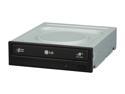
LG DVD Burner 22X DVD+R 8X DVD+RW 22X DVD-R 16X DVD-ROM 48X CD-ROM Black SATA Model GH22NS50
Pros: Does what it is supposed to do - reads and burns discs reliably. Relatively quiet. Installs easily. Great price.
Cons: Annoying embedded adware.
Overall Review: Like a previous reviewer noted, you can disable the "Bluebirds" adware application by checking the "don't show again" box when the EULA comes up. Yes, it's annoying that LG decided to include this app, but it's easily dealt with. It certainly doesn't affect the functionality of the drive once it has been disabled.
7/2/2009See more detail
Fastest Card on the Market (for now)
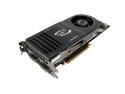
EVGA GeForce 8800 GTX 768MB GDDR3 PCI Express x16 SLI Support Graphics Card 768-P2-N831-AR
Pros: Excellent gaming performance across the board, with DX10 support for upcoming games. This card has great cooling, yet is quiet given the heat produced by the card (the cooling fan is only noticeable at full load). EVGA offers lifetime support, and they actually pick up the phone when you call. They also offer the option to trade up to new card within 90 days via their Step-Up program.
Cons: This card produces a lot of heat, so you need to make sure you have good airflow in your case (it vents most of the heat out the back, but some is expelled into the case). It's a very large card, so it won't fit in some cases. Be sure to measure your case before you purchase! DX10 support only works in Vista (not a drawback of the card itself)
Overall Review: Fits in an Antec P180B case, but you have to remove one of the HDD carriages. Drivers under Vista are finally decent - download version 158.18 or higher from NVIDIA's site (XP drivers have been stable since 97.xx series).
5/2/2007See more detail
Solid, feature-rich motherboard
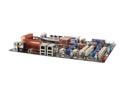
ASUS P5N32-E SLI Plus LGA 775 C55+MCP55P; a.k.a. nForce 650i SLI & nForce 570 SLI ATX Intel Motherboard
Pros: Great performance for the price. X16 SLI for a lower price than comparably-performing 680i boards. Q-connector makes front-panel hookups easier. Worked perfectly on first boot.
Cons: On-board audio isn't that great. Chipset drivers for Vista are beta only (you can use NVIDIA's reference drivers, however)
Overall Review: As others have noted, this "hybrid" board uses a 650i northbridge with a 570SLI southbridge. However, the board uses the 680i chipset drivers. If you use the drivers on the included disk you'll be fine. You'll need to use NVIDIA's drivers if you're using Vista.
4/28/2007See more detail