
Your Browsing History


Todd B.
Joined on 01/17/04
0
0
product reviews
- 4
Solid board but watch the auto on overclocking
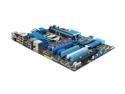
ASUS P8P67 PRO LGA 1155 Intel P67 USB 3.0 ATX Intel Motherboard
Pros: Great Design, the new EFI BIOS is a welcome addition to the market. Recognized both usb mouse and keyboard on first boot. ez flash BIOS updater works like a champ with a thumb drive, likewise it boots from one with no problems. For the most part very solid OC logic built in but...
Cons: The auto voltage settings are extremely aggressive to the point of potentially damaging your chip if you're not careful. My first attempt at 4.5Ghz with auto voltage settings gave me a cpu-z (v1.56.2) voltage reading of 1.448 which is way to high. This was using the latest BIOS (1053). Also no IDE/ATA or floppy connectors (if anybody actually cares anymore)
Overall Review: Overall I'm liking this board a lot. It's currently running my 2500k at 4.5Ghz @ 1.32 vcore prime stable (8g of ram - 1333) and the EFI, after getting used to, is a welcome addition. You'll quickly wonder why someone didn't do this sooner. I have concerns about junior overclockers trashing their chips with the aggressive auto settings, but like all things with overclocking - be smart and do your research first.
1/17/2011See more detail
Rock Solid
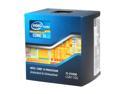
Intel Core i5-2500K - Core i5 2nd Gen Sandy Bridge Quad-Core 3.3GHz (3.7GHz Turbo Boost) LGA 1155 95W Intel HD Graphics 3000 Desktop Processor - BX80623I52500K
Pros: Reasonable price for the unlocked variant. Quad core, overclocks like mad. Newegg got it to me quickly. What else can you ask for?
Cons: It's nit picking but Intel's included heatsink is the low profile job, not the tower you get in the 2600k. Most people buying a K are tossing that out immediately (myself included) but FYI.
Overall Review: Running at 4.5Ghz across all cores (100x45) @ 1.32 vcore on a asus p8p67 Pro with 8 gigs of ram. Cooling via my trusty zalman 9700LED, low 30's idle, high 60's load at minimum fan. 12 hour prime stable, 32M WPrime in 8.237 - 1024M in 256.933. Buy it - preferably here at newegg.
1/17/2011See more detail
Good HTPC platform
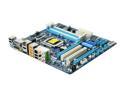
GIGABYTE GA-H55M-UD2H LGA 1156 Intel H55 HDMI Micro ATX Intel Motherboard
Pros: Solid layout, HDMI and displayport, will send audio over DVI with a DVI to HDMI cable (can't report how many channels since I use a separate optical connection to my receiver).
Cons: no USB 3.0, no onboard raid but i don't think any of the h55's have that. Bios doesn't show true IGP frequency when you overclock, you have to calculate it yourself (not a big deal).
Overall Review: Overall it's a solid board for cheap if you don't care about USB 3.0. I have it in a Lian Li case doing htpc duty. It has a typically well setup bios for overclocking. I had a i3 530 up to 4.00ghz at 1.3v stable with the igp active. It had more but i was nearing temp max with the stock cooler in benching. Currently running at 3.4. Make sure you grab the latest bios from the gigabyte site since the included bios won't let you independently adjust the igp freq.
3/24/2010See more detail
good keyboard for an htpc setup
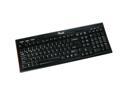
Rosewill RK-7300 Black 105 Normal Keys 7 Function Keys USB Super Slim Unique Curved Design Multimedia Full-size Keyboard
Pros: Solid feel, rubberized end pieces mean I can set it vertically against a wall on hardwood without slipping, flat key design makes for a slim profile and light weight that's easy to tuck away hidden. Rests comfortably on your lap for light typing.
Cons: Non-standard key design. Large enter key shifts the standard layout of the backslash key and rearranges the usual del/end/insert/home etc. block. Not a big deal for my use. A back lighted version would be nice, but probably unrealistic given the price point.
Overall Review: Overall this is a solid product for the money that works well with my htpc setup. I have it chained to two 10' usb extenders running into my htpc box and it works fine. The real benefit to me was the rubberized end pieces that allow me to lean it up against a wall or speaker without sliding on my hardwood. I don't game on my htpc but after a week of solid use i don't see why that would be a problem. As always the egg delivered quickly and as promised. One final thought, this keyboard is like using a large laptop in feel. If you don't like the 'feel' of a notebook keyboard and plan on using this heavily for typing then i would recommend you seek another option.
12/17/2008See more detail