

Your Browsing History


Nathaniel O.
Joined on 06/24/03
0
0
product reviews
- 23
Awesome
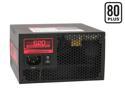
CORSAIR HX Series CMPSU-620HX 620 W ATX12V v2.2 and EPS12V 2.91 SLI Certified CrossFire Ready 80 PLUS Certified Modular Active PFC Compatible with Core i7 Power Supply
Pros: Modular cabling, 10 standard molex plugs, full 620 watts. Predicted lifetime is based on actual usage temperatures of 50C, not 20 or 30C like other brands which the powersupply will rarely be at. Turned my computer from unstable to stable. 430 watts wasn't enough. Also, why do so many people buy really expensive high end components and then a cheap average power supply?? If you underpower your components you will get tons of random bluescreens, seemingly unexplainable hardware and software errors (happened with me and a video encoding program, I looked online for a solution and so many people misdiagnosed the problem, blaming everything from memory, to CPU, to software when it is actually the power supply!) Corsair is top of the line. Well worth it.
Cons: none, you get what you pay for. NOT A CON (but I've run out of space in other categories) I had this thing under full load for the past 24 hours and I'm not quite sure what people are talking about but there is no loud noise coming from the PSU. I can't even hear it over my other case fans. Stays very cool due to high efficiency. The only possible thing to mention but isn't really a con is that the molex plugs have a rounded plastic clip thing on them. This is helpful for plugging into most standard molex plugs on most of the components in a pc, but my video card (X800 pro) needed a molex plug too, and the plug itself was so close to the card that the plastic clip got in the way and I couldn't plug it in without the clip trying to rip the power jack off the video card. So I just ripped one of the clips off, problem solved! Rock solid device so far.
Overall Review: Note: If you look inside this PSU and see a whitish compound strung (best word I can think to describe it) between components, especially the gigantic industrial duty capacitor, this is just a grounding compound. I have an AMD64X2 3800+, 2 gigs of memory (4 dimms), 2 optical drives, floppy, 4 harddrives, 2 other front drive bay accessories, upwards of 4 USB devices, relatively modern video card, and an X-fi. I looked up the power consumption for my PC on a website given the components, and it was 574 watts at peak load! I previously had an Antec Trupower 430, which is an awesome power supply but 430 watts wasn't enough. I needed a new PSU to do video encoding, which had previously bluescreened my pc repeatedly. If you frequently get bluescreens when doing high load processes like video encoding and have lots of components in your pc, chances are it's an underpowered system that's causing all your bluescreens. Get this power supply.
12/7/2006See more detail
Cheap and flimsy. Avoid.
NESCO BG-88 Coffee Bean Burr Grinder
Pros: Worked OK for 2 weeks.
Cons: Motor burned out in 2 weeks of moderate usage. Was careful not to let it grind for too long in a row, babied it. Still died. Device feels flimsy. Grind hopper shape makes no sense whatsoever, it's almost like designed to dump grinds everywhere whenever you make coffee. Also, it doesn't matter what size grind you select, it will jam at either regular coffee sized (3-5) or espresso (1-3).
Overall Review: Grinding mechanism is all one piece. You can't even take it apart to clean it. Astonishingly shoddy engineering. You get what you pay for.
12/19/2011See more detail
Great game

Mass Effect 3 PC Game
Pros: Awesome game, better graphics than 1 and 2, great story, decisions affect gameplay more than the other 2 games. Amazing series.
Cons: You have to connect to origin to play this game, but it's not really a big deal. If you care about that you can find patches so that you don't have to.
Overall Review: Loved the other 2, too.
4/1/2012See more detail
Best Soundcard I've owned so far
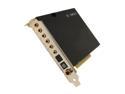
HT OMEGA CLARO II 7.1 Channels 24-bit 192KHz PCI Interface Sound Card
Pros: This is the best soundcard I've owned. I have an ASUS ROG Crosshair IV mobo with an onboard X-Fi, I've come to the conclusion that all onboard audio is garbage, even the "high end" stuff. I've also owned 2 X-Fi's and an Audigy 2 ZS(back in the day), and this card is much better than any of them. Music sounds a lot clearer, bass is definitely present but not dominating like it was on the X-Fi with crystalizer on. I hear bass on my headphones in songs that I didn't hear it in before. I have yet to try it with movies/bluray, will probably post another review when I do.
Cons: There are no color codes on the analog 3.5" jacks, so if you're used to just being able to match the color coded 3.5" jacks from your speakers, you won't be able to do that. I had to climb under my desk and look at the labels from the back of my subwoofer. Also, they get 5.1 wrong, it's technically rear left and right, but for some reason they call the back speakers middle left and right (which are 7.1 speakers). Drivers off the web do not work at all, it asks me to plug in the card, when it's already plugged in. This is probably a bug that will hopefully be fixed soon. Thankfully the drivers on the CD work great. Usually I just throw out the drivers on the CD in favor of the more updated ones online, but not this time I guess.
Overall Review: My speakers: Klipsch Promedia Ultra 5.1 500W. I will never buy another Creative soundcard again, they have all had ungodly crackling of death, and they have some of the worst drivers on the planet. You will probably need to customize the EQ settings to find one that's useful, I listen to mostly metal and I ended up using the soft rock EQ setting with the highest 2 bands dropped down a bit, to take some of the harshness off.
3/28/2012See more detail
Decent Machine
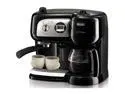
DeLonghi BCO264B Cafe Nero Combination Coffee and Espresso Machine
Pros: Easy to use, makes decent coffee and espresso, mostly well designed.
Cons: Clearance between the basket that holds the filter and the machine itself could have been a little better, there is a screw that will scrape the machine every time you swing the basket that holds the filter back into the machine. Also clearance between the coffee pot and the basket could be better, the coffee pot scrapes the bottom of the basket every time you put it back. The handle of the coffee pot feels a bit flimsy, like it might fall off.
2/1/2012See more detail
followup
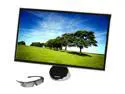
SAMSUNG S27A750D Black 27" Full HD LED BackLight LCD 120Hz 3D Monitor w/ 3D Glasses 300 cd/m2 DCR 1,000,000:1 (1,000:1)
Pros: 120 Hz, amazing quality, picture, and response time.
Cons: Buttons as mentioned before.
Overall Review: If you get an error that says "Not optimal display settings" it is probably your cable. I bought a brand new display port to minidisplay port cable on here and tried hooking up this monitor with it and the monitor would not display anything except that error. Switched to a much thicker display port cable that came with the monitor and a display port to minidisplay port adapter that came with my videocard and the problem went away instantly and hasn't been back since. Get the thickest cable you can, because it seems to matter.
12/8/2011See more detail